
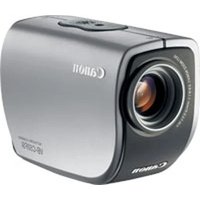
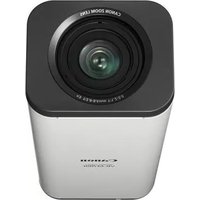
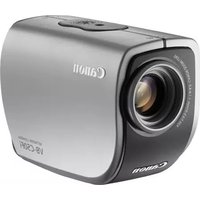
VB-C50FSi - Surveillance Camera CANON - Free user manual and instructions
Find the device manual for free VB-C50FSi CANON in PDF.


Pick your language and provide your email: we'll send you a specifically translated version.
| Product Type | Security Camera |
| Model | VB-C50FSi |
| Brand | Canon |
| Category | Network PTZ Camera |
| Dimensions (W x H x D) | 130 mm x 130 mm x 180 mm |
| Weight | 1.2 kg |
| Power Supply | PoE (Power over Ethernet) or AC adapter (24V AC) |
| Power Consumption | 12W (max) |
| Image Sensor | 1/4-type CMOS |
| Effective Pixels | Approx. 2.1 megapixels |
| Lens | 3.4 - 122.4 mm (36x optical zoom) |
| Pan Range | 360° endless |
| Tilt Range | -90° to +90° |
| Network Interface | 10Base-T/100Base-TX (RJ-45) |
| Supported Protocols | TCP/IP, HTTP, RTSP, FTP, SMTP |
| Main Functions | Motion detection, privacy masking, audio input/output, alarm I/O |
| Maintenance | Clean lens with soft dry cloth; avoid harsh chemicals |
| Security | User authentication (password), IP address filtering |
| Spare Parts Availability | Contact Canon authorized service centers |
| Reparability | Professional repair recommended; user can replace SD card and external connections |
| General Information | Indoor use; operating temperature 0-40°C |
Frequently Asked Questions - VB-C50FSi CANON
How do I connect the Canon VB-C50FSi to my network?
Connect the camera to your network via an Ethernet cable using PoE (Power over Ethernet) or the provided AC adapter. Assign an IP address using the included setup tool or DHCP.
What is the maximum resolution of the VB-C50FSi?
The camera supports up to 1920x1080 (Full HD) at 30 fps.
Can I use the camera outdoors?
The VB-C50FSi is designed for indoor use only. For outdoor installation, use a suitable housing.
How do I perform a factory reset?
Press and hold the reset button on the camera for about 5 seconds until the LED blinks. The camera will restart with default settings.
What is the pan/tilt range?
Pan: 360° endless rotation. Tilt: -90° to +90° (180° total).
Does the camera support night vision?
No, the VB-C50FSi does not have built-in infrared LEDs. It relies on available light or external illumination.
How can I view the camera feed remotely?
Open a web browser and enter the camera's IP address. Alternatively, use Canon's VB Viewer software or any ONVIF-compatible client.
What type of memory card does the camera accept?
The camera supports SD cards up to 32 GB (SDHC).
How do I update the firmware?
Download the latest firmware from Canon's website. Upload it via the camera's web interface under 'Maintenance' > 'Firmware Update'.
What security features are available?
The camera supports user authentication (password protection), IP address filtering, and HTTPS encryption for secure communication.
User questions about VB-C50FSi CANON
0 question about this device. Answer the ones you know or ask your own.
Ask a new question about this device
No questions yet. Be the first to ask one.
Download the instructions for your Surveillance Camera in PDF format for free! Find your manual VB-C50FSi - CANON and take your electronic device back in hand. On this page are published all the documents necessary for the use of your device. VB-C50FSi by CANON.
USER MANUAL VB-C50FSi CANON



Manual assistant
Powered by Anthropic
Waiting for your message
Product information
Brand : CANON
Model : VB-C50FSi
Category : Surveillance Camera