
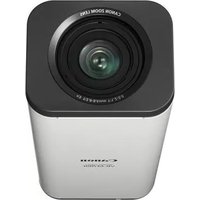
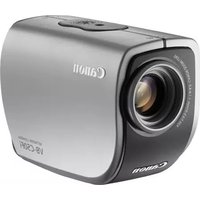
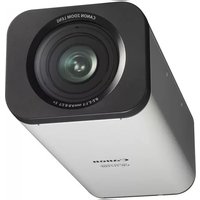
VB-M700F - Surveillance Camera CANON - Free user manual and instructions
Find the device manual for free VB-M700F CANON in PDF.


Pick your language and provide your email: we'll send you a specifically translated version.
| Product Type | Security Camera |
| Brand | Canon |
| Model | VB-M700F |
| Connectivity | Wired Ethernet (10/100 Base-T) with PoE |
| Video Resolution | Up to 2.0 megapixels |
| Field of View | Wide-angle lens (approx. 80 degrees) |
| Night Vision | Infrared LEDs for low-light conditions |
| Power Supply | Power over Ethernet (PoE) IEEE 802.3af |
| Dimensions (L x W x H) | 100 x 80 x 80 mm |
| Weight | Approximately 500 g |
| Mounting Type | Ceiling or wall mountable |
| Storage | MicroSD slot for local recording |
| Main Functions | Live video streaming, motion detection, remote access via IP |
| Security | WPA2 encryption, HTTPS support, password protection |
| Maintenance and Cleaning | Periodically clean the lens with a soft cloth; ensure firmware updates are installed. |
| Cleaning | Use dry cloth only; avoid liquids. |
| Spare Parts and Repairability | Spare parts may be available from authorized service centers; repair should be performed by qualified technicians. |
| General Information | Indoor and outdoor use with appropriate housing; operating temperature range -10°C to 50°C. |
Frequently Asked Questions - VB-M700F CANON
How to reset the camera to factory settings?
To reset the Canon VB-M700F to factory settings, locate the reset button on the camera and press and hold it for about 10 seconds until the status LED blinks. Use a pin or paperclip to avoid damage. After the reset, the camera will restart with default IP settings and passwords.
Can the camera be connected to Wi-Fi?
The Canon VB-M700F is a wired network camera with Ethernet connectivity only. It does not support Wi-Fi directly, but you can use a Wi-Fi bridge or access point to connect it wirelessly to your network.
What power supply is required for this camera?
The camera supports Power over Ethernet (PoE) (802.3af), so you only need a PoE switch or injector to power it. No separate power adapter is required for standard installations.
How to access the camera remotely over the internet?
To access remotely, first configure the camera on your local network, then set up port forwarding for the camera's IP address on your router. Alternatively, use Canon's Cloud Service or a VPN for secure remote access. Always enable HTTPS and strong passwords for security.
How to update the firmware?
Visit the Canon support website, download the latest firmware for the VB-M700F, and follow the upgrade instructions in the manual. Typically, you log into the camera's web interface, go to the Maintenance section, upload the firmware file, and wait for the camera to reboot automatically.
How to clean the camera lens effectively?
Use a soft, dry microfiber cloth to gently wipe the lens. Do not apply any liquid directly to the lens or camera body. For stubborn dust, use a blower brush. Never use abrasive materials or solvents, as they can damage the lens coating.
Can the camera store recordings locally?
Yes, the VB-M700F supports local storage via a MicroSD card slot (up to 128GB or similar). You can schedule continuous or event-based recording directly to the card, and access the footage through the camera's web interface or mobile app.
What are the mounting options for this camera?
The camera can be mounted on a ceiling or wall using the included bracket. Ensure the surface is sturdy and the camera is secured properly. Adjust the camera angle to achieve the desired field of view before tightening all screws.
Is the camera weatherproof for outdoor use?
The Canon VB-M700F itself is designed for indoor use. For outdoor installation, you need a protective IP housing or enclosure to shield it from rain, dust, and extremes of temperature. Check the manual for recommended outdoor housings.
How to enhance the security of my camera?
Change the default password to a strong, unique one, enable WPA2 encryption on your network, and set up HTTPS for encrypted web access. Disable unused ports and services, and regularly update the firmware to protect against vulnerabilities.
User questions about VB-M700F CANON
0 question about this device. Answer the ones you know or ask your own.
Ask a new question about this device
No questions yet. Be the first to ask one.
Download the instructions for your Surveillance Camera in PDF format for free! Find your manual VB-M700F - CANON and take your electronic device back in hand. On this page are published all the documents necessary for the use of your device. VB-M700F by CANON.
USER MANUAL VB-M700F CANON


Manual assistant
Powered by Anthropic
Waiting for your message
Product information
Brand : CANON
Model : VB-M700F
Category : Surveillance Camera