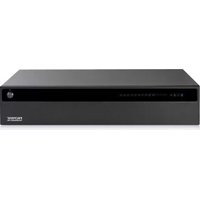
Vess A6120 - Security Camera Promise Technology - Free user manual and instructions
Find the device manual for free Vess A6120 Promise Technology in PDF.


Pick your language and provide your email: we'll send you a specifically translated version.
| Product Type | Security Camera |
| Brand | Promise Technology |
| Model | Vess A6120 |
| Image Sensor | 1/2.8" Progressive Scan CMOS |
| Resolution | 1920 x 1080 (Full HD 1080p) |
| Lens | 2.8 mm fixed lens |
| Field of View | Horizontal: 103°, Vertical: 58° |
| Night Vision | Up to 30 m (98 ft) with IR LEDs |
| Video Compression | H.265, H.264, MJPEG |
| Frame Rate | Up to 30 fps at 1080p |
| Audio | Built-in microphone, 1 audio input |
| Network | 10/100 Mbps Ethernet (PoE) |
| Power Supply | PoE (802.3af) or 12V DC |
| Power Consumption | Max 6 W |
| Dimensions | 70 mm x 70 mm x 150 mm (2.8" x 2.8" x 5.9") |
| Weight | 350 g (0.77 lb) |
| Housing Material | Aluminum alloy, IP67 weatherproof |
| Operating Temperature | -30 °C to +60 °C (-22 °F to +140 °F) |
| Storage | MicroSD slot (up to 256 GB), NVR support |
| Mounting | Wall or ceiling mount, included |
| Certifications | CE, FCC, RoHS |
| Warranty | 2 years limited |
Frequently Asked Questions - Vess A6120 Promise Technology
How do I reset the camera to factory defaults?
Press and hold the reset button on the camera for 10 seconds using a paperclip. The camera will reboot and restore factory settings.
What is the maximum resolution for recording?
The camera supports up to 1920x1080 at 30 fps. For best results, use H.265 compression to save bandwidth.
Can I use this camera outdoors?
Yes, the camera has an IP67 weatherproof rating, making it suitable for outdoor use in rain and dust.
Does it support night vision?
Yes, with built-in IR LEDs, it provides clear night vision up to 30 meters in complete darkness.
How do I connect the camera to my network?
Use a standard Ethernet cable to connect the camera to a PoE switch or injector. Alternatively, connect a 12V DC power adapter and use a separate network cable.
What mobile app is compatible?
The Vess A6120 is compatible with Promise View app for iOS and Android. Download from the App Store or Google Play.
Can I record directly to a MicroSD card?
Yes, insert a MicroSD card (up to 256 GB) into the slot and configure recording modes via the app or web interface.
How do I clean the camera lens?
Use a soft, dry microfiber cloth to gently wipe the lens. Avoid using liquids or abrasive materials. For the housing, a damp cloth with mild soap is fine.
What are the dimensions and weight?
Dimensions: 70 mm x 70 mm x 150 mm (2.8 x 2.8 x 5.9 inches); Weight: 350 g (0.77 lb).
Does the camera support PoE?
Yes, it supports Power over Ethernet (802.3af), allowing both power and data over a single cable.
User questions about Vess A6120 Promise Technology
0 question about this device. Answer the ones you know or ask your own.
Ask a new question about this device
No questions yet. Be the first to ask one.
Download the instructions for your Security Camera in PDF format for free! Find your manual Vess A6120 - Promise Technology and take your electronic device back in hand. On this page are published all the documents necessary for the use of your device. Vess A6120 by Promise Technology.
USER MANUAL Vess A6120 Promise Technology

Manual assistant
Powered by Anthropic
Waiting for your message
Product information
Brand : Promise Technology
Model : Vess A6120
Category : Security Camera