0070-08214 - Security Camera Ernitec - Free user manual and instructions
Find the device manual for free 0070-08214 Ernitec in PDF.


Pick your language and provide your email: we'll send you a specifically translated version.
| Product Type | Indoor/Outdoor Security Camera |
| Dimensions (H x W x D) | 110 x 70 x 70 mm |
| Weight | 320 g |
| Power Supply | DC 12V / 1A |
| Power Consumption | 8 W (max) |
| Image Sensor | 1/3" CMOS |
| Resolution | 1920 x 1080 (Full HD) |
| Night Vision | Up to 30 m with IR LEDs |
| Field of View | 90° horizontal |
| Motion Detection | Yes, with customizable zones |
| Audio | Two-way audio with built-in mic and speaker |
| Storage | MicroSD up to 128 GB, Cloud storage available |
| Connectivity | Wi-Fi 802.11 b/g/n, Ethernet port |
| Weatherproof Rating | IP66 (outdoor use) |
| Operating Temperature | -20°C to 50°C |
| Housing Material | Aluminum alloy + polycarbonate |
| Mounting Bracket | Included, wall/ceiling mount |
| Compatibility | iOS, Android app; ONVIF compatible |
| Maintenance | Clean lens with soft, dry cloth; check cables periodically |
| Safety | CE, RoHS certified; password protection |
| Spare Parts | Power adapter, mounting kit, antenna (if external) |
| Repairability Index | 6/10 (user-replaceable parts: lens, IR board, speaker) |
Frequently Asked Questions - 0070-08214 Ernitec
How do I reset the camera to factory settings?
Press and hold the reset button (located on the side) for 10 seconds using a paperclip. The camera will reboot and restore default settings.
Can I use this camera without Wi-Fi?
Yes, you can connect via Ethernet cable for wired setup. The camera supports both Wi-Fi and wired connections.
How do I enable night vision?
Night vision activates automatically in low light. You can also set it to manual in the app under 'Image Settings'.
What is the maximum storage capacity for the microSD card?
The camera supports microSD cards up to 128 GB. Use a Class 10 or higher card for optimal performance.
How do I set up motion detection zones?
Open the app, navigate to 'Detection Settings' and select 'Zone Setup'. Draw areas on the live view to define where motion is detected.
Can I talk through the camera?
Yes, the camera has a built-in microphone and speaker. Enable two-way audio in the app to communicate in real-time.
What should I do if the camera keeps going offline?
Check your Wi-Fi signal strength; move the camera closer to the router. Also, ensure the power adapter is connected securely and try rebooting the camera.
Is this camera weatherproof?
Yes, it has an IP66 rating, meaning it is protected against dust and powerful water jets. Suitable for outdoor use.
How do I update the camera firmware?
In the app, go to 'Device Settings' -> 'Firmware Update'. If an update is available, follow the on-screen instructions. Keep the camera powered during update.
Can the camera pan and tilt remotely?
No, the camera has a fixed lens with a 90° field of view. For pan/tilt capabilities, consider a motorized model.
User questions about 0070-08214 Ernitec
0 question about this device. Answer the ones you know or ask your own.
Ask a new question about this device
No questions yet. Be the first to ask one.
Download the instructions for your Security Camera in PDF format for free! Find your manual 0070-08214 - Ernitec and take your electronic device back in hand. On this page are published all the documents necessary for the use of your device. 0070-08214 by Ernitec.
USER MANUAL 0070-08214 Ernitec
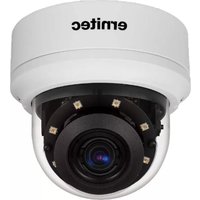
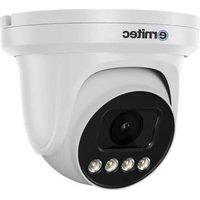
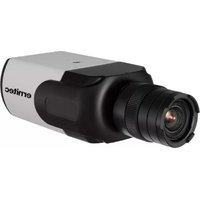
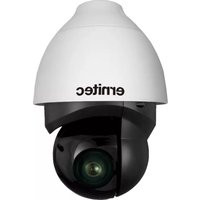
Manual assistant
Powered by Anthropic
Waiting for your message
Product information
Brand : Ernitec
Model : 0070-08214
Category : Security Camera