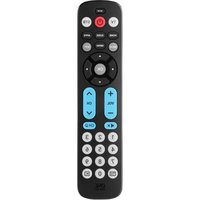
Contour 8 URC 1289 - Remote control ONE FOR ALL - Free user manual and instructions
Find the device manual for free Contour 8 URC 1289 ONE FOR ALL in PDF.


Pick your language and provide your email: we'll send you a specifically translated version.
| Brand | ONE FOR ALL |
| Model | Contour 8 URC 1289 |
| Product Type | Universal Remote Control |
| Compatible Devices | TV, DVD, Blu-ray, Satellite, Cable, Audio Systems, Streaming Devices, Games Consoles |
| Number of Devices Controlled | Up to 8 devices |
| Battery Type | 2 x AAA (not included) |
| Dimensions (H x W x D) | 215 x 50 x 25 mm (approx.) |
| Weight | 95 g (without batteries) |
| Color | Black/Charcoal |
| Material | Plastic (ABS) |
| Wireless Range | Up to 10 meters (line of sight) |
| Key Functions | Volume, Channel, Navigation, Mute, Input, Menu, Guide, Info, Playback Control, Number Pad, Power |
| Setup Method | Code search or direct code entry |
| Learning Capability | Yes |
| Backlit Buttons | Yes |
| Warranty | 1 year (manufacturer) |
| Language Support | English, French, German, Spanish, Italian, Dutch |
| Cleaning Instructions | Wipe with a soft, dry cloth; avoid liquids and abrasive cleaners |
| Safety Precautions | Keep away from moisture, heat sources; do not disassemble; use only specified batteries |
| Repair/Spare Parts | Contact ONE FOR ALL customer service; batteries are user-replaceable |
Frequently Asked Questions - Contour 8 URC 1289 ONE FOR ALL
How do I set up the ONE FOR ALL Contour 8 remote with my TV?
Press and hold the SETUP button until the LED blinks, then enter the 3-digit code for your TV brand found in the manual. Alternatively, use the auto-search function by pressing POWER repeatedly until the TV turns off.
Can I control multiple devices with this remote?
Yes, the Contour 8 can control up to 8 devices. You can assign each device (TV, DVD, satellite, etc.) to a device key (e.g., TV, DVD, STB) and switch between them.
What batteries does the remote use?
It requires 2 AAA alkaline batteries (not included). Insert them with correct polarity.
Why is the remote not responding?
Check batteries (replace if low), ensure there is a clear line of sight to the device, and verify that the remote is set to the correct device mode.
How do I reset the remote to factory settings?
Press and hold the VOLUME UP and VOLUME DOWN buttons simultaneously for 5 seconds until the LED blinks twice.
Does the remote have a learning function?
Yes, it can learn commands from other remotes. Point the original remote at the Contour 8 and follow the learning sequence in the manual.
Is the remote backlit?
Yes, it features backlit buttons that illuminate for a few seconds when any button is pressed.
What is the range of the remote?
The infrared signal works up to 10 meters (33 feet) within a 30-degree angle.
Can I control a streaming device like Apple TV or Roku?
Yes, if the device is IR-compatible. Use the code search or enter a code from the manual. For Bluetooth-only devices, it may not work.
How do I clean the remote?
Use a soft, dry cloth to wipe the surface. Do not use water or cleaning agents. Remove batteries before cleaning.
User questions about Contour 8 URC 1289 ONE FOR ALL
0 question about this device. Answer the ones you know or ask your own.
Ask a new question about this device
No questions yet. Be the first to ask one.
Download the instructions for your Remote control in PDF format for free! Find your manual Contour 8 URC 1289 - ONE FOR ALL and take your electronic device back in hand. On this page are published all the documents necessary for the use of your device. Contour 8 URC 1289 by ONE FOR ALL.
USER MANUAL Contour 8 URC 1289 ONE FOR ALL
Manual assistant
Powered by Anthropic
Waiting for your message
Product information
Brand : ONE FOR ALL
Model : Contour 8 URC 1289
Category : Remote control