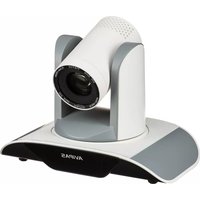
AV-1280 - Camera AViPAS - Free user manual and instructions
Find the device manual for free AV-1280 AViPAS in PDF.


Pick your language and provide your email: we'll send you a specifically translated version.
| Product Type | Digital Camera |
| Brand | AViPAS |
| Model | AV-1280 |
| Dimensions | 110 x 65 x 35 mm (approx.) |
| Weight | 180 g (approx., with battery and card) |
| Power Supply | Rechargeable lithium-ion battery, 3.7V, 1000mAh |
| Image Sensor | CMOS, 12 megapixels |
| Lens | Fixed focal length, 4.5mm (35mm equivalent: 28mm), F/2.8 |
| Display | 2.7-inch LCD screen |
| Storage | SD/SDHC memory card (up to 32GB) |
| Connectivity | USB 2.0, HDMI output |
| Functions | Photo capture, video recording (1080p), playback, self-timer, scene modes |
| Maintenance | Clean lens with soft, dry cloth; avoid exposure to moisture and extreme temperatures |
| Safety Precautions | Do not disassemble; keep away from water; use only approved accessories |
| Spare Parts | Replacement battery, USB cable, charger available from authorized dealers |
| Repairability | Serviceable by authorized repair centers; user-replaceable battery and memory card |
| General Information | Compact camera suitable for everyday use; includes wrist strap and manual |
Frequently Asked Questions - AV-1280 AViPAS
How do I charge the battery of the AViPAS AV-1280?
Use the included USB cable and charger. Connect the camera to the charger via USB and plug into a wall outlet. The indicator light turns red during charging and green when fully charged. Charging time is approximately 2 hours.
How do I take a photo with this camera?
Turn on the camera by pressing the power button. Compose your shot using the LCD screen. Press the shutter button halfway to focus, then fully to capture the image.
How do I transfer photos to my computer?
Connect the camera to your computer using the USB cable. The camera will appear as a removable drive. Copy the photos from the DCIM folder to your computer.
What type of memory card does the AV-1280 support?
It supports SD and SDHC memory cards up to 32GB. For best performance, use a Class 4 or higher card.
How do I reset the camera to factory settings?
Go to the menu, select 'Setup', then 'Reset'. Confirm to restore default settings. All user data will be erased.
Can I record videos with the AViPAS AV-1280?
Yes, it can record videos in 1080p resolution. Press the video recording button (marked with a red dot) to start and stop recording.
What is the battery life of the camera?
The battery lasts approximately 200 shots under normal conditions. Battery life may vary based on usage and settings.
Is the AV-1280 waterproof?
No, it is not waterproof. Avoid using it in rain or near water. Keep it dry at all times.
How do I clean the lens?
Use a soft, lint-free cloth (like a microfiber cloth). Gently wipe the lens in a circular motion. Do not use liquids directly.
Where can I find the user manual for the AV-1280?
The user manual is available for free download on notice-facile.com. You can also request a translated version via email.
User questions about AV-1280 AViPAS
0 question about this device. Answer the ones you know or ask your own.
Ask a new question about this device
No questions yet. Be the first to ask one.
Download the instructions for your Camera in PDF format for free! Find your manual AV-1280 - AViPAS and take your electronic device back in hand. On this page are published all the documents necessary for the use of your device. AV-1280 by AViPAS.
USER MANUAL AV-1280 AViPAS
Manual assistant
Powered by Anthropic
Waiting for your message
Product information
Brand : AViPAS
Model : AV-1280
Category : Camera