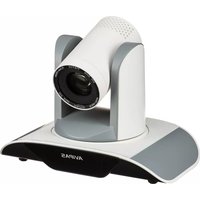
AV-1560 - Camera AViPAS - Free user manual and instructions
Find the device manual for free AV-1560 AViPAS in PDF.


Pick your language and provide your email: we'll send you a specifically translated version.
| Product Type | Digital Camera |
| Brand | AViPAS |
| Model | AV-1560 |
| Dimensions (approx.) | 110 x 65 x 30 mm |
| Weight (approx.) | 150 g (with battery and memory card) |
| Power Source | Rechargeable Li-ion battery (3.7V, 700mAh) |
| Image Sensor | 5 Megapixel CMOS |
| Optical Zoom | 3x |
| Digital Zoom | 4x |
| Display | 2.7-inch LCD |
| Storage Media | SD/SDHC card (up to 32GB, not included) |
| Photo Resolution | Up to 2592 x 1944 pixels |
| Video Resolution | 720p (1280 x 720) at 30fps |
| Connectivity | USB 2.0, TV output (NTSC/PAL) |
| Scene Modes | Auto, Portrait, Landscape, Night, Sports |
| Self-Timer | 2s, 10s |
| Flash | Built-in, Auto/On/Off/Red-eye reduction |
| Cleaning and Maintenance | Clean lens with a soft, dry cloth. Keep away from extreme temperatures and humidity. |
| Safety Precautions | Do not disassemble. Avoid dropping. Keep away from water and magnets. Use only approved accessories. |
| Spare Parts and Repairability | Batteries and chargers are available through authorized dealers. Repair services offered by AViPAS service centers. |
| General Information | User manual available in PDF. Visit notice-facile.com for online support. |
Frequently Asked Questions - AV-1560 AViPAS
How do I charge the battery?
Use the included USB cable and connect the camera to a computer or a USB power adapter with 5V output. The charging indicator will light up.
What type of memory card does the AV-1560 use?
It supports SD and SDHC cards up to 32GB. Ensure the card is formatted before first use.
How do I transfer photos to my computer?
Connect the camera to your computer via USB cable. The camera will appear as a removable drive. Copy files directly.
Why is my camera not turning on?
Check if the battery is charged and correctly inserted. Try a different battery if available. If the issue persists, contact support.
How can I reset the camera to factory settings?
Go to the Setup menu, select Reset, and confirm. This will erase all custom settings.
Can I record video with sound?
Yes, the camera records video with audio. Ensure the microphone is not blocked.
What is the best way to clean the lens?
Use a soft, lint-free cloth or a lens cleaning brush. Do not use paper towels or liquids.
How do I set the date and time?
Press the Menu button, go to Setup, select Date/Time, and adjust using the control buttons.
The pictures are blurry. What should I do?
Ensure the lens is clean. Hold the camera steady or use a tripod. Increase shutter speed or use Sports mode for moving subjects.
Where can I find the user manual?
The manual is available for free download at notice-facile.com in PDF format.
User questions about AV-1560 AViPAS
0 question about this device. Answer the ones you know or ask your own.
Ask a new question about this device
No questions yet. Be the first to ask one.
Download the instructions for your Camera in PDF format for free! Find your manual AV-1560 - AViPAS and take your electronic device back in hand. On this page are published all the documents necessary for the use of your device. AV-1560 by AViPAS.
USER MANUAL AV-1560 AViPAS
Manual assistant
Powered by Anthropic
Waiting for your message
Product information
Brand : AViPAS
Model : AV-1560
Category : Camera