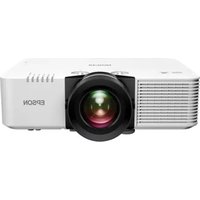
Lifestudio Pop EF-61G - Projector EPSON - Free user manual and instructions
Find the device manual for free Lifestudio Pop EF-61G EPSON in PDF.


Pick your language and provide your email: we'll send you a specifically translated version.
| Product Type | Projector |
| Brand | Epson |
| Model | Lifestudio Pop EF-61G |
| Display Technology | 3LCD |
| Native Resolution | 1920 x 1080 (Full HD) |
| Aspect Ratio | 16:9 |
| Brightness | 1000 lumens |
| Contrast Ratio | 5000:1 |
| Light Source | Laser diode |
| Light Source Life | Up to 20,000 hours |
| Projection Size | 30 to 150 inches |
| Throw Ratio | 1.0 - 1.2:1 |
| Speaker | 2W monaural |
| Connectivity | HDMI (x1), USB-A (x1), USB-C (x1) |
| Wireless | Wi-Fi 5 (802.11ac), Bluetooth 5.0 |
| Keystone Correction | Auto vertical / manual horizontal |
| Dimensions (W x D x H) | 175 x 145 x 45 mm |
| Weight | 1.0 kg |
| Power | AC 100-240V, 1.2A, 50/60Hz |
| Maintenance | Clean the lens with a soft, dry cloth; replace air filter periodically |
| Safety | Auto power-off after 20 minutes of inactivity |
| Spare Parts & Repairability | Air filter (part no. V13H010A51), remote control (part no. 450942) |
Frequently Asked Questions - Lifestudio Pop EF-61G EPSON
How do I connect my smartphone to the Epson Lifestudio Pop EF-61G?
You can connect via Wi-Fi using the Epson iProjection app or via Bluetooth for audio. Alternatively, use a USB-C or HDMI cable if supported.
What is the maximum projection size?
The projector can project an image from 30 to 150 inches diagonal, depending on the distance and room lighting.
How do I clean the lens?
Use a soft, lint-free microfibre cloth. Gently wipe the lens in a circular motion. Do not use any liquids or abrasive cleaners.
Does the projector have built-in streaming apps?
Yes, it features an Android TV interface with access to Netflix, YouTube, and other streaming services when connected to Wi-Fi.
The image is not in focus. What should I do?
Ensure the projector is positioned at the correct distance. Use the focus ring on the lens barrel to manually adjust sharpness.
How long does the laser light source last?
The laser light source is rated for up to 20,000 hours of use, which equates to several years of regular viewing.
Can I use the projector without a screen?
Yes, it can project onto any flat, white or light-coloured wall. For best results, use a proper projection screen.
What should I do if the projector overheats?
Check that the air filter is clean and not blocked. Ensure the projector has at least 10 cm of clearance around it. The projector will automatically shut down if it overheats.
How do I replace the remote control batteries?
Slide the battery cover off the back of the remote. Insert two AAA alkaline batteries with correct polarity, then replace the cover.
Is the projector compatible with 4K content?
It can accept 4K signals and downscale them to its native 1080p resolution. The image will be sharp and detailed.
User questions about Lifestudio Pop EF-61G EPSON
0 question about this device. Answer the ones you know or ask your own.
Ask a new question about this device
No questions yet. Be the first to ask one.
Download the instructions for your Projector in PDF format for free! Find your manual Lifestudio Pop EF-61G - EPSON and take your electronic device back in hand. On this page are published all the documents necessary for the use of your device. Lifestudio Pop EF-61G by EPSON.
USER MANUAL Lifestudio Pop EF-61G EPSON
Manual assistant
Powered by Anthropic
Waiting for your message
Product information
Brand : EPSON
Model : Lifestudio Pop EF-61G
Category : Projector