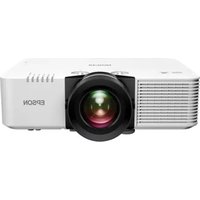
Lifestudio Pop EF-62N - Projector EPSON - Free user manual and instructions
Find the device manual for free Lifestudio Pop EF-62N EPSON in PDF.


Pick your language and provide your email: we'll send you a specifically translated version.
| Product Type | Portable Projector |
| Brand | Epson |
| Model | Lifestudio Pop EF-62N |
| Display Technology | DLP |
| Native Resolution | 854 x 480 pixels |
| Brightness | 100 lumens |
| Contrast Ratio | 1000:1 |
| Lamp Life | Up to 20,000 hours |
| Projection Size | 30 - 120 inches |
| Aspect Ratio | 16:9 |
| Inputs | HDMI, USB 2.0 |
| Built-in Speaker | 1W mono |
| Keystone Correction | Vertical +/- 40 degrees |
| Power Supply | AC 100-240V, 50/60 Hz |
| Power Consumption | 30W (max) |
| Dimensions (W x D x H) | 150 x 100 x 50 mm |
| Weight | 0.5 kg |
| Cleaning Instructions | Wipe lens with soft cloth; keep vents dust-free |
| Safety Precautions | Do not look directly into lens; ensure ventilation |
| Spare Parts Availability | Contact Epson support for replacement parts |
| Repairability | Not user-serviceable; service by qualified technicians |
| General Information | Lifestudio Pop series portable projector |
Frequently Asked Questions - Lifestudio Pop EF-62N EPSON
How do I connect my phone to the projector?
Use an HDMI cable with an appropriate adapter for your phone, or use a USB-C to HDMI cable if supported. Some phones support wireless screen mirroring via optional dongles.
What is the maximum projection size?
The projector can project up to 120 inches diagonally, depending on distance. For best results, use in a dark room.
How do I adjust the focus?
Rotate the focus ring on the lens until the image is sharp. For best results, set the projector at the correct distance from the screen.
Can I play movies from a USB drive?
Yes, the projector supports USB playback for video, photo, and audio files. Insert a USB drive and use the on-screen media player.
Why is the image upside down?
Go to the menu and enable Keystone correction or Projection mode to flip the image. You can also mount the projector upside down using a tripod.
How do I clean the lens?
Use a soft, dry microfiber cloth to gently wipe the lens. Do not use liquids or abrasive materials.
What is the lamp life?
The LED light source lasts up to 20,000 hours, which is equivalent to many years of typical use.
Can I connect external speakers?
Yes, use the 3.5mm audio output to connect external speakers. The built-in speaker is low power.
My projector won't turn on. What should I do?
Check the power cable connection and ensure the outlet works. Try pressing the power button for 3 seconds. If still not working, contact Epson support.
Is the projector compatible with 4K content?
The projector supports 4K input but will downscale to its native 854x480 resolution. It can play 4K files via HDMI but at lower resolution.
User questions about Lifestudio Pop EF-62N EPSON
0 question about this device. Answer the ones you know or ask your own.
Ask a new question about this device
No questions yet. Be the first to ask one.
Download the instructions for your Projector in PDF format for free! Find your manual Lifestudio Pop EF-62N - EPSON and take your electronic device back in hand. On this page are published all the documents necessary for the use of your device. Lifestudio Pop EF-62N by EPSON.
USER MANUAL Lifestudio Pop EF-62N EPSON
Manual assistant
Powered by Anthropic
Waiting for your message
Product information
Brand : EPSON
Model : Lifestudio Pop EF-62N
Category : Projector