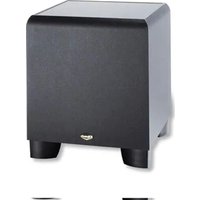
ProMedia SWS - Subwoofer KLIPSCH - Free user manual and instructions
Find the device manual for free ProMedia SWS KLIPSCH in PDF.


Pick your language and provide your email: we'll send you a specifically translated version.
| Type | Subwoofer |
| Brand | Klipsch |
| Model | ProMedia SWS |
| Driver Size | 6.5 inches (down-firing) |
| Amplifier Power | 50 Watts RMS |
| Frequency Response | 31 Hz - 150 Hz |
| Impedance | 8 ohms |
| Input Type | RCA |
| Controls | Volume, Crossover (variable) |
| Dimensions (H x W x D) | 10.5 x 9.5 x 11.5 inches |
| Weight | 11 lbs |
| Power Supply | 120 V ~ 60 Hz (internal) |
| Enclosure Material | MDF with black vinyl finish |
| Included Accessories | Subwoofer cable, user manual |
| Cleaning | Wipe with a dry, soft cloth |
| Safety | Do not expose to moisture; ensure proper ventilation |
| Spare Parts & Repairability | Contact Klipsch support; limited user-serviceable parts |
Frequently Asked Questions - ProMedia SWS KLIPSCH
How do I connect the ProMedia SWS subwoofer to my system?
Use an RCA cable to connect the 'Sub Out' on your amplifier or sound card to the 'Line In' on the subwoofer. Ensure both devices are off during connection.
What is the optimal crossover setting for the subwoofer?
Set the crossover to around 80-100 Hz for a seamless blend with satellite speakers. Adjust according to your room acoustics.
Why is my subwoofer not producing any sound?
Check that the subwoofer is powered on, the volume is turned up, and the RCA cable is securely connected. Also verify that the source device has a subwoofer output enabled.
Can I use the ProMedia SWS with a home theater receiver?
Yes, as long as the receiver has a line-level subwoofer output (RCA). Connect it directly to the subwoofer's input.
What is the power consumption of the subwoofer?
The subwoofer consumes approximately 50 watts under normal operation. Standby consumption is less than 1 watt.
Where should I place the subwoofer for best sound?
Place the subwoofer near a wall or corner for increased bass output. Avoid placing directly in a corner to prevent boomy sound. Experiment with placement for optimal response.
How do I clean and maintain the subwoofer?
Unplug the subwoofer and wipe the exterior with a soft, dry cloth. Do not use any cleaning agents or water. Keep the ventilation grilles free of dust.
Does the subwoofer have any safety features?
Yes, it includes overload protection and a thermal shutdown circuit. If the subwoofer overheats, it will automatically turn off until it cools down.
Can I replace the driver or amplifier myself?
The amplifier is not user-serviceable. The driver can be replaced if you have technical experience, but we recommend contacting Klipsch support for repairs.
What are the dimensions and weight of the subwoofer?
The subwoofer measures 10.5 x 9.5 x 11.5 inches (HxWxD) and weighs approximately 11 lbs.
User questions about ProMedia SWS KLIPSCH
0 question about this device. Answer the ones you know or ask your own.
Ask a new question about this device
No questions yet. Be the first to ask one.
Download the instructions for your Subwoofer in PDF format for free! Find your manual ProMedia SWS - KLIPSCH and take your electronic device back in hand. On this page are published all the documents necessary for the use of your device. ProMedia SWS by KLIPSCH.
USER MANUAL ProMedia SWS KLIPSCH

Manual assistant
Powered by Anthropic
Waiting for your message
Product information
Brand : KLIPSCH
Model : ProMedia SWS
Category : Subwoofer