R-80SWi - Subwoofer KLIPSCH - Free user manual and instructions
Find the device manual for free R-80SWi KLIPSCH in PDF.


Pick your language and provide your email: we'll send you a specifically translated version.
| Product Type | Powered Subwoofer |
| Brand | Klipsch |
| Model | R-80SWi |
| Driver Size | 8 inches |
| Amplifier Power | 200W RMS / 400W Peak |
| Frequency Response | 38-120 Hz |
| Connectivity | Wireless RCA (with included transmitter) |
| Enclosure Type | Bass-Reflex via rear-firing port |
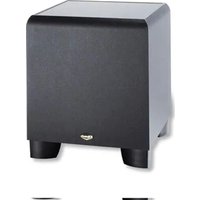
| Finish | Black wood grain vinyl |
| Dimensions (H x W x D) | 14.5 x 12.5 x 13.8 inches (36.8 x 31.8 x 35.1 cm) |
| Weight | 22.5 lbs (10.2 kg) |
| Power Requirements | 120V / 60Hz (US), 230V / 50Hz (EU) |
| Woofer Material | Cerametallic cone |
| Removable Grille | Yes, magnetically attached |
| Auto Power On | Yes, signal sensing |
| Controls | Volume, Low-Pass (40-120Hz), Phase (0/180), Power toggle |
| Wireless Range | Up to 30 feet (9 meters) |
| Inputs | L/R RCA line-level, Wireless via transmitter |
| Safety Features | Thermal and overcurrent protection |
| Repair Information | Refer to user manual for component replacements; contact Klipsch support for service |
Frequently Asked Questions - R-80SWi KLIPSCH
How do I connect the R-80SWi wirelessly?
Plug the included wireless transmitter into your receiver's subwoofer output. Pair the subwoofer by pressing the 'Pair' button on the back of the sub and the transmitter within 30 seconds. The LED will turn solid blue when paired.
What is the recommended placement for this subwoofer?
Place the subwoofer in a corner or along a wall for optimal bass response. Avoid placing it too close to furniture or in a sealed cabinet. Keep at least 4 inches of clearance behind the rear-firing port.
How do I adjust the crossover frequency?
Use the Low-Pass control on the back panel. Set it to match your main speakers' low-frequency limit, typically 80-120 Hz. Turn the dial clockwise to increase the crossover point.
Why is my subwoofer not turning on automatically?
Ensure the Auto Power switch is set to 'ON'. The subwoofer will wake up when it detects a signal. If it still doesn't turn on, check the power cable and the fuse (on the back panel). You can also set it to 'Always On' for manual operation.
What does the Phase switch do?
The Phase switch (0 or 180 degrees) aligns the subwoofer's sound waves with your main speakers. Set it to 0 for most placements. If the bass sounds hollow or weak, flip to 180 to improve integration.
How do I clean the subwoofer?
Unplug the unit. Use a dry microfiber cloth to wipe the cabinet. For the grille, gently vacuum with a brush attachment. Do not use any liquids or abrasive cleaners.
Can I use the R-80SWi with a wired connection?
Yes, you can connect a standard RCA subwoofer cable from your receiver to the L/R LINE IN inputs on the subwoofer. The wireless function is optional.
What is the power consumption in standby mode?
In Standby mode, the subwoofer consumes less than 0.5 Watts. When active, power consumption depends on volume level but typically ranges from 50-200 Watts.
How do I reset the wireless pairing?
Press and hold the 'Pair' button on both the subwoofer and the transmitter for 5 seconds until the LED blinks rapidly. Then follow the normal pairing procedure again.
What type of fuse does the R-80SWi use?
The subwoofer uses a 2.5A / 250V (for 120V) or 1.25A / 250V (for 230V) fuse, located in the fuse holder next to the power cord. Replace only with the same rating.
User questions about R-80SWi KLIPSCH
0 question about this device. Answer the ones you know or ask your own.
Ask a new question about this device
No questions yet. Be the first to ask one.
Download the instructions for your Subwoofer in PDF format for free! Find your manual R-80SWi - KLIPSCH and take your electronic device back in hand. On this page are published all the documents necessary for the use of your device. R-80SWi by KLIPSCH.
USER MANUAL R-80SWi KLIPSCH

Manual assistant
Powered by Anthropic
Waiting for your message
Product information
Brand : KLIPSCH
Model : R-80SWi
Category : Subwoofer