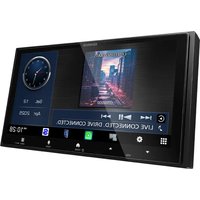
DPX-7300DAB - Car radio KENWOOD - Free user manual and instructions
Find the device manual for free DPX-7300DAB KENWOOD in PDF.


Pick your language and provide your email: we'll send you a specifically translated version.
| Product type | Double DIN car radio |
| Brand | Kenwood |
| Model | DPX-7300DAB |
| Dimensions (W x H x D) | 178 x 100 x 160 mm |
| Weight | About 1.5 kg |
| Power supply | 12 V DC (car battery) |
| Max output power | 4 x 50 W |
| Main functions | CD player, DAB+, FM/AM, Bluetooth, USB, AUX, iPod/iPhone compatible |
| Inputs | Front USB, front AUX, antenna input |
| Outputs | Front preamp output (2V), subwoofer output |
| Bluetooth | Hands-free calling and audio streaming, version 4.2 |
| Supported audio formats | MP3, WMA, AAC, FLAC, WAV |
| Display | OLED display, 1 line, 256 x 64 pixels resolution |
| Lighting | Customizable RGB backlight |
| Maintenance and cleaning | Clean with a soft dry cloth. Avoid abrasive products. |
| Safety | Use in compliance with CE standards. Disconnect the battery during installation. |
| Spare parts and repairability | Available from Kenwood after-sales service. Repairability score: 6.3/10 |
| Country of origin | China |
Frequently Asked Questions - DPX-7300DAB KENWOOD
How to install the Kenwood DPX-7300DAB car radio in my car?
Before any installation, disconnect the car battery. Remove the old car radio. Use the adapter harness provided or purchased separately. Connect the corresponding wires (power, speakers, antenna). Insert the car radio into the slot and secure it. Reconnect the battery and test.
How to connect my phone via Bluetooth?
Enable Bluetooth on your phone. On the car radio, press the MENU button, select Bluetooth then Pairing. Look for "Kenwood DPX-7300DAB" on your phone and confirm the PIN code (default 0000).
Why is the DAB+ reception poor?
Check that the DAB+ antenna is properly connected and placed outside the cabin. Avoid shadow areas (tunnels, parking lots). Access the DAB Settings menu and perform a manual station search.
How to set the clock?
Press MENU, turn the knob to Clock, press. Select Clock setting. Use the +/- buttons to adjust hours and minutes. Confirm with OK.
Can I plug in a USB flash drive?
Yes, insert a USB flash drive formatted as FAT32 into the front USB port. The car radio reads MP3, WMA, AAC, FLAC, and WAV files. Navigate with the direction buttons.
How to reset the car radio to factory settings?
Press and hold the MENU button for 3 seconds. Select Settings then Factory reset. Confirm. The device will restart.
What to do if the sound is distorted?
Check the volume level: reduce it if the clip indicator flashes. In the Audio menu, adjust the equalizer and filters. Ensure speakers are properly connected and not damaged.
How to use the AUX input?
Connect a 3.5 mm AUX cable to the front jack. Press SRC until AUX IN is selected. Adjust the volume on your device and on the car radio.
How to customize the display lighting?
Go to MENU > Display settings > Backlight color. Choose a preset color or create your own by adjusting RGB levels.
Where to find the unlock code?
The unlock code is printed on the code card provided with the car radio. If you lost it, contact Kenwood after-sales service with your serial number.
User questions about DPX-7300DAB KENWOOD
0 question about this device. Answer the ones you know or ask your own.
Ask a new question about this device
No questions yet. Be the first to ask one.
Download the instructions for your Car radio in PDF format for free! Find your manual DPX-7300DAB - KENWOOD and take your electronic device back in hand. On this page are published all the documents necessary for the use of your device. DPX-7300DAB by KENWOOD.
USER MANUAL DPX-7300DAB KENWOOD


Manual assistant
Powered by Anthropic
Waiting for your message
Product information
Brand : KENWOOD
Model : DPX-7300DAB
Category : Car radio