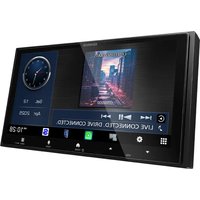
KMM-BT358 - Car radio KENWOOD - Free user manual and instructions
Find the device manual for free KMM-BT358 KENWOOD in PDF.


Pick your language and provide your email: we'll send you a specifically translated version.
| Brand | Kenwood |
| Model | KMM-BT358 |
| Product Type | Car Radio |
| Dimensions (W x H x D) | 178 x 50 x 160 mm (1 DIN) |
| Weight | 0.5 kg |
| Power Supply | 12 V DC |
| Maximum Power | 4 x 50 W |
| Radio Tuner | AM/FM with RDS |
| Bluetooth | Hands-free and audio streaming |
| USB Ports | 1 x USB (front) |
| Auxiliary Input | 1 x AUX (3.5 mm) |
| Antenna Connector | ISO |
| Display | Backlit LCD |
| Additional Features | Sound adjustments (bass, treble, balance) |
| Maintenance and Cleaning | Soft dry cloth, avoid abrasive products |
| Safety | Protection fuse, removable front panel |
| Spare parts and repairability | Available from Kenwood customer service |
Frequently Asked Questions - KMM-BT358 KENWOOD
How do I connect my phone via Bluetooth?
Enable Bluetooth on your phone and put the car radio in pairing mode (Bluetooth menu). Select "KMM-BT358" from the device list. Confirm the PIN if prompted (0000 by default).
What to do if the car radio does not turn on?
Check the car radio's fuse (often located at the back). Make sure the power wiring is correct (12 V on yellow and red wires). Test with another power source if possible.
How to reset the car radio to factory settings?
Press the reset button on the front with a pen. Hold it for a few seconds until the screen turns off. The settings return to default.
Can I connect a USB drive?
Yes, plug a FAT32 formatted USB drive into the front USB port. The car radio will read MP3, WMA, WAV, and FLAC files. Use the navigation buttons to select tracks.
How to adjust the sound (bass, treble)?
Press the "AUDIO" or "SOUND" button to access settings. Turn the knob to adjust bass, treble, balance, and fader.
The screen displays "NO MEDIA" despite a USB drive inserted. What to do?
Check that the USB drive is formatted in FAT32 and contains supported audio files (MP3, WMA, etc.). Try restarting the car radio or reinserting the drive.
How to store radio stations?
Tune to the desired station, then hold down one of the preset buttons (1 to 6). A beep confirms storage. You can also use the auto search function (SEEK).
Does the car radio heat up normally?
Slight warmth is normal during operation, especially in direct sunlight. Ensure air circulates around the unit. If heat is excessive, check the installation and fuse.
Can I use speakers from other brands?
Yes, the car radio is compatible with 4-ohm speakers of appropriate power (50 W RMS max per channel). Respect impedance and power to avoid damaging the unit.
How to clean the car radio?
Use a soft, dry cloth. Never use chemicals, alcohol, or abrasive cleaners. For the interior, an air blower or soft brush can be used.
User questions about KMM-BT358 KENWOOD
0 question about this device. Answer the ones you know or ask your own.
Ask a new question about this device
No questions yet. Be the first to ask one.
Download the instructions for your Car radio in PDF format for free! Find your manual KMM-BT358 - KENWOOD and take your electronic device back in hand. On this page are published all the documents necessary for the use of your device. KMM-BT358 by KENWOOD.
USER MANUAL KMM-BT358 KENWOOD


Manual assistant
Powered by Anthropic
Waiting for your message
Product information
Brand : KENWOOD
Model : KMM-BT358
Category : Car radio