Echo I Desktop - External hard drive Sonnet - Free user manual and instructions
Find the device manual for free Echo I Desktop Sonnet in PDF.


Pick your language and provide your email: we'll send you a specifically translated version.
| Product Type | External Hard Drive |
| Brand | Sonnet |
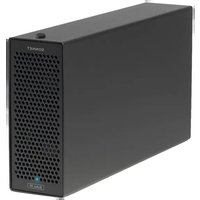
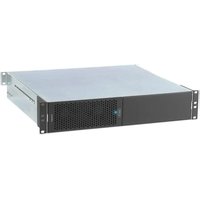
| Model | Echo I Desktop |
| Form Factor | Desktop (3.5-inch) |
| Interface | USB 3.2 Gen 1 (USB 3.0) / USB-C |
| Compatible Systems | Windows, macOS, Linux |
| Capacity Options | Up to 8TB (varies by configuration) |
| Data Transfer Speed | Up to 5 Gbps (USB 3.0) |
| Power Source | External AC adapter (included) |
| Dimensions (W x D x H) | 200 x 120 x 40 mm (approx.) |
| Weight | 1.0 kg (approx.) |
| Cooling | Fanless (passive cooling) |
| Key Functions | External storage, backup, media archiving |
| Plug and Play | Yes (no driver needed for most OS) |
| Maintenance | Keep clean, dry, avoid dust and magnets |
| Safety | Handle gently, avoid drops, eject before disconnecting |
| Spare Parts / Repairability | Not user-serviceable; contact support |
| Warranty | Varies by region (typically 1-3 years) |
Frequently Asked Questions - Echo I Desktop Sonnet
What is the maximum storage capacity of the Sonnet Echo I Desktop?
The Sonnet Echo I Desktop supports capacities up to 8TB, though exact configurations may vary by retailer.
Is the drive compatible with both Windows and Mac?
Yes, it is compatible with Windows, macOS, and Linux. You may need to reformat for cross-platform use.
How do I set up the Sonnet Echo I Desktop?
Simply connect the drive to your computer via the included USB cable and plug in the power adapter. It is plug-and-play for most systems.
Does the drive need to be formatted before use?
The drive typically comes pre-formatted for exFAT or NTFS. If you need a different format, use your OS disk utility.
What is the transfer speed of this external hard drive?
It supports USB 3.2 Gen 1 with theoretical speeds up to 5 Gbps. Actual speed depends on the drive's internal speed.
Does the Sonnet Echo I Desktop come with a power adapter?
Yes, a 120V/240V AC adapter is included in the box.
How long is the warranty period?
The warranty is typically 2 years for parts and labor, but check with your retailer for exact terms.
Can I use this drive as a bootable device?
Yes, if your system supports booting from external USB drives. You may need to adjust BIOS/UEFI settings.
What should I do if the drive is not recognized?
First, check connections and try a different USB port. If still not recognized, try a different cable or update your USB drivers. The drive may need to be initialized in Disk Management.
Is the drive fanless?
Yes, the Sonnet Echo I Desktop uses passive cooling and is completely silent.
User questions about Echo I Desktop Sonnet
0 question about this device. Answer the ones you know or ask your own.
Ask a new question about this device
No questions yet. Be the first to ask one.
Download the instructions for your External hard drive in PDF format for free! Find your manual Echo I Desktop - Sonnet and take your electronic device back in hand. On this page are published all the documents necessary for the use of your device. Echo I Desktop by Sonnet.
USER MANUAL Echo I Desktop Sonnet


Manual assistant
Powered by Anthropic
Waiting for your message
Product information
Brand : Sonnet
Model : Echo I Desktop
Category : External hard drive