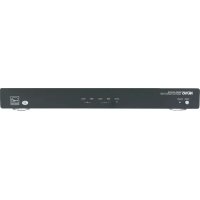
Concerto NV-I8GMS - Receiver NUVO - Free user manual and instructions
Find the device manual for free Concerto NV-I8GMS NUVO in PDF.


Pick your language and provide your email: we'll send you a specifically translated version.
| Product Type | Multi-Zone Audio Receiver |
| Model | Concerto NV-I8GMS |
| Brand | NUVO |
| Dimensions (W x H x D) | 17 x 3.5 x 12 inches (approximate rack-mount size) |
| Weight | 12 lbs (5.4 kg) |
| Power Supply | AC 120V/60Hz (or 230V/50Hz for international models) |
| Power Consumption | 300W maximum |
| Number of Zones | 8 |
| Number of Sources | 4 |
| Audio Output per Zone | 60W RMS per channel (8 ohms) |
| Supported Audio Sources | AM/FM Tuner, CD, AUX, MP3 (via front panel or remote) |
| Control Methods | Front panel, IR remote, RS-232, keypad input |
| Speaker Impedance | 6-8 ohms per zone |
| Frequency Response | 20Hz - 20kHz ±1dB |
| Signal-to-Noise Ratio | >90dB |
| Inputs | 4 line-level RCA inputs, 1 coaxial digital input, 1 optical input |
| Outputs | 8 zone outputs (RCA), 1 line-level audio output, 1 composite video output |
| Remote Control | Included IR remote with zone and source control |
| Mounting | Rack-mountable with included brackets |
| Cleaning Instructions | Wipe with a soft, dry cloth. Avoid liquids and abrasives. |
| Safety Warnings | Do not expose to rain or moisture. Ensure proper ventilation. Disconnect power before cleaning. |
| Spare Parts Availability | Contact NUVO authorized dealers for replacement parts. |
| Repairability | Repairs should be performed by qualified service personnel. |
| General Information | Designed for whole-house audio distribution. Compatible with NUVO keypads and controllers. |
Frequently Asked Questions - Concerto NV-I8GMS NUVO
How do I connect the NUVO Concerto NV-I8GMS to my speakers?
Connect each zone's speakers to the corresponding speaker outputs on the rear panel. Ensure the impedance is between 6-8 ohms. Use 16-gauge or thicker speaker wire.
Can I control different sources in different zones simultaneously?
Yes, the Concerto NV-I8GMS allows independent source selection per zone. Use the remote or keypads to choose a different source for each zone.
How do I reset the receiver to factory settings?
Press and hold the 'Power' button on the front panel for 10 seconds until the display flashes. Release to reset all settings to default.
What is the maximum number of sources I can input?
The receiver has 4 line-level audio inputs (RCA) plus one coaxial and one optical digital input, allowing up to 6 sources total.
How do I program the remote control?
The remote is pre-programmed for basic operation. For advanced features, refer to the manual section on remote programming. Typically, hold 'Setup' followed by source buttons.
Can I use the receiver with a universal remote?
Yes, the Concerto NV-I8GMS can be controlled via IR. Learn codes from the original remote or use the RS-232 port for integration with automation systems.
What should I do if there is no sound from a zone?
Check that the zone is powered on, speaker wires are securely connected, and the correct source is selected. Also ensure the volume is not muted or set too low.
How do I clean the receiver?
Unplug the unit and wipe the exterior with a soft, dry cloth. Do not use any liquids or cleaning agents. Avoid dust buildup on vents.
Is it possible to expand the number of zones?
The NV-I8GMS supports 8 zones natively. For additional zones, consider daisy-chaining with another compatible Nuvo amplifier or using zone expanders.
What is the warranty period for this product?
NUVO offers a 2-year limited warranty from the date of purchase. Retain your receipt for warranty service.
User questions about Concerto NV-I8GMS NUVO
0 question about this device. Answer the ones you know or ask your own.
Ask a new question about this device
No questions yet. Be the first to ask one.
Download the instructions for your Receiver in PDF format for free! Find your manual Concerto NV-I8GMS - NUVO and take your electronic device back in hand. On this page are published all the documents necessary for the use of your device. Concerto NV-I8GMS by NUVO.
USER MANUAL Concerto NV-I8GMS NUVO

Manual assistant
Powered by Anthropic
Waiting for your message
Product information
Brand : NUVO
Model : Concerto NV-I8GMS
Category : Receiver