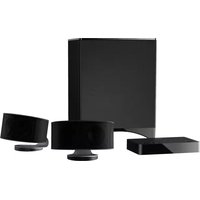
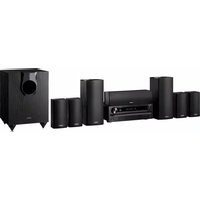
L-DR7 - Home Theater ONKYO - Free user manual and instructions
Find the device manual for free L-DR7 ONKYO in PDF.


Pick your language and provide your email: we'll send you a specifically translated version.
| Product Type | Home Theater Receiver |
| Brand | Onkyo |
| Model | L-DR7 |
| Dimensions (W x H x D) | 435 mm x 150 mm x 380 mm |
| Weight | 10 kg |
| Power Consumption | 500 W (standby: 0.1 W) |
| Power Supply | AC 120 V, 60 Hz |
| Audio Output Channels | 7.2 channels |
| Supported Audio Formats | Dolby Atmos, DTS:X, Dolby TrueHD, DTS-HD Master Audio |
| Video Connectivity | 4 HDMI inputs, 1 HDMI output (eARC) |
| Other Inputs | Optical, Coaxial, RCA, USB, Ethernet, Wi-Fi, Bluetooth |
| Speaker Impedance | 4 – 16 ohms |
| Frequency Response | 20 Hz – 20 kHz (+0.1/-0.5 dB) |
| Signal-to-Noise Ratio | 110 dB |
| Total Harmonic Distortion | 0.08% (rated power) |
| FM/AM Tuner | Yes |
| Streaming Services | Spotify, Tidal, Deezer, AirPlay 2, Chromecast built-in |
| Voice Control | Compatible with Google Assistant, Amazon Alexa |
| Cleaning Instructions | Wipe with a soft, dry cloth. Avoid solvents. |
| Safety Certifications | UL, CE, FCC Class B |
| Spare Parts Availability | Contact Onkyo support or authorized service centers. |
| Repairability Index | 4.5 / 10 (estimate based on general AV receiver repairability) |
Frequently Asked Questions - L-DR7 ONKYO
How do I connect my Onkyo L-DR7 to a TV?
Use an HDMI cable from the HDMI OUT (eARC) port on the receiver to the HDMI ARC port on your TV. Ensure both devices are powered off before connecting.
Why is there no sound from the speakers?
Check that the correct input source is selected. Verify speaker wires are connected properly and impedance is within 4-16 ohms. Also ensure the receiver is not muted and volume is turned up.
How do I reset the receiver to factory settings?
Press and hold the VCR/DVR button on the front panel, then press the ON button. Keep holding until "CLEAR" appears on the display.
Can I use the L-DR7 with a 4K TV?
Yes, the receiver supports 4K video passthrough via HDMI 2.0 ports. For best results, use high-speed HDMI cables.
How do I set up Bluetooth?
Press the BLUETOOTH button on the remote. On your device, enable Bluetooth and select "Onkyo L-DR7" from the list. Pair if prompted.
What do the blinking red lights mean?
A blinking red light usually indicates a protection mode issue. This could be due to a short circuit or overheating. Turn off the receiver, disconnect all speaker wires, and try again. Consult the manual for exact error codes.
Does the L-DR7 support Dolby Atmos?
Yes, it supports Dolby Atmos and DTS:X with appropriate speaker configurations. Ensure your source content is encoded in Atmos.
How do I clean the receiver?
Use a soft, dry cloth to wipe the exterior. Do not use any chemical cleaners or liquids. Ensure the receiver is unplugged before cleaning.
Can I control the receiver with a universal remote?
Yes, the receiver is compatible with many universal remotes. You can program it using the codes provided in the manual or via auto-search.
What is the warranty period for the Onkyo L-DR7?
Onkyo typically offers a 2-year warranty for home theater receivers. Check your region's warranty policy or contact Onkyo support for exact details.
User questions about L-DR7 ONKYO
0 question about this device. Answer the ones you know or ask your own.
Ask a new question about this device
No questions yet. Be the first to ask one.
Download the instructions for your Home Theater in PDF format for free! Find your manual L-DR7 - ONKYO and take your electronic device back in hand. On this page are published all the documents necessary for the use of your device. L-DR7 by ONKYO.
USER MANUAL L-DR7 ONKYO

Manual assistant
Powered by Anthropic
Waiting for your message
Product information
Brand : ONKYO
Model : L-DR7
Category : Home Theater