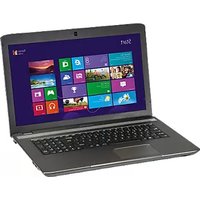
Akoya MD 97900 - Laptop MEDION - Free user manual and instructions
Find the device manual for free Akoya MD 97900 MEDION in PDF.


Pick your language and provide your email: we'll send you a specifically translated version.
| Product Type | Laptop |
| Brand | Medion |
| Model | Akoya MD 97900 |
| Display Size | 15.6 inches |
| Display Resolution | 1920 x 1080 pixels |
| Processor | Intel Core i5-1035G1 (up to 3.6 GHz) |
| RAM | 8 GB DDR4 (expandable to 16 GB) |
| Storage | 256 GB SSD |
| Graphics | Intel UHD Graphics |
| Operating System | Windows 10 Home |
| Dimensions (W x D x H) | 380 x 260 x 24 mm |
| Weight | 2.2 kg |
| Power Supply | 65 W AC adapter, 19 V, 3.42 A |
| Battery | Li-ion, 3-cell, 42 Wh |
| Wireless Connectivity | WiFi 5 (802.11ac), Bluetooth 5.0 |
| Ports | 2x USB 3.0, 1x USB 2.0, HDMI, headphone/mic combo, SD card reader |
| Webcam | HD webcam with microphone |
| Security | Kensington lock slot, password protection |
| Maintenance & Cleaning | Clean with a soft, dry cloth; avoid liquids; ensure ventilation vents are free of dust |
| Spare Parts & Repairability | Replaceable battery, keyboard, fan, RAM, and storage; contact Medion support for genuine parts |
Frequently Asked Questions - Akoya MD 97900 MEDION
How can I reset my Medion Akoya MD 97900 to factory settings?
To reset, go to Settings > Update & Security > Recovery and select Reset this PC. Choose Remove everything for a full reset. Ensure you back up important data.
Why is my laptop battery not charging?
First, check if the power adapter is firmly connected. Try a different wall outlet. If using a detachable battery, reseat it. If the issue persists, the battery or adapter may need replacement.
How do I upgrade the RAM in my Medion Akoya MD 97900?
The laptop has one accessible SO-DIMM slot. Remove the bottom cover, locate the RAM slot, gently push the module in at a 45-degree angle until it clicks. Consult the manual for compatible RAM types.
What should I do if the laptop overheats?
Ensure the device is on a hard, flat surface. Clean the ventilation vents with compressed air. Avoid blocking vents. If overheating continues, check the fan operation or replace thermal paste.
Can I connect an external monitor?
Yes, use the HDMI port to connect an external monitor. Press Win + P to select display mode: Duplicate, Extend, or Second screen only.
How do I perform a clean boot to troubleshoot software issues?
Press Win + R, type msconfig, go to the Services tab, check Hide all Microsoft services, then click Disable all. Reboot and enable services one by one to find the culprit.
Why is my Wi-Fi connection unstable?
Update wireless drivers from Medion's support site. Try forgetting the network and reconnecting. Change the router channel or reduce interference from other devices. Move closer to the router.
How can I replace the keyboard?
The keyboard is usually part of the top case. If it's faulty, contact Medion support for a replacement. Some models have a removable keyboard, but this may require disassembling the bottom base.
Is it possible to upgrade the storage?
Yes, the laptop has a M.2 SSD slot and a 2.5-inch SATA bay. You can replace or add an SSD or HDD. Consult the manual for compatible sizes and installation steps.
How do I enter the BIOS setup?
Restart the laptop and repeatedly press the F2 key (or Del key) during boot until the BIOS screen appears. From there you can change boot order or system settings.
User questions about Akoya MD 97900 MEDION
0 question about this device. Answer the ones you know or ask your own.
Ask a new question about this device
No questions yet. Be the first to ask one.
Download the instructions for your Laptop in PDF format for free! Find your manual Akoya MD 97900 - MEDION and take your electronic device back in hand. On this page are published all the documents necessary for the use of your device. Akoya MD 97900 by MEDION.
USER MANUAL Akoya MD 97900 MEDION
Manual assistant
Powered by Anthropic
Waiting for your message
Product information
Brand : MEDION
Model : Akoya MD 97900
Category : Laptop