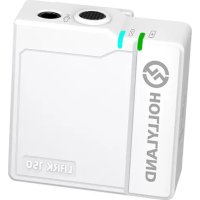
Lark A1 - Microphone Hollyland - Free user manual and instructions
Find the device manual for free Lark A1 Hollyland in PDF.


Pick your language and provide your email: we'll send you a specifically translated version.
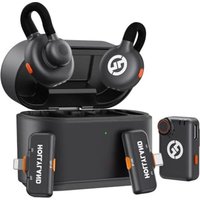
| Type of Product | Wireless Lavalier Microphone System |
| Model | Lark A1 |
| Brand | Hollyland |
| Number of Transmitters | 2 |
| Number of Receivers | 1 |
| Charging Case | Included |
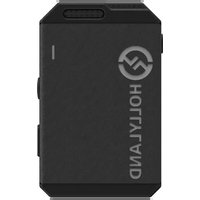
| Transmitter Dimensions | 1.6 x 1.1 x 0.5 in (40 x 28 x 12 mm) |
| Receiver Dimensions | 1.8 x 1.2 x 0.5 in (45 x 30 x 12 mm) |
| Charging Case Dimensions | 4.3 x 3.1 x 1.4 in (110 x 80 x 35 mm) |
| Total Weight (Transmitter + Receiver + Case) | 6.3 oz (180 g) |
| Power Source | Built-in rechargeable Li-ion battery |
| Battery Life (Transmitter) | 7 hours |
| Battery Life (Receiver) | 6 hours |
| Charging Time | 2 hours |
| Operating Range | Up to 650 ft (200 m) line-of-sight |
| Frequency Response | 20 Hz – 20 kHz |
| Microphone Type | Omnidirectional Condenser |
| Signal-to-Noise Ratio | ≥70 dB |
| Maximum SPL | 120 dB |
| Compatible Devices | Smartphones, cameras, PCs (via USB-C or 3.5mm) |
| Wireless Technology | 2.4 GHz adaptive frequency hopping |
| Care Instructions | Keep dry; clean with soft cloth; store in case when not in use |
| Safety Precautions | Do not disassemble; avoid extreme temperatures; use only approved charger |
| Spare Parts Available | Foam windscreens, charging cables, replacement batteries |
| Repairability | Batteries replaceable; otherwise non-user-serviceable |
Frequently Asked Questions - Lark A1 Hollyland
How do I pair the transmitters with the receiver?
The Lark A1 automatically pairs when you turn on the transmitters and receiver. If not, press and hold the pairing button on each device for 3 seconds. The LED will blink rapidly and then turn solid when paired.
What is the operating range of the Lark A1?
The operating range is up to 650 feet (200 meters) in line-of-sight conditions. Obstacles like walls can reduce the range.
How do I charge the Lark A1?
Place the transmitters and receiver inside the charging case. The case charges via USB-C (cable included). The case itself can also be charged wirelessly (optional).
Can I use the Lark A1 with a smartphone?
Yes, it works with smartphones via the USB-C or Lightning adapter (included with some models). For iPhones, you need a Lightning adapter; for Android, USB-C.
How do I mute the microphone?
Press the mute button on the transmitter once. The LED will turn red to indicate muted. Press again to unmute.
What does the LED indicator mean?
Solid blue: connected and unmuted. Solid red: muted. Blinking blue: searching for signal. Blinking red: low battery.
Is the Lark A1 compatible with cameras?
Yes, using the included 3.5mm TRS cable to connect the receiver to a camera's mic input. Ensure the receiver is set to the correct output level.
How long does the battery last?
The transmitters last up to 7 hours, the receiver up to 6 hours on a full charge. The charging case provides an additional 2-3 full charges.
Can I use only one transmitter?
Yes, you can use a single transmitter with the receiver. The receiver automatically picks up the active transmitter. Both transmitters can be used simultaneously for dual-person interviews.
How do I clean and maintain the Lark A1?
Use a soft, dry cloth to wipe the devices. Keep the charging contacts clean. Store in the case when not in use. Avoid exposure to water or extreme heat.
User questions about Lark A1 Hollyland
0 question about this device. Answer the ones you know or ask your own.
Ask a new question about this device
No questions yet. Be the first to ask one.
Download the instructions for your Microphone in PDF format for free! Find your manual Lark A1 - Hollyland and take your electronic device back in hand. On this page are published all the documents necessary for the use of your device. Lark A1 by Hollyland.
USER MANUAL Lark A1 Hollyland
Manual assistant
Powered by Anthropic
Waiting for your message
Product information
Brand : Hollyland
Model : Lark A1
Category : Microphone