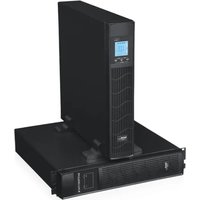
UPS-LIT10P - Inverter Mach Power - Free user manual and instructions
Find the device manual for free UPS-LIT10P Mach Power in PDF.


Pick your language and provide your email: we'll send you a specifically translated version.
| Product Type | UPS (Uninterruptible Power Supply) |
| Model | UPS-LIT10P |
| Brand | Mach Power |
| Power Capacity | 1000 VA / 900 W |
| Input Voltage | 220-240 VAC |
| Output Voltage | 220-240 VAC (simulated sine wave) |
| Battery Type | Sealed Lead-Acid (maintenance-free) |
| Number of Batteries | 2 x 12V / 7Ah |
| Typical Runtime (Half Load) | 10-15 minutes |
| Charging Time | 4-6 hours to 90% |
| Dimensions (L x W x H) | 310 x 140 x 210 mm |
| Weight | 12 kg |
| Outlets | 6 surge-protected outlets |
| Communication Port | USB & RS-232 |
| Overload Protection | Yes |
| Short Circuit Protection | Yes |
| Surge Protection | Yes (Joules rating: 500 J) |
| Noise Level | <40 dBA |
| Operating Temperature | 0°C to 40°C |
| Certifications | CE, RoHS |
| Warranty | 2 years |
| Included Accessories | User manual, USB communication cable |
Frequently Asked Questions - UPS-LIT10P Mach Power
How do I connect my UPS to devices?
Plug the UPS into a wall outlet. Then connect your computer and other devices to the UPS outlets. Make sure to connect only devices that do not exceed the total power capacity (900W). Press the power button to turn on the UPS.
How long will the UPS provide power during an outage?
Runtime depends on the load. At half load (450W), the UPS-LIT10P typically provides 10-15 minutes of backup. At full load (900W), runtime is shorter (around 5 minutes). Actual time may vary.
Can I replace the battery myself?
Yes, the battery is user-replaceable. Open the front panel, disconnect the battery terminals, and swap the old battery with a new one of the same specifications (12V 7Ah). Ensure the UPS is turned off and unplugged before servicing.
What should I do if the UPS beeps continuously?
Continuous beeping usually indicates a battery fault or overload. Check if the connected load exceeds the maximum capacity. If not, let the UPS recharge for several hours. If the beeping persists, the battery may need replacement.
How can I monitor the UPS from my computer?
Install the monitoring software (available from Mach Power website) and connect the UPS to your computer via USB or RS-232 cable. The software allows you to view battery status, runtime, and configure automatic shutdown.
Is the UPS compatible with a generator?
The UPS can work with a generator, but ensure the generator provides stable voltage and frequency. The UPS may switch to battery mode if the generator output is too distorted. A pure sine wave generator is recommended.
What types of devices can I connect to the UPS?
The UPS is designed for sensitive electronics such as computers, monitors, routers, and servers. Do not connect high-power devices like laser printers, air conditioners, or medical equipment as they may exceed the capacity or cause damage.
How do I perform a self-test on the UPS?
Press and hold the power button for about 2 seconds (or refer to the manual). The UPS will run a test on the battery and internal circuits. A pass or fail indicator will confirm the result. Perform this test monthly.
What maintenance does the UPS require?
Keep the UPS in a cool, dry place. Clean the vents periodically with a soft cloth. Replace the battery every 2-3 years or when runtime becomes insufficient. Check the battery terminal tightness annually.
Does the UPS protect against power surges?
Yes, the UPS-LIT10P includes surge protection rated at 500 Joules. It can absorb spikes and surges from the mains, protecting your connected equipment. However, for extreme surges (e.g., lightning), additional protection is recommended.
User questions about UPS-LIT10P Mach Power
0 question about this device. Answer the ones you know or ask your own.
Ask a new question about this device
No questions yet. Be the first to ask one.
Download the instructions for your Inverter in PDF format for free! Find your manual UPS-LIT10P - Mach Power and take your electronic device back in hand. On this page are published all the documents necessary for the use of your device. UPS-LIT10P by Mach Power.
USER MANUAL UPS-LIT10P Mach Power


Manual assistant
Powered by Anthropic
Waiting for your message
Product information
Brand : Mach Power
Model : UPS-LIT10P
Category : Inverter