BTGM-33 - Radio CRUX - Free user manual and instructions
Find the device manual for free BTGM-33 CRUX in PDF.


Pick your language and provide your email: we'll send you a specifically translated version.
| Product Type | Car Radio / Receiver |
| Model | BTGM-33 |
| Brand | CRUX |
| Dimensions (W x H x D) | 178 mm x 50 mm x 160 mm (Single DIN) |
| Weight | 0.5 kg (approx.) |
| Power Supply | 12V DC (negative ground) |
| Power Output | 4 x 50 Watts maximum |
| Radio Tuner | AM/FM stereo with 30 presets |
| Bluetooth | Bluetooth 4.0 for hands-free calling and audio streaming |
| USB Playback | USB port for MP3/WMA playback from flash drives |
| Auxiliary Input | 3.5 mm front Aux-in for external audio devices |
| Display | LCD display with white illumination |
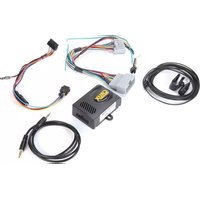
| Steering Wheel Control | Compatible with aftermarket steering wheel control adapters (not included) |
| Front Panel | Detachable faceplate for theft prevention |
| Equalizer | Built-in equalizer with presets (Rock, Pop, Classic, Flat) |
| Maintenance | Clean with a soft, dry cloth; avoid liquids and abrasive cleaners |
| Safety | Fuse protection; install securely to avoid short circuits |
| Spare Parts / Repairability | Contact CRUX support for service; no user-serviceable parts |
| Warranty | 1 year limited warranty |
Frequently Asked Questions - BTGM-33 CRUX
How do I pair my phone via Bluetooth with the BTGM-33?
Turn on the radio and enable Bluetooth on your phone. Press the BT button (or enter Bluetooth mode via source). Select CRUX BTGM-33 from the list and confirm pairing if prompted. The radio will store the connection.
What are the dimensions of the BTGM-33, and will it fit my car?
The BTGM-33 is a standard Single DIN radio (178mm x 50mm x 160mm). It fits most vehicles with a single DIN slot. You may need a dash kit for some models.
How do I reset the radio?
Use a thin object like a paperclip to press the Reset button on the front panel or through the pinhole. This restores factory settings.
Can I play music from a USB drive?
Yes, connect a USB flash drive with MP3 or WMA files to the USB port on the front panel. The radio will detect and play the files automatically.
Why is there no sound from the speakers?
Check the volume level, ensure the source is selected (e.g., FM, USB, Bluetooth) and verify speaker wire connections. Also check if the Mute function is active.
How do I improve FM radio reception?
Ensure the antenna is fully extended and securely connected. Move the antenna away from metal objects. If needed, install a signal amplifier for weak signals.
Does the BTGM-33 support steering wheel controls?
The radio is compatible with aftermarket steering wheel control adapters (sold separately). Connect the adapter to the SWC input on the back of the radio and program accordingly.
How do I set the clock?
Press and hold the DISP or Clock button until the time flashes. Use the TUNE knob to adjust hours/minutes and press again to confirm.
What should I do if the faceplate is stuck?
Gently press the Release button and slide the faceplate outward. If stuck, do not force it; check for obstructions or apply slight pressure while releasing.
Can I charge my phone via the USB port?
The USB port is primarily for audio playback and may provide low-current charging (0.5A). For faster charging, use a dedicated car charger.
User questions about BTGM-33 CRUX
0 question about this device. Answer the ones you know or ask your own.
Ask a new question about this device
No questions yet. Be the first to ask one.
Download the instructions for your Radio in PDF format for free! Find your manual BTGM-33 - CRUX and take your electronic device back in hand. On this page are published all the documents necessary for the use of your device. BTGM-33 by CRUX.
USER MANUAL BTGM-33 CRUX
Manual assistant
Powered by Anthropic
Waiting for your message
Product information
Brand : CRUX
Model : BTGM-33
Category : Radio