BTCR-35M - Radio CRUX - Free user manual and instructions
Find the device manual for free BTCR-35M CRUX in PDF.


| Product Type | Car Stereo Receiver |
| Brand | CRUX |
| Model | BTCR-35M |
| Dimensions (W x H x D) | 7.1 x 2.0 x 6.1 inches (180 x 50 x 155 mm) |
| Weight | 1.1 lbs (500 g) |
| Power Supply | 12V DC (negative ground) |
| Maximum Power Output | 4 x 50 watts |
| RMS Power Output | 4 x 22 watts |
| Radio Tuner | FM/AM with 30 presets |
| Bluetooth | Version 5.0 for hands-free calling and audio streaming |
| USB Playback | USB port for MP3/WMA playback |
| AUX Input | 3.5 mm front auxiliary input |
| Display | LCD dot matrix display with adjustable illumination |
| Steering Wheel Control | Compatible with SWC (adapter may be required) |
| Installation Size | Single DIN |
| Included Accessories | Mounting sleeve, trim ring, wiring harness, installation screws |
| Material | Front panel: plastic with metal chassis |
| Operating Temperature | -20°C to 60°C (-4°F to 140°F) |
| Maintenance | Clean with a soft dry cloth; avoid liquid cleaners |
| Safety | Built-in fuse; disconnect battery before installation |
| Spare Parts & Repairability | Contact CRUX support; no user-serviceable parts inside |
| General Information | Designed for vehicles with 12V electrical systems |
Frequently Asked Questions - BTCR-35M CRUX
User questions about BTCR-35M CRUX
0 question about this device. Answer the ones you know or ask your own.
Ask a new question about this device
Download the instructions for your Radio in PDF format for free! Find your manual BTCR-35M - CRUX and take your electronic device back in hand. On this page are published all the documents necessary for the use of your device. BTCR-35M by CRUX.
USER MANUAL BTCR-35M CRUX
- Adds Bluetooth Handsfree Calling to the OEM radio.
- Adds 4 channel Bluetooth Music streaming.
- Automatically pauses BT Streaming when a call is received, and resumes when the call is ended.
- Allows user to answer, end calls, track up and track down music using the steering wheel controls.
- DSP and Echo-Cancellation allows for clear conversations on both sides of the phone call.
- Allows any previously paired mobile phone to automatically re-connect to the Bluetooth interface.
- Hear Navigation App voice prompts from the factory speakers while in Bluetooth mode.
NOTES:
- Vehicle MUST have steering wheel controls.
- Vehicle MUST have a factory Aux Input.


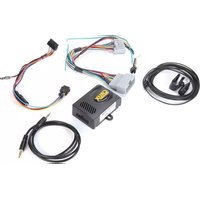
PARTS INCLUDED:
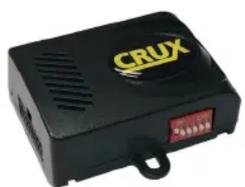
natural_image
Black CRUX electronic device with ventilation grille and red indicator lights (no readable text or symbols beyond branding)
natural_image
Two gray electrical connectors with multiple colored wires and connectors, no visible text or symbols
natural_image
Coiled black cable with connectors and connector, no visible text or symbols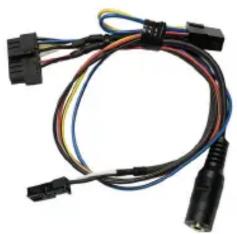
natural_image
Coiled black and white electrical connectors with wires (no text or symbols visible)BTCR-35M Module BTCR-35M Vehicle Harness Microphone BT Harness
INSTALLATION DIAGRAM:
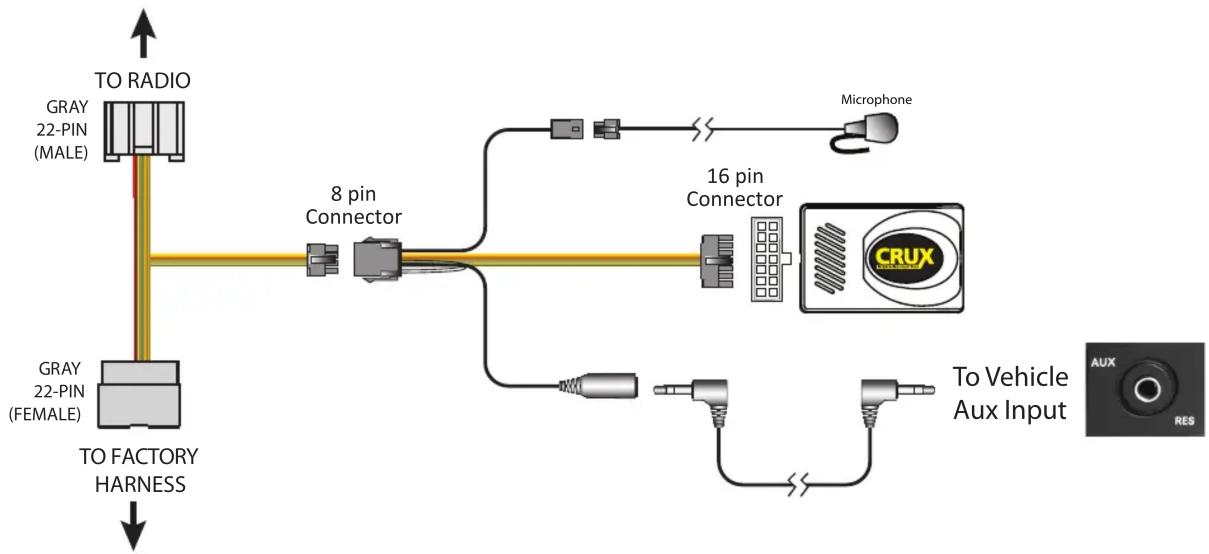
flowchart
graph TD
    A["TO RADIO"] --> B["Gray 22-PIN (MALE)"]
    A --> C["8 pin Connector"]
    C --> D["16 pin Connector"]
    D --> E["CRUX Device"]
    F["TO FACTORY HARNESS"] --> C
    G["Microphone"] --> D
    H["To Vehicle Aux Input"] --> I["AUX RES"]
INSTALLATION INSTRUCTIONS:
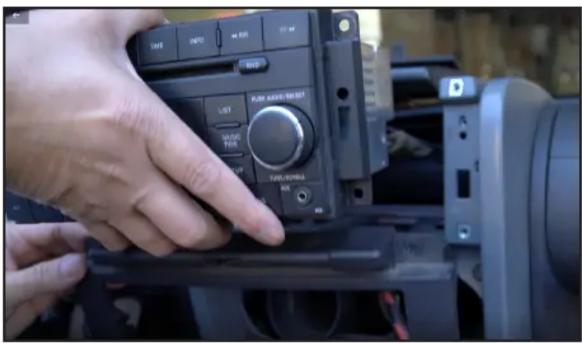
- Remove the radio to gain access to the connectors. 2. Unplug the 22 pin factory connector from the radio.

natural_image
Close-up of a hand inserting a small electronic component into a vehicle battery (no visible text or symbols)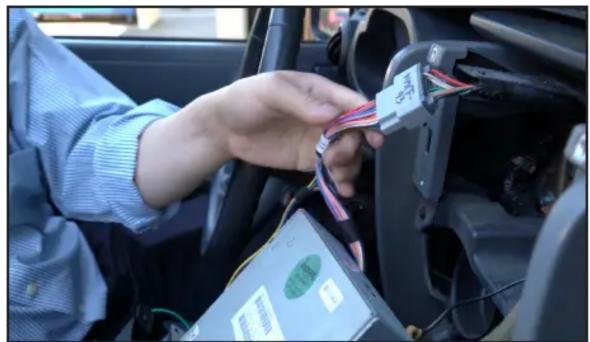
natural_image
Person interacting with a cable connector in a car interior (no visible text or symbols)- Plug the BTCR-35M T-harness between the radio and the factory connectors.

- Plug the 3.5mm auxiliary audio cable of the BTCR-35M to the factory AUX port.
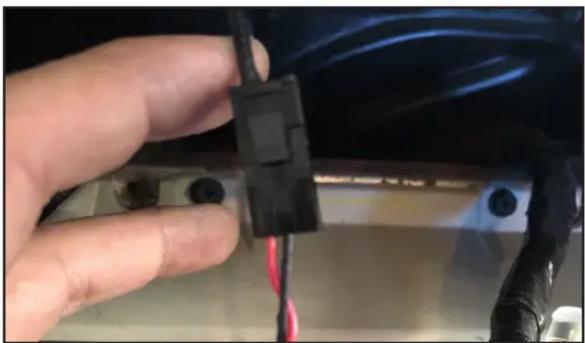
natural_image
Close-up of a hand holding a black electrical connector with red wires, next to a blue illuminated panel (no visible text or symbols)- Plug the 3 pin microphone connector to the BTCR-35M t-harness.

natural_image
Close-up of a car's side panel with a black connector and cable, no visible text or symbols- Run the microphone cable along the A pillar and clip the microphone on the A pillar trim.
DIP SWITCH SETTINGS:
Set DIP #1 to ON and 2 to 6 OFF.
OPERATION:
- Turn on the radio and go to the Bluetooth settings on the phone.
- Pair the phone to blueLogic.
- Change the source on the radio to AUX mode.
- Play music on your phone and audio will be heard on the car speakers.
- When there is an incoming call, go to AUX mode on the radio if you are in any other mode. Use the steering wheel control buttons to pick up and end the call. See steering wheel control button functions below.
CONTROL BUTTONS ON STEERING WHEEL:
| BUTTON PRESS DURATION FUNCTION | |
| TRACK + Short Press (< 1 sec) Next Track | |
| TRACK - Short Press (<1 sec) Previous Track | |
| TRACK + Press & Hold (<1.5 sec) Play/Pause | |
| TRACK + Press & Hold (<3 sec) Voice Command (Siri / Google) | |
| TRACK + Press & Hold (<3 sec) Answer / End Active Call | |
| TRACK - Press & Hold (<3 sec) Reject Call / End Active Call | |

VEHICLE APPLICATIONS:
CHRYSLER
| 2011-2014 | 200 |
| 2008-2010 | 300 |
| 2008-2009 | Aspen |
| 2004-2008 | Pacifica |
| 2008-2012 | Sebring |
| 2008-2016 | Town & Country |
JEEP
| 2008-2010 | Commander |
| 2008-2016 | Compass |
| 2008-2013 | Grand Cherokee |
| 2008-2012 | Liberty |
| 2008-2021 | Patriot |
| 2007-2017 | Wrangler |
DODGE
| 2008-2013 | Avenger |
| 2008-2012 | Caliber |
| 2007-2021 | Caravan |
| 2008-2014 | Challenger |
| 2007-2010 | Charger |
| 2007-2012 | Dakota |
| 2007-2013 | Durango |
| 2007-2010 | Journey |
| 2007-2008 | Magnum |
| 2007-2012 | Nitro |
| 2009-2012 | Ram |
VOLKSWAGEN
| 2009-2014 Routan |
Brand : CRUX
Model : BTCR-35M
Category : Radio