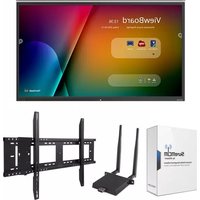
IFP9850-E4 - Interactive whiteboard VIEWSONIC - Free user manual and instructions
Find the device manual for free IFP9850-E4 VIEWSONIC in PDF.


Pick your language and provide your email: we'll send you a specifically translated version.
| Product Type | Interactive Whiteboard |
| Brand | ViewSonic |
| Model | IFP9850-E4 |
| Display Size | 98 inches (diagonal) |
| Resolution | 3840 x 2160 (4K UHD) |
| Brightness | 500 cd/m² (typical) |
| Contrast Ratio | 5000:1 |
| Touch Technology | Infrared (IR) touch, 20-point touch |
| Operating System | Android 8.0 (or later) |
| Internal Storage | 32 GB |
| RAM | 4 GB |
| Connectivity | HDMI x3, USB-A x4, USB-C x1, VGA x1, RS232, RJ45, Audio In/Out |
| Built-in Speakers | 2 x 15W |
| Power Consumption | 300W (typical), <0.5W standby |
| Input Voltage | 100-240V, 50/60Hz |
| Dimensions (W x H x D) | 2203 x 1327 x 88 mm (without stand) |
| Weight | 85 kg (without stand) |
| VESA Mount | 800 x 600 mm |
| Pen Type | Passive stylus (2 pens included) |
| Cleaning & Maintenance | Use a soft dry cloth; avoid abrasive cleaners |
| Safety Certification | CE, FCC, RoHS |
| Spare Parts Availability | Contact ViewSonic support or authorized service centers |
Frequently Asked Questions - IFP9850-E4 VIEWSONIC
How do I connect my laptop to the IFP9850-E4?
Use an HDMI cable to connect your laptop to one of the HDMI ports on the interactive whiteboard. Ensure the correct input source is selected via the remote or on-screen menu.
Does the IFP9850-E4 support touch input without a pen?
Yes, the infrared touch technology supports finger touch as well as the included pens.
How many touch points does it support?
The display supports up to 20 simultaneous touch points for multi-user interaction.
Can I install third-party apps on the IFP9850-E4?
Yes, the built-in Android OS allows you to install apps from the Google Play Store or via APK files.
How do I clean the screen safely?
Turn off the display and wipe the screen gently with a soft, lint-free cloth. Do not use abrasive cleaners or spray liquids directly onto the screen.
What is the warranty period for ViewSonic IFP9850-E4?
ViewSonic typically offers a 3-year limited warranty for interactive displays. Check your local dealer for exact terms.
Can I use the IFP9850-E4 as a standard monitor?
Absolutely. It can function as a 4K monitor when connected to a computer via HDMI or VGA.
Does the IFP9850-E4 have built-in speakers?
Yes, it features two 15W speakers for audio output without external speakers.
How do I update the firmware on the IFP9850-E4?
You can download the latest firmware from ViewSonic's official website and follow the update instructions via a USB drive or network.
Is the IFP9850-E4 wall-mountable?
Yes, it supports VESA 800x600 mm wall mount brackets. Use appropriate hardware for the wall type.
User questions about IFP9850-E4 VIEWSONIC
0 question about this device. Answer the ones you know or ask your own.
Ask a new question about this device
No questions yet. Be the first to ask one.
Download the instructions for your Interactive whiteboard in PDF format for free! Find your manual IFP9850-E4 - VIEWSONIC and take your electronic device back in hand. On this page are published all the documents necessary for the use of your device. IFP9850-E4 by VIEWSONIC.
USER MANUAL IFP9850-E4 VIEWSONIC



Manual assistant
Powered by Anthropic
Waiting for your message
Product information
Brand : VIEWSONIC
Model : IFP9850-E4
Category : Interactive whiteboard