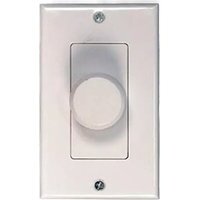
PVC1 - Controller Pyle - Free user manual and instructions
Find the device manual for free PVC1 Pyle in PDF.


Pick your language and provide your email: we'll send you a specifically translated version.
| Type | Controller |
| Brand | Pyle |
| Model | PVC1 |
| Dimensions | 2.5 x 1.5 x 0.5 inches |
| Weight | 0.2 lbs |
| Power Supply | DC 5V via USB (cable included) |
| Power Consumption | 0.5W typical |
| Connectivity | Infrared (IR) receiver, 3.5mm jack for remote input |
| Main Function | Central control for compatible Pyle audio systems |
| Supported Zones | Up to 4 zones |
| Control Method | IR remote (included) or front panel buttons |
| Indicators | LED status lights for power and zone activity |
| Compatibility | Pyle multi-room amplifiers and receivers |
| Mounting | Desk or wall mountable (bracket not included) |
| Operating Temperature | 32°F to 104°F (0°C to 40°C) |
| Storage Temperature | -4°F to 140°F (-20°C to 60°C) |
| Humidity | 5% to 90% (non-condensing) |
| Maintenance | Clean with soft dry cloth; avoid liquids |
| Safety Warnings | Do not expose to moisture; unplug during storms |
| Warranty | 1 year limited warranty |
Frequently Asked Questions - PVC1 Pyle
How do I reset the Pyle PVC1 controller?
To reset the PVC1, press and hold the Power button for 10 seconds. The LEDs will flash, indicating a successful reset.
What power source does the PVC1 require?
The PVC1 is powered via a standard 5V USB connection. Use the included USB cable with a compatible power adapter or USB port.
How do I pair the remote with the controller?
The remote is pre-paired. If needed, point the remote at the controller and press Pair (if available) or refer to the manual for IR code synchronization.
Can I control multiple zones with one PVC1?
Yes, the PVC1 supports up to 4 zones. Use the zone buttons on the remote or front panel to select and control each zone independently.
What audio systems are compatible with the PVC1?
The PVC1 is designed for use with Pyle multi-room amplifiers and receivers that have an IR input port. Check your device's compatibility in the manual.
How do I clean the controller?
Use a soft, dry cloth to gently wipe the surface. Do not use any liquids, sprays, or abrasive cleaners.
The controller's LED is not lighting up. What's wrong?
Ensure the USB cable is securely connected and the power source is active. Try a different USB port or adapter. If still off, the controller may need service.
Can I mount the PVC1 on a wall?
Yes, the PVC1 has a keyhole mount on the back. Use two screws (not included) to wall-mount it. Ensure the surface is sturdy and the cables reach.
What is the range of the IR remote?
The IR remote works within a 30-foot (9-meter) line-of-sight range. Avoid obstacles between the remote and the controller.
How do I update the firmware?
The PVC1 does not support firmware updates. It is a fixed-function controller. For any issues, contact Pyle support.
User questions about PVC1 Pyle
0 question about this device. Answer the ones you know or ask your own.
Ask a new question about this device
No questions yet. Be the first to ask one.
Download the instructions for your Controller in PDF format for free! Find your manual PVC1 - Pyle and take your electronic device back in hand. On this page are published all the documents necessary for the use of your device. PVC1 by Pyle.
USER MANUAL PVC1 Pyle

Manual assistant
Powered by Anthropic
Waiting for your message
Product information
Brand : Pyle
Model : PVC1
Category : Controller