
PVCD15 - Controller Pyle - Free user manual and instructions
Find the device manual for free PVCD15 Pyle in PDF.


| Product Type | Multi-function DJ Controller |
| Model | PVCD15 |
| Brand | Pyle |
| Compatibility | Windows, Mac OS |
| Connection | USB (plug and play) |
| Dimensions (W x D x H) | 12.6 x 8.3 x 2.2 inches |
| Weight | 2.3 lbs (1.04 kg) |
| Power Supply | USB bus powered (5V, 500mA) |
| Number of Channels | 15 (assignable) |
| Controls | Faders, knobs, buttons, pads |
| Main Functions | Volume control, effect modulation, track navigation, cue points, loop control |
| Sampling Rate | Up to 48 kHz |
| Bit Depth | 16-bit |
| Software Included | Compatible with Serato DJ, Virtual DJ, Traktor (license not included) |
| Cleaning Instructions | Wipe with soft, dry cloth; avoid solvents |
| Safety Warnings | Keep away from liquids, do not disassemble |
| Operating Temperature | 32°F to 104°F (0°C to 40°C) |
| Included Accessories | USB cable, quick start guide |
| Warranty | 1 year limited |
| Spare Parts Availability | Replaceable knobs and faders available separately |
| Repairability | User-serviceable: cleaning and part replacement |
Frequently Asked Questions - PVCD15 Pyle
User questions about PVCD15 Pyle
0 question about this device. Answer the ones you know or ask your own.
Ask a new question about this device
Download the instructions for your Controller in PDF format for free! Find your manual PVCD15 - Pyle and take your electronic device back in hand. On this page are published all the documents necessary for the use of your device. PVCD15 by Pyle.
USER MANUAL PVCD15 Pyle
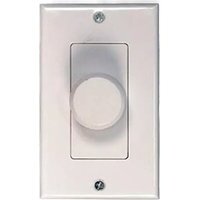
High-Power In-Wall Stereo Volume control
Your PYLE High-Power In-wall stereo volume control lets you adjust the volume on a pair speaker that are located in a room separate from the amplifier, so you can control the sound on the spot.
Caution: this volume control is limited to a maximum of 120 watts RMS per channel.
Connections
Notes:
● This volume control can be used with up to 14-gauge wire.
● Measure the distance from the speaker to the amplifier. For distances of 50 feet or less, use 18-gauge speaker wire or ordinary lamp cord. For distances greater than 50 feet, use heavier 16-gauge wire.
Caution: Letting stray wire ends touch an adjacent terminal, the mounting brackets or screws, or the metal sides of the electrical box could cause a short circuit of damage a speaker.

- Strip off 12 inch(12.7mm) of insulation from each end of the amplifier/receiver and speaker wires.
Caution: Be sure to follow the correct polarity(+ to + and - to -) when making connections. Improper connections might cause poor sound reproduction.
- Insert the amplifier/receive's + and - speakers output wires into the vomume control's INPUT +(positive) and -(negative) terminals, then tighten the screws.
- Insert the speaker's + and - wire ends into volume control's OUTPUT + and - terminals, then tighten the screws.
Mounting the Volume Control
The volume control is designed to be mounted in a standard electrical wall box. Select a location that is:
● Within reach of the speaker wires
● Easy to reach for using the volume control
Caution: You must mount the volume control in a standard electrical box. Do not mount it directly on a wall.
Important:
• Over-Tightening the screws might damage the wall plate.
- Some electrical wall boxes are a nonstandard size. Be sure that you measure the wall box before you mount the volume control.
Once the control has been wired, it is ready to be mounted into the wall. Referring to Figure #2, place the components of the volume control into the wall in the order illustrated. Use the enclosed screws to hold the components in place.
NOTE: The rotary switch is shipped with the control turned as far counterclockwise as it will turn off. If you changed this, return it to the full counterclockwise position before starting installation.

Operation
Set the amplifier/receive's volume control to minimum by turning it fully counterclockwise. Then turn on the amplifier/receiver and set its volume control slightly above the normal listening level.
To increase or decrease the remote speaker's volume, turn the wall-mount volume control clockwise or counterclockwise.
Brand : Pyle
Model : PVCD15
Category : Controller