Pyle

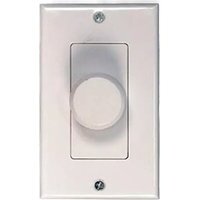
PVC2 Wall Mount Slide Volume Control - Controller Pyle - Free user manual and instructions

Find the device manual for free PVC2 Wall Mount Slide Volume Control Pyle in PDF.

📄 3 pages English EN Download 💬 AI Question 10 questions ⚙️ Specs
Notice Pyle PVC2 Wall Mount Slide Volume Control - page 1
Pick your language and provide your email: we'll send you a specifically translated version.
Product Type Wall Mount Slide Volume Control
Control Type Slide Potentiometer
Mounting In-wall / Wall plate
Impedance 8 ohms (typical)
Power Handling Up to 100W RMS
Frequency Response 20 Hz - 20 kHz
Number of Channels 1 (mono) or 2 (stereo) – check model variant
Input / Output Connections Spring-loaded terminals for speaker wire
Material ABS plastic, white finish
Dimensions (Approx.) 4.5 x 3.5 x 2 inches (114 x 89 x 51 mm)
Weight 0.5 lb (227 g)
Power Supply None (passive device)
Compatibility Most home audio systems, 70V/100V distributed audio with matching transformers
Environmental Rating Indoor use only
Maintenance Clean with dry soft cloth; avoid moisture
Safety Do not install near water or high humidity
Reparability Replaceable potentiometer (standard component)
Warranty Typically 1 year (check retailer)

Frequently Asked Questions - PVC2 Wall Mount Slide Volume Control Pyle

How do I install the PVC2 volume control?
The PVC2 is designed for in-wall mounting. Connect speaker wires to the spring terminals (input from amplifier, output to speakers). Use a standard electrical box if required. Refer to the included wiring diagram.
Is this volume control compatible with 70V distributed audio systems?
Yes, but you must ensure the connected speakers have 70V transformers set to the correct tap. The PVC2 itself is a passive device and does not include impedance matching.
What is the maximum power rating for the PVC2?
The PVC2 can handle up to 100W RMS per channel (if stereo) or 100W total. Do not exceed this rating to avoid damage.
Does the PVC2 require any external power?
No, the PVC2 is a passive volume control and does not need a power supply. It simply attenuates the audio signal.
Can I use this with 4 ohm speakers?
While it is designed for 8 ohm systems, 4 ohm speakers may be used if the amplifier can handle the lower impedance. However, ensure the total load does not exceed the volume control's rating.
How many speakers can I connect to one PVC2?
Typically, the PVC2 is a single channel (mono) or dual channel (stereo). For mono, you can connect one speaker; for stereo, two speakers (left/right). Do not parallel multiple speakers without impedance matching.
What wire gauge should I use?
Use 16-18 AWG speaker wire for runs up to 50 feet. For longer distances, use 14 AWG or thicker to avoid signal loss.
How do I clean the PVC2?
Wipe the exterior with a dry, soft cloth. Do not use liquids or cleaners, as they may damage the electronics.
My volume control crackles or is unresponsive. What should I do?
Cracking often indicates dirt in the potentiometer. Try sliding the control rapidly several times. If the issue persists, the potentiometer may need replacement.
Is the PVC2 compatible with my Pyle amplifier?
Yes, the PVC2 works with any standard amplifier or receiver. For best results, match impedance and power ratings as described.

User questions about PVC2 Wall Mount Slide Volume Control Pyle

0 question about this device. Answer the ones you know or ask your own.

Ask a new question about this device

The email remains private: it is only used to notify you if someone responds to your question.

No questions yet. Be the first to ask one.

Download the instructions for your Controller in PDF format for free! Find your manual PVC2 Wall Mount Slide Volume Control - Pyle and take your electronic device back in hand. On this page are published all the documents necessary for the use of your device. PVC2 Wall Mount Slide Volume Control by Pyle.

USER MANUAL PVC2 Wall Mount Slide Volume Control Pyle
Manual assistant
Powered by Anthropic
Waiting for your message
Product information

Brand : Pyle

Model : PVC2 Wall Mount Slide Volume Control

Category : Controller