
NOMAD - Drone PARROT - Free user manual and instructions
Find the device manual for free NOMAD PARROT in PDF.

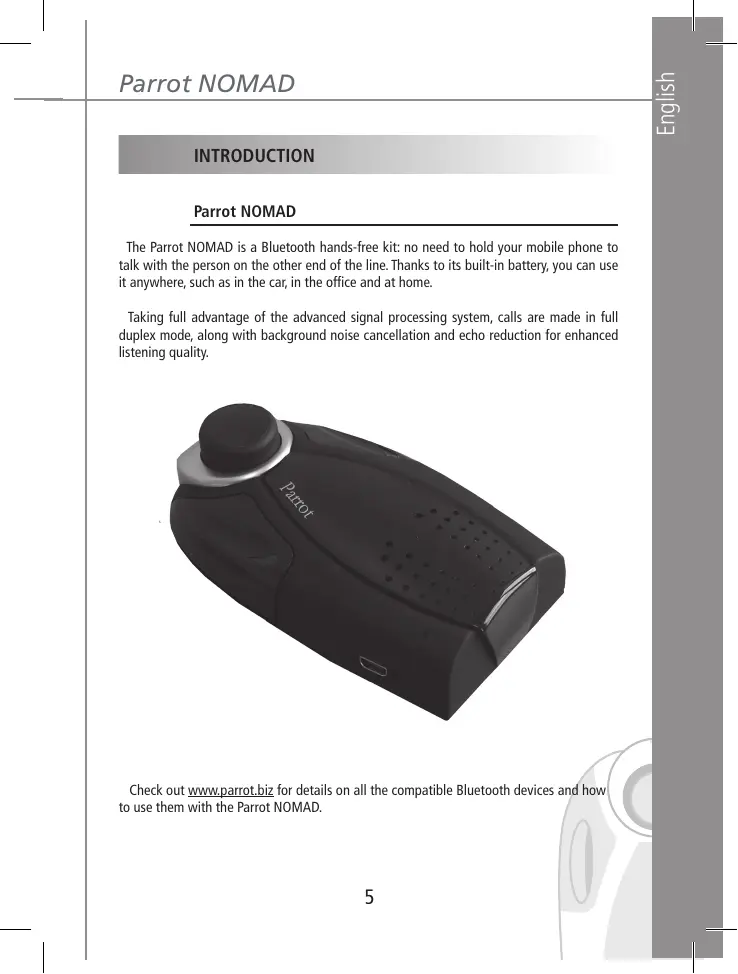


| Product type | Bluetooth hands-free kit for vehicle, office or home |
| Brand | Parrot |
| Model | NOMAD |
| Dimensions | 63 × 28 × 110 mm |
| Weight | 105 g |
| Power supply | Li-ion battery 1100 mAh, charger 5.15 VDC / 0.5 A max |
| Talk time | Approximately 10 hours |
| Standby time | Over 250 hours |
| Charging time | 3 hours |
| Bluetooth technology | Bluetooth 1.2, profiles Handsfree 1.0/1.5, Headset 1.1, Object Push |
| Bluetooth range | Approximately 10 meters |
| Pairing PIN code | 1234 |
| Number of pairable devices | Up to 5 phones |
| Main functions | Hands-free, voice recognition, redial, privacy mode, DTMF sending, noise suppression and echo cancellation |
| Volume adjustment | Rotary knob or from the phone |
| Charging indicator | Orange LED (charging) then green (fully charged) |
| Package contents | NOMAD kit, sun visor clip, user guide, product guide, mains charger, car charger |
| Maintenance and cleaning | Clean with a soft, dry cloth. Do not use abrasive products. |
| Safety | Use in a vehicle with the sun visor clip. Do not block ventilation openings. |
| Spare parts and repairability | Optional charger. Repairs by authorized after-sales service. |
Frequently Asked Questions - NOMAD PARROT
User questions about NOMAD PARROT
0 question about this device. Answer the ones you know or ask your own.
Ask a new question about this device
Download the instructions for your Drone in PDF format for free! Find your manual NOMAD - PARROT and take your electronic device back in hand. On this page are published all the documents necessary for the use of your device. NOMAD by PARROT.
USER MANUAL NOMAD PARROT
Autonomous and Nomad Car kitfor Bluetooth Mobile Phones

Parrot
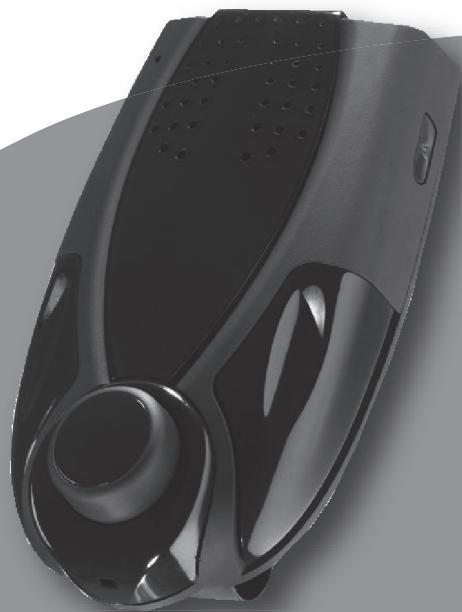
User Guide
Parrot NOMAD
English p 3
Francais p 17
Cesky p 31
Polski p 45
Pycckn p59
Türkce p 73
Elambdaviká p 87
汉语 p 101
日本語 p 115
p 142
p 156
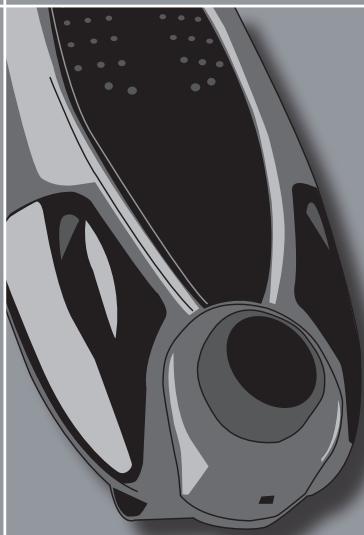
Parrot NOMAD
User guide
ENGLISH
CONTENTS
INTRODUCTION p 5
KIT CONTENTS p 6
USING FOR THE FIRST TIME 6
Recharging the Parrot NOMAD . p 6
Fitting the kit p 7
Description of the Parrot NOMAD . p 7
Connecting your Bluetooth phone/PDA. p 8
FEATURES p 9
Description and use of the functions 9
Voice menu structure . p 1
Voice recognition 1
Receiving contacts p 1
UPDATING p 13
HOTLINE p 14
SPECIFICATIONS p 14
NOTES p 16
GENERAL INFORMATION p 143
INTRODUCTION
Parrot NOMAD
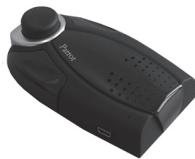
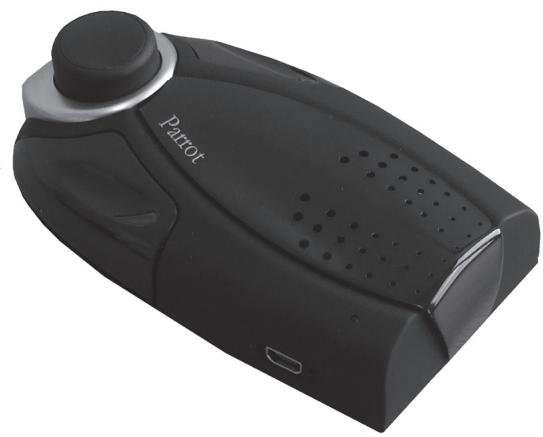
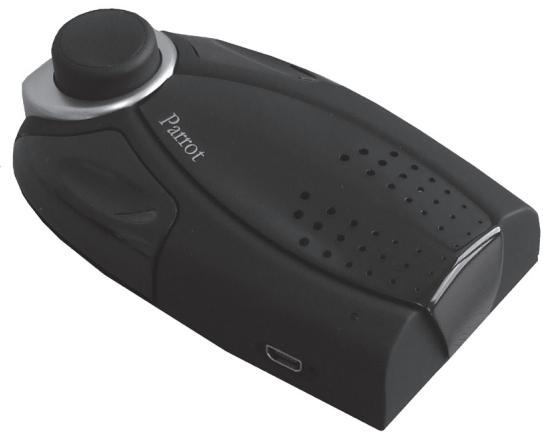
The Parrot NOMAD is a Bluetooth hands-free kit: no need to hold your mobile phone to talk with the person on the other end of the line. Thanks to its built-in battery, you can use it anywhere, such as in the car, in the office and at home.
Taking full advantage of the advanced signal processing system, calls are made in full duplex mode, along with background noise cancellation and echo reduction for enhanced listening quality.
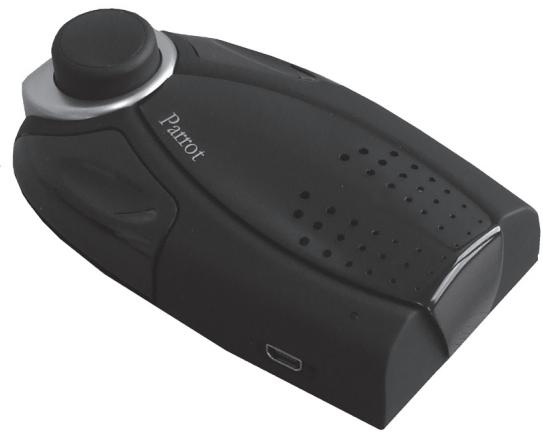
Check out www.parrot.biz for details on all the compatible Bluetooth devices and how to use them with the Parrot NOMAD.
KIT CONTENTS
The kit contains
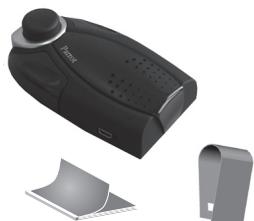
- The Parrot NOMAD kit.
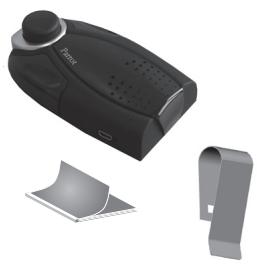
- A bracket for fixing the Parrot NOMAD to your vehicle's sun visor.
- A user guide.
- A Parrot product guide.
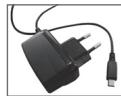
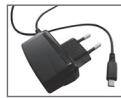
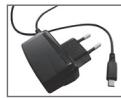
- A mains charger.
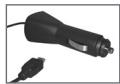
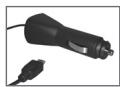
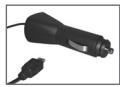
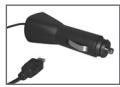
A cigar lighter charger.


USING FOR THE FIRST TIME
Recharging the Parrot NOMAD
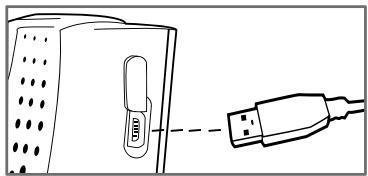
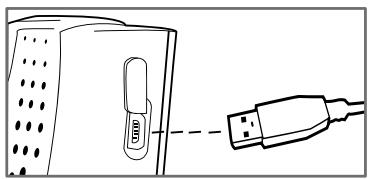
Before using for the first time, the Parrot NOMAD needs to be recharged.
To do so, plug the charger into the mains or your vehicle's cigar lighter.
The colour of the LED changes from orange to green when the device is fully charged (the LED is off when the charger is not connected).
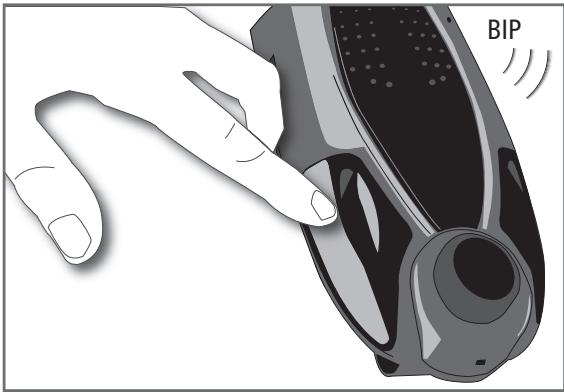
When the battery level is low, the device issues a series of beeps.
Fitting the kit
A bracket is supplied for fitting the Parrot NOMAD to the sun visor, so that it can be used as a hands-free kit in your vehicle.
To use the device in the office or at home, simply place it on a flat surface and use it for your calls (tip: remove the sun visor bracket for greater stability).
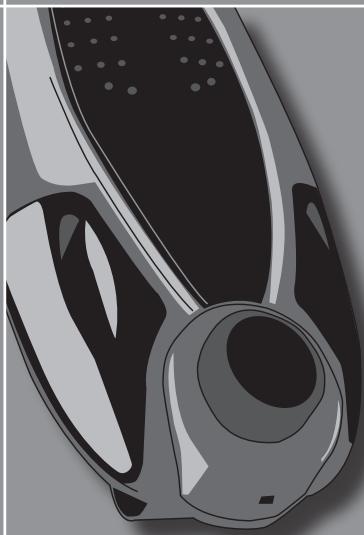
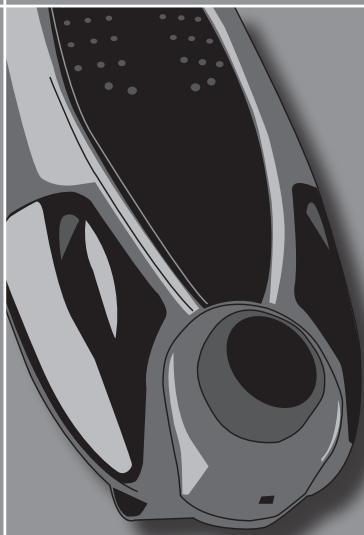
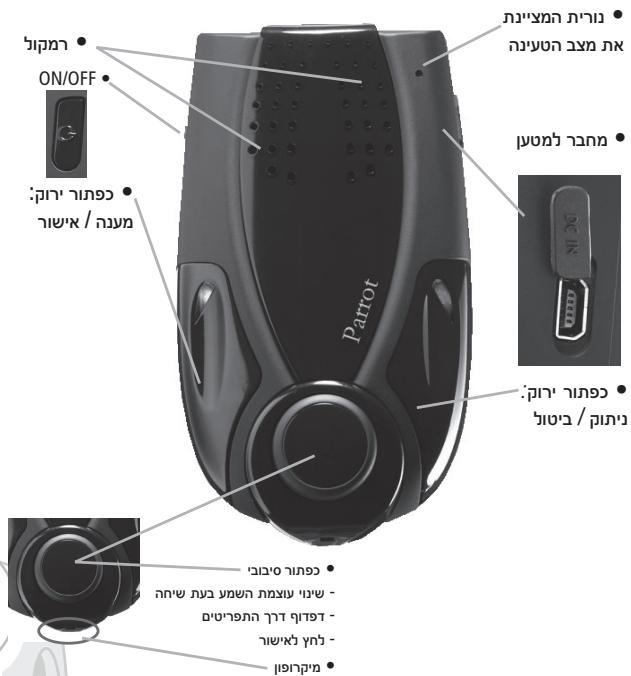
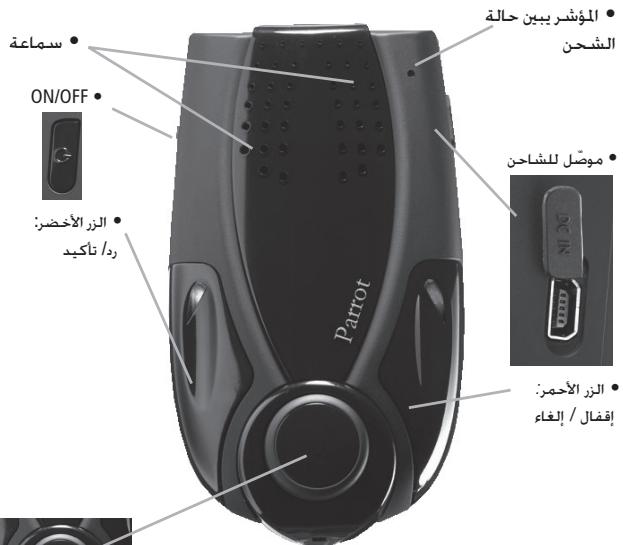
Description of the Parrot NOMAD

The buttons on the Parrot NOMAD
Connecting your Bluetooth phone/PDA
To ensure that all the features on your phone can be used, a special pairing mode is built into the Parrot NOMAD.
Generic pairing - applies to most phones (supporting the Hands-free profile):
Once your Parrot NOMAD has been fully recharged, you must pair your Bluetooth phone/ PDA.
- From your Bluetooth phone, search for Bluetooth peripherals (consult your phone's user guide or refer to the «Support» heading on the www.parrot.biz website).
- Select «Parrot NOMAD».
- Enter «1234» on your phone when prompted.
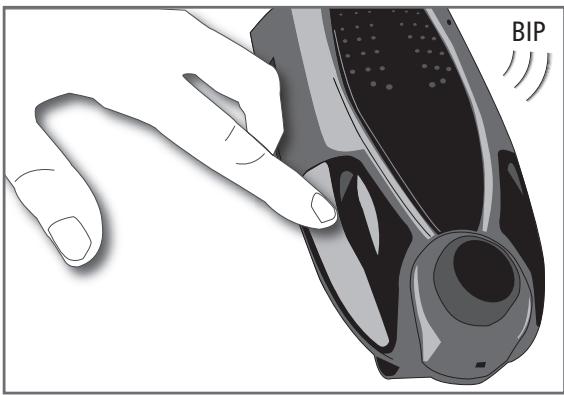
- The Parrot NOMAD says «pairing successful» when both devices are connected. The device sounds a beep when connected.
- The language is automatically selected if your phone supports this feature. Otherwise, you can adjust the language yourself.
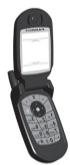
(())
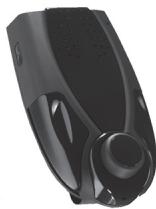
Special pairing - for phones supporting the Headset profile (consult your phone's user guide or refer to the www.parrot.biz website):
- Press the red button and the rotary button at the same time for three seconds. The green and red LEDs both flash. The Parrot NOMAD is visible to all Bluetooth devices for three minutes.
- From your Bluetooth phone, search for Bluetooth peripherals (consult your phone's user guide or refer to the «Support» heading on the www.parrot.biz website).
- Select «Parrot NOMAD».
- Enter «1234» on your phone when prompted.
- The Parrot NOMAD says «pairing successful» when both devices are paired. The device sounds a beep when connected.
- The language is automatically selected if your phone supports this feature. Otherwise,
you can adjust the language yourself.
For details on the specific pairing procedure for your phone, refer to the «Support» heading on our www.parrot.biz website.
FEATURES
Description and use of the functions
Making a call manually
- Dial the number using the phone's keypad and start the call.
- The call automatically changes to hands-free mode. Otherwise, press the green button on the Parrot NOMAD.
Making a call via the voice recognition feature
- Press the green button on the Parrot NOMAD.
- Say the name of the person that you wish to call after the «beep».
- IMPORTANT: you must have first recorded the voiceprints on your phone or the kit (refer to the chapter entitled «Voice recognition»).
- When using the kit's voice recognition feature, say «Home», «Work», «Mobile», «General» or «Other» after the second beep.
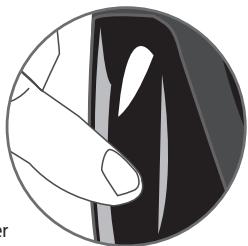
Receiving a call
- An incoming call is indicated by a ringtone and the green and red LEDs flashing on the Parrot NOMAD.
- Press the green button on the device to answer the call.
Ending a call
- To end a call, press the red button on the Parrot NOMAD.
Redial function
- Hold down the green button on the kit for two seconds to radial the last number.
Adjusting the volume
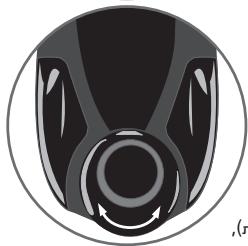
- During a call, turn the scroll wheel on the Parrot NOMAD or adjust the volume directly on your phone. The volume setting is saved for subsequent calls.
Changing to discreet mode
- During a call, if you want to continue the conversation on your phone (private conversation), press the green button on the Parrot NOMAD. The call is transferred to the phone.
- If you want to switch back to the kit, press the green button again.


Sending DTMFs
- During a call, you can send DTMFs (Dual-Tone Multi-Frequency) for touch-tone dialling. This feature can be used for managing your voice mail, for example.
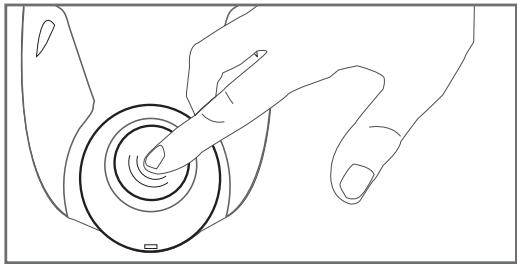
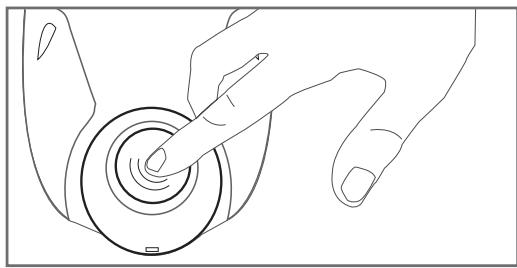
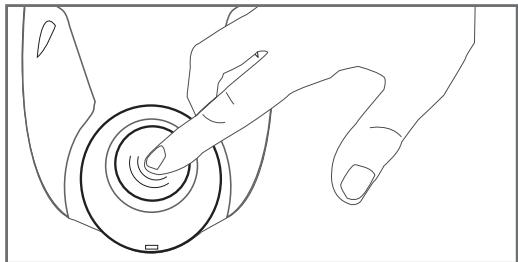
- Press the rotary button - the kit says «0».
- Turn the wheel to scroll through the numbers.
- Press the scroll wheel to send the number to the phone.
- Repeat this sequence to send other DTMFs.
Clearing the memory
- You can pair up to five devices.
- If you attempt to pair a sixth phone, the kit says «memory full».
- You must clear the memory by holding down both the red and green buttons for three seconds. Doing so also clears all the contacts and the associated voiceprints.
Note: The use of certain features (voice recognition, radial, discreet mode) depends exclusively on your phone (support of the Hands-free or Headset profile). Refer to the Support heading on our www.parrot.biz website for further information.
Voice menu structure
Accessing the kit's menus
- Press the central scroll wheel to access the menus.
- Browse through the menus by turning the wheel and confirm with the green button or by pressing the scroll wheel.
Menu structure
- Language: select the language.
Volume: adjust the volume of the voice menus. - Add contact: enables you to prepare the Parrot NOMAD for receiving a contact (sent one by one - refer to the chapter entitled «Receiving contacts»).
- Record keywords: to use the voice recognition feature and all its possibilities, record the following keywords: «general», «mobile», «work», «home» and «other».
- Update: enable this option before updating via Bluetooth (www.parrot.biz, Down load section).
Voice recognition
To use the Parrot NOMAD's voice recognition feature, proceed as follows:
Recording the keywords
Click on the central button - the kit says «Language» and the name of the language currently used by the kit.
- Turn the scroll wheel until the kit says «Record keywords» and then confirm.
- The kit says «Record all keywords».
- If one or more keywords are already recorded, the kit selects the first keyword that has not yet been recorded.
- Press the central button or the green button to start recording. Follow the prompts given by the kit.
- When a keyword is correctly recorded, the kit automatically goes to the next.
- As soon as all keywords are correctly recorded, the kit enables them automatically.
- You can exit the menu at any time by pressing the red button and then go back to record or modify the keywords whenever required.
- If you do not wish to record all the keywords, turn the scroll wheel to select the required word.
Further details on www.parrot.biz.
Receiving contacts
To use the Parrot NOMAD's voice recognition feature, you must send the contacts from your phone to the Parrot NOMAD via Bluetooth (if your phone supports this feature).
Proceed as follows
- Go to the «Receive contacts» menu.
- Press the scroll wheel or the green button : the Parrot NOMAD and the phone disconnect - the Parrot NOMAD is now ready to receive contacts.
- On your phone, go to the phonebook, select the contact, press Options and send by Bluetooth.
- Select Parrot NOMAD from the list (enter 1234 as the PIN code if prompted by your phone).
- Once received, the kit asks you to record the name corresponding to the contact. The voiceprint is assigned to the contact.
From now on, to call this contact from the Parrot NOMAD, proceed as follows
- Press the green button.
After the beep, say the pre-recorded name. - If your contact has several numbers, specify whether it is Home, Office, Mobile, and so on, after the beep.
- Your phone calls the contact and the call is established by the Parrot NOMAD.
UPDATING
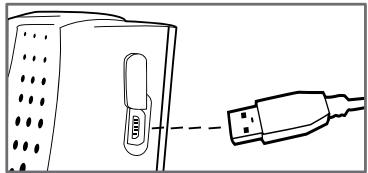
- The Parrot NOMAD can be updated by Bluetooth. The update protocol is secure. Download the flash utilities from our website at www.parrot.biz.
- Updating can make the Parrot NOMAD compatible with more source devices.
HOTLINE
Our hotline is at your disposal. You can contact us by email or telephone.
- Europe: +33 (0) 148036069
Italy: +39 2 86 39 14 63
Spain: +34 902 404 202
UK: +44 (0) 870 112 5872
Germany: +49 900 172 77 68
USA: +1 (877) 9 PARROT (toll-free)
China: + 862 164 601 944
Check out the Support heading of our website at www.parrot.biz for further information.
SPECIFICATIONS
Bluetooth
- Bluetooth 1.2 qualified.
- Hands-free profile 1.0 and 1.5.
- Headset profile 1.1.
- Object Push Profile.
- Bluetooth PIN code 《1234》
Maximum range: around 10m - Pairing of up to five phones.
Mechanics
- Dimensions: 63 × 28 × 110 mm .
Weight: 105g
Electronics
- 1 100mA Li-ion battery.
- Talk time: around 10 hr.
- Standby time: over 250 hr.
- Recharging time: 3 hr.
- Charger: 5.15 V DC / 0.5 A max.
Signal processing
- Echo cancellation.
- Residual echo and noise cancellation.
Built-in voice recognition.
Compliance
FCC.
E2.
- Bluetooth.
CE.
NOTES
Parrot NOMAD
Guide d'utilisation
FRANÇAIS
SOMMAIRE
INTRODUCTION p 19
CONTENU DE L'EMBALLAGE p 20
PREMIERE UTILISATION p 20
Charger le Parrot NOMAD p 20
Installer le Parrot NOMAD p 21
Description du Parrot NOMAD p 21
Connector son telephone/PDA Bluetooth . p 22
FONCTIONNALITES p 23
FCC.
E2.
- Bluetooth.
CE.
NOTES
Parrot NOMAD
Návod k použití
CESKY
OBSAH
Uvod p 33
OBSAH BALENI p 34
PRI PRVNIMPOUZITI p 34
Nabiti pristroje Parrot NOMAD p 34
Instalace soupravy . p 35
Popis pristroje Parrot NOMAD p 35
Pripojeni Telefonu/PDA Bluetooth p 36
FUNKCE p 37
FCC.
E2.
- Bluetooth.
CE.
POZNÁMKY

Parrot NOMAD
Instrukcja obslugi
POLSKI
SPIS TRESCI
WSTEP. p 47
ZAWARTOSC OPAKOWANIA p 48
PIERWSZE UZYCIE p 48
Ladowanie Parrot NOMAD p 48
FCC.
E2.
- Bluetooth.
CE.
UWAGI
Parrot NOMAD
Hnctpykunno 0Keepnyataunn
PYCCKIN
CODEPKAHNE
BVEDEHNE p 61
CODEPXXMOE YNAKOBKN 62
IIEPBOE IcnoJb3OBAHNE .p62
3apndte Parrot NOMAD p 62
YcTaHOBnTe KOMnJIeKT. p 63
Onusahne Parrot NOMAD p 63
IopKnHouHte CBoT TeJeOeON/KNK Bluetooth p 64
Функциональнtie BO3MOXHOCTN 65
Onncahne nncnojb3oBaHne cyHKcun .p 65
Cxema roJIOCOBbIX MeHIO .p 68
Tolocobon Haobop .p 68
Прием Контов . p 69
OBHOBJIeHne p 70
TOPRAJJIHHNp71
TEXHNUECKNE XAPAKTEPNCIKI p 71
ПОНМЕЧАНО … p 72
OBSIe CBeDEHnA p 157
BVEDEHNE
Parrot NOMAD
Parrot NOMAD - 3TO KOMPNIKTE rPOMKOROBOPauee CBA3N Bluetooth : y BAC HET Heo6xOIMOCnT DePxAbTe TeneFOH B Pyke BO BPem A43OBOPa C BAAMIN ABOHETM. BnaIaDAPr BCTPOEHHOMY AKKyMUnlATOpy Bbl MOKeTe IcNoJIb3OBaT3 OY cTpoiCTBO B ABTomObInE, B OfCne N B AwaEM DOME...
Бларяпенихшов ообаротke cnналa (DSP II),сьязocуsectbnaertcB nnoHodynIeKCHom pexime c noJaBleHem nomexиустраheniem 3ФФeKTe a xa不断增强 ydoobctBa obuenceia.
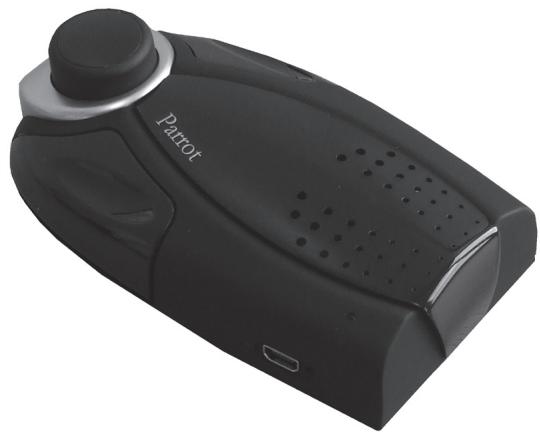
3aДиTe Ha web-caiT www.parrot.biz, Ртбь ПОЗнakOMТьСС CO BCEM CпeКТРOM yСТроИСТВ, COВМсЕТИмБIX C BluTeothи n ПОЛУЧТь Инфорmaцио ob Испюлзовани Parrot NOMAD.
CODEPXXMOE YNAKOBKN
ByaKOBKe HaxOuNTc:
- Kompt Parrot NOMAD.
KpoHTeH dIa KpeIeHn Parrot NOMAD Ha coIHHce3aunTHOM KO3bIpBke BaUero aBTOMoBnIa.
PykoBOJCTBO IO 3KcIIpyataun.
CnpaBoUchNk no npOduyKuIN Parrot.
3apraHoe yctpoiCTBOOTcTn. - 3apándHoe yctpoiCTBO OT pπkypnbTaTeIa.




IEPBOE IcNoJIb3OBAHNE
3apnTe Parrot NOMAD
Perepe npBbIM nCnOJIb3OBAHHeM Heo6xOДmIO 3aprAITb Parrot NOMAD.ДЯЗTOIcNObIb3yIte CeTeByIO pO3eTKy IINI pNkUpyBaTeIb BaIwero ABTOMObIIa.
YCTaHOBNTe KOMJIneKT
KpoHsTeH dIa KpeIeHnI Parrot NOMAD Ha coNHe3aUHTHom KO3bIpke BaWero abTOMo6BJIIO3BOJAEITcOJIb30BaTb Parrot NOMAD kak KomIIneKT rPOMKOrOBoRpaJIe CBa3N B BaWeM abTOMo6BJIe.
Длг acnolb30baHnвь O bOnce nIIM DOnA pOcTO NpOxNtE yCToPoiCTBO n pa3roBapnBaIteYepe3 Hero (peKoMeHdaunzI: dIe BoJbIe yToHnuOBCTN CHMME KPOHHTeINI dIy KPNENHnA coNPHueaUTHOM Ko3bIpBeK).
Onncanhe Parrot NOMAD
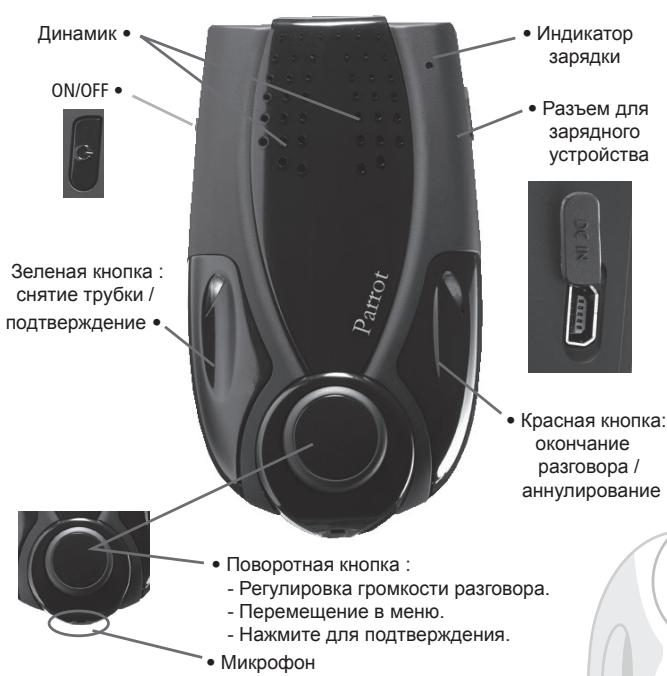
Khonk Parrot NOMAD
IopKnIOUHTe CBOI TepeOH/KNK Bluetooth
OTnpaBka ToHOBbIX CnHaJIOB
- Bo Bwpea paoBopaa bbl MoKETe OTnIpaJIbTb ToHObIbe CnHAnbl Ha6Opa (DyBxTOHaJIbHbM MHOrOHaCToTHbI Ha6Op). 3To nO3BoJrE TynpaJIbTb, HnPIMep, BaWSeI rOLOCOBoN IOUToI.
- HaxMMTE Ha NOBOPOTHOE KONEcIKO - yCTPOINCTBO pON3HeCET «0».
-ПоворачиьайтколесикдяизMeненицфр. - HaxMMTE Ha KOlencIKO ДЯ OToPapBKn HOMepa Ha Tepeoh.
- Повториные постесоватьносты дя OTправки дугх TOHOBbIX cnIHANOB habopa.
YdaJIeHHe n3 namrTH
Bb moKeTe cnapuBaTb do 5 yctpoiCTB.
- EcnBbI nonbTaetcBbIOnHnTb CnapBaHne 8eTeOTo TelefoHa, yCTPOCTBO npOn3HeCET «PamrTb 3aONHeHa».
- Bыdonжьи BынолнNTь удалени И м памгп, Довberримно habжав на Красуну и Зеничу.KнокиВ Төүнэн 3 сөкунд.ЗТTOТАКИРБДNT K удалени ВСЕС COOTBETCTBYOUIX NKTAKTOB T RONOCBOBJX METOK.
IpumueaHue: Ncnonb3o6aHue HeKoMopbIX u3 yka3aHHbIX fYHKuU (eonocoeu HApO, noMOp, ducKpmHbI pexUM) 3aeucum ucknOumelbo om eaeeoo meena (noDepkxa npOpuJn Handsfree unu Headset). IpnanyueHou donOnHumenBHO unHbpMaquuUpamumebc Ha haw web-calim www.parrot.biz 8 pa3den Support (noDepkxa).
Cxema roJIOCOBbIX MeHIO
Docyn K MeHIO yCTpoIcTBa rPOMKOROBOPaIe CBA3N
-ДяdoctynaК MeHIO HaxMnte Ha ceHTpaIbHoE KOneCko.
- HabirajunB MeHNo OcyuJeCTBJIeTcra NOBOPOTOM KOJecnka I NOITBvepKJaTeTcRA HaxKaTneM 3eHeOH KHOJKNI JINI KOJecnka.
Cxema MeHIO
- 3bik: Bblop 3bika.
- PgomKocTB: PerynipOBkA rPOMKoCTn roJIOcOBbIX MeHIO.
-Добавиь контakt :�TO MeHNO PodrotabnBaet Parrot NOMAD K Кпөму конта (OTnpaBneHbI NO OdHOMy, CM. pa3dEN «Пүсem KOHTAKTOB»).
3aNcatabKnOuOBeBie CnOba:Длпсиоьзвань rOnocoboro Hapopa nBCxeroBo3MOxKHOCTe 3apeNCTnpUte KluOBeBie CnOba《O6bHn》, 《MoIbHbI》,「paoOHy》,《DomauHn》,《dpyroY》。 - 06HOBLENHe: aKTHBnpyTe 3Ty oIeIIO nepeI ObHOBlenIeM uepe3 Bluetooth (www.parrot.biz, pa3dien 3arpy3ka).
TolocobnHa6op
Длпи сночьзовая رолocobую habopa Parrot NOMAD bI DoJxHbI BblnoJIHnTb cIeDyUOuNe DeICTBnI:
3ancaTb KIOUOeBbie CIOBa
Haxmnte Ha zentpaIbHyo KhoNky, yCTpoIcTBO npOn3HeCET «J3bIK», a TaKKe H3BaHne IcNoJIb3yEmOro B HAcToIeB BpEma J3bka.
ПовернITE кONEСКО ТAKIMΟБАМ,ЧТБИ yctpoICTBO npOIm3HecIOnФрЗу «ЗлпсathКЛЮЧEBBLE CNoBA» И NOДТВЕРДITE BbIbOp.
- YctpoCTBO npOn3HeCet «3aIncatb BCE KInOueBbIe CNoBa».
B cyuae, ecn qDn Hn HeckonbKO KIOHeBbIX cNoB yKe 6blno 3aIncAo, yCTpoCTBO yCTaHOBNTcH Na nepBoe He3aIncAHoe KIOueBoe cNOBO.
-Дянана здпсннхмnte Ha ZeHTpaIbHyIO nIN 3eNeHyIO KHOJky. CJeDyIte INHCTpyKUmaR, COOshaaembIM yCTpoiCTBOM.
Korda KIIOHeOe CNOBO 6yDcT npaBnIbHO 3aIncAo, yCTpoIcTBo ATOmatueckn nepeJdK cJeIyoIeMy.
B cnyuae npabnblhoN 3aIncn BCex KJIIOueBbIX CIOB yCTpoiCTBO abTomatUneCKn AKTNBUPyET IX.
BbMOXETe BIOOBI MOMeHTB BIITN I3 MEHIO, HAKAB DnI 3OTOrHa KpaCHyIO KHONK, INBepHyTbCnI DnI 3aINCS INI IN3MeHENH NIIIOHeBbIX CnOB BIOHOE yD06OE DnI BAC BpEM.
- EcnBbHe XOTNTe 3aHcBbAte KIOUeBBe CNoBa, NOBepHnTe KOIeCnKO, TTObI NOnyUnTb DoCTyn K JKeJaemOMy CNOy.
FCC.
E2.
- Bluetooth.
CE.
NOTLAR
Parrot NOMAD
Oδηγός Xρήστη
EAAHNIKA
NEPIEXOMENA
EIGAIGH 89
IPEIXOMENO TOY ΣET p 90
XPHSEH IIA INPOTH OPOA p 90
Etnavapopion Tou Parrot NOMAD. p 90
EuvapmoIoynon tou oet .p 91
Iepiypaqn Tou Parrot NOMAD p 91
Aetoupyia eavakknons
Kpatnate Tnatnevo To Tnpaivo Tnktpo Tou OET VIA DU DEUtepeTTA VIA VA ETTAVAKALeTe Tov TEAEutaio apiO.
FCC.
E2.
- Bluetooth.
CE.
SHMEIΩΣEIE
Parrot NOMAD
用户手册
汉语
内容
介绍 p103
工具包的内容. p 104
第一次使用 .p104
重新充电Parrot NOMAD p104
装配工具包 .p105
Parrot NOMAD的说明 .p105
.1234 Parrot NOMAD nnnn
.wnn no nnnn nn nn nn nn nn nn nn nn nn
ninn (nnnn, nnnnn, nnnnn) nnnnn nnnnnn nnnn
,012ynnn.(n)
www.parrot.biz
yin yin
nni nnn no
.0000000000000000000000000000000000000
y
ynnnn
.nwn nna:n#
.
Parrot NOMAD won nn nwnn nn nn nn nn nn nn nn nn nn nn nn nn nn nn nn nn nn nn nn nn nn nn nn nn nn nn nn nn nn nn nn nn nn nn nn nn nn nn nn nn nn nn nn nn nn nn nn nn nn nn nn nn nn nn nn nn nn nn nn nn nn nn nn nn nn nn nn nn nn nn nn nn nn nn nn
(《wip wix nip》p1y-tnyn tnwn)wip wix
ipinnwnn nynn nn no
.《NK《1《N》》,《N》》,《》:n nn nn nn nn nn nn nn nn nn nn nn nn nn nn nn nn nn nn nn nn nn nn nn nn nn nn nn nn nn nn nn nn nn nn nn nn nn nn nn nn nn nn nn nn nn nn nn nn nn nn nn nn nn nn nn nn nn nn nn nn nn nn nn nn nn nn nn nn nn nn nn
yNnNnNnNnNnNnNnNnNnNnNnNnNnNnNnNnNnNnNnNnNnNnNnNnNnNnNnNnNnNnNnNnNnNnNnNnNnNnNnNnNnNnNnNnNnNnNnNnNnNnN
(ninni nni, www.parrot.biz n) Bluetooth
中
Parrot NOMAD

NNU DIO
.Parrot NOMAD ynnn nn nnnn
TIN LIN
n nn nnnnnnnnnnnnnnnnnnnnnnnnnnnnnnnnnnnnnnnnnnnnnnnnnnnnnnnnnnnnnnnnnnnnnnnnnnnnnnnnnnnnnnnnnnnnnnnnnnnnnnnnn
11nnn 90nn N
yun nn xiy iD
yNnNnNnNnNnNnNnNnNnNnNnNnNnNnNnNnNnNnNnNnNnNnNnNnNnNnNnNnNnNnNnNnNnNnNnNnNnNnNnNnNnNnNnNnNnNnNnNnNnNnN
y
(,n) 1
xun yu
.
.0 1
.
.190n nn y n
.
1
.
.
n nn nnnnnnnnnnnnnnnnnnnnnnnnnnnnnnnnnnnnnnnnnnnnnnnnnnnnnnnnnnnnnnnnnnnnnnnnnnnnnnnnnnnnnnnnnnnnnnnnnnnnnnnnnnn
nniin nniin nn nnnn nn nnnn n
n nn nnnnnnnnnnnnnnnnnnnnnnnnnnnnnnnnnnnnnnnnnnnnnnnnnnnnnnnnnnnnnnnnnnnnnnnnnnnnnnnnnnnnnnnnnnnnn
www.parrot.biz
119NN
nuiyni DNIINNIN
nnnnn
. nn nn nn nn nn nn nn nn nn nn nn nn nn nn
Parrot NOMAD
1

.Parrot NOMAD
.9999999999999999999999999
11111111111111111111111111
(《习习习习习习习习习习习习习习习习习习习习习习习习习习习习习习习习习习习习习习习
《N》,《N》n,ywn y
JUN qin nn (nn) IN (11), (T1)
ww
Parrot NOMAD
-
n / Bluetooth n
Parrot NOMAD
:()
(www.parrot.biz (Support)
.《Parrot NOMAD》n
1234
. 100000000000000000000000000000000000000000000000000000000
ninnnnnnnnnnnnnnnnnnnnnnnnnnnnnnnnnnnnnnnnnnnnnnnnnnnnnnnnnnnnnnnnnnnnnnnnnnnnnnnnnnnnnnnnnnnnnnnnnnnnnnnnnn
n nn nnnn nnnn nnnn nn nnnn nn nnnn
nun npnn
n nn nnnnnnnnnnnnnnnnnnnnnnnnnnnnnnnnnnnnnnnnnnnnnnnnnnnnnnnnnnnnnnnnnnnnnnnnnnnnnnnnnnnnnnnnnnnnnnnnnnnnnnnnnnnnnnnnnnnnn
Parrot NOMAD
Parrot NOMAD
nynn
nni
Parrot NOMAD
Parrot NOMAD
wnnnn nn
Parrot
wnnwn yon
nnnnnnnnn
nuiun nn yjw uin
Parrot NOMAD nniin no
Parrot NOMAD
.
(1)
n nn nnnnnnnnnnnnnnnnnnnnnnnnnnnnnnnnnnnnnnnnnnnnnnnnnnnnnnnnnnnnnnnnnnnnnnnnnnnnnnnnnnnnnnnnnnnnnnnnnnnnnnnnn
Parrot NOMAD
Bn nnnn nn nnnn nn nnnn nn nnnn nn nnnn nn nnnn nn nnnn nn nnnn nn nnnn nn nnnn nn nnnn nn nnnn nn nnnn nn nnnn nn nnnn nn nnnn nn nnnn nn nnnn nn nnnn nn nnnn nn nnnn nn nnnn nn nnnn nn nnnn nn nnnn nn nnnn nnnn nn nnnn nn nnnn nn nnnn nn nnnn nn nnnn nn nnnn nn nnnn nn nnnn nn nnnn nn nnnn nn nnnn nn nnnn nn nnnn nn nnnn nn nnnn nn nnnn nn nnnn nn nnnn nn nnnn nn nnnn nn nnnn nn nnnn nn nnnn nn nnn
yDyDyDyDyDyDyDyDyDyDyDyDyDyDyDyDyDyDyDyDyDyDyDyDyDyDyDyDyDyDyDyDyDyDyDyDyDyDyDyDyDyDyDyDyDyDyDyDy D. www.parrot.biz yNn, Parrot NOMAD
DyDIn
140 1
139
139
139 Parrot NOMAD
138
138 .Parrot NOMAD
137 / Bluetooth
136
136
135
135
134
133
132
132
131
157

Parrot NOMAD
wuwu
1k = 2( k > 0)
bLx 2
Sall
G
aill gail aill
g
FCC
E2
Bluetooth
CE
j · S_( 1) = n · k · j
g jgj g jg jg jg jg jg jg jg jg jg jg jg jg jg jg jg jg jg jg jg jg jg jg jg jg jg jg jg jg jg jg jg jg jg jg jg
69 60 03 48 1 (0) +33:Lg9j
631439862+39:L
202 404 902 +34 :L
5872 112 870 (0) +44 :a=11 a<101
6877172900+49:山
(j)877)9PARROT
944601164+862:
Logell www.parrot.biz lgjieill Lieogao jy
| 2 - 1| = | g - 1|
Bluetooth
Bluetooth 1.2
Hands-free profile 1.0 and 1.5
Headset profile 1.1
Object Push Profile
《1234》Bluetooth 9
j10 j1g:jj11
a1gaaasaojboij
a:aa:Jlll
63x28x110:
105:
4g:5g11
1100mA Li-ion 品 _ 出
10 1g
acw 250 jj:jj
3:
5.15 V DC / 0.5 A max: L
Lc s JParrot NOMAD 0J LdA1s!
jinn 21 jnn 1
.
.
.Parrot NOMAD JIe no allSll jLj eWg wWu LaiLe JuaW
aJy aJy JJJ JJJ JJJ JJJ JJJ
DTMFJLw
S. .dally 11111111 (sall sll gao sbid)DTMF Jld,dl sll all So Jld
Jlll Jwglgwlj
.(0)aajjglgai-sw-ajgaiLJIaJI jJbI
pLj jy jy jy jy
LgJl JgJUwJLgJ
DTMFJLwXs
0511
aJgA aWaa gba 15c
.(aizləs1Jl)aojI Jgaiwew.ωLwJl aIgLJbJcJgLb
Cua 1i. jg i d aai yas xg y aai jn gai jil gai jil bai jll ay Sill Cua
ailllll lssg slls
yijjI Lc Iieo g jgic g j, laii aolil boi yiaa JgJauai ju
. www.parrot.biz
在 Rt ABD 中:
aillbglplsswgl
L_g - 2 : 即 ( 1 ≤ x < 1) ( 1 ≤ x < 2) ( x > 2)
aLLg aLg g aLg aLg paae aee
Parrot NOMAD
C. a1 + a2 + a_3 = 4

.Parrot NOMAD
ggl clalgs gcligcu cuaa Jusw xg lclc ples
(《gjgljgl)jglgjgljgljglj)a
1.111111]j, a0j1 j0j0a0j0a0j0a0j0a0j0a0j0a0
J 1 J 1 J 1 J 1 J 1 J 1 J 1 J 1 J 1 J 1 J 1 J 1 J 1 J 1 J 1 J 1 J 1 J 1 J 1 J 1 J 1 J 1 J 1 J 1 J 1 J 1 J 1 J 1 J 1 J 1 J 1 J 1 J 1 J 1 J
.1uio 150
LSS 15
1
a.o.b.c.
aos aolssnlll 0s sssssssssssssssssssssssssssssssssssssssssssssssssssssssssssssssssssssssss
.
LILSOjEaonwglwo gnoo jc abmo aoo. cullg ool
(1)
Parrot NOMAD
Parrot NOMAD
LdJz
111111111111111
aIgaiJl JLi-
S OBC = S COD + S BOC - S BOC
gogS
S_ OBC = S_ COD + S_ BOC - S_ BOC
1a031
Parrot NOMAD
Parrot NOMAD
psissill Jds
Parrot
a≤11 a≤.11
jLswllacxgJ L
a0 = j1,j2, ,j44
Parrot NOMAD
Parrot NOMAD
aLjLg jlll aCg g aJg 1111
85 85
(3)
aalnlaalwJglllghaJbllgssnnns

Parrot NOMAD
Jgai jil Jgai jia Jgai jaoaaiu 1000000000000000000000000000000000000000000000000000000000000000000000000000000
o.1ol321 Jols baoi uLLS11 jai (DSP II) jgblj 0jLwJ 4afo a o oLoS11 JlaluIe Ioojge Jgauu Iauu Jlalg aie
Lgssuaw aasS gaaalglbluetho 8gJ ails Jusolas Jc Jgannl www.parrot.biz .Parrot NOMAD
Lg:
154
153
153
153 .Parrot NOMAD
152
152 .Parrot NOMAD
151 Bluetooth/PDAJg
150
150
149 aiaaill aaill aai
149
148
147
146
146
145
157

Parrot NOMAD
P
5
SAFETY INFORMATION
GENERAL INFORMATION
SAFETY INFORMATION
FCC Compliance Statement (FCCID: RKXMYNOS)
This device complies with part 15 of the FCC rules. Operation is subject to the following two conditions:
- this device may not cause harmful interference, and
- this device must accept any interference received, including interference that may cause undesired operation.
Note: The manufacturer is not responsible for any radio or tv interference caused by unauthorized modifications to this equipment. Such modifications could void the user's authority to operate the equipment.
Declaration of Conformity
We, Parrot S.A. of 174 quai de Jemmapes, 75010 Paris, France, declare under our sole responsibility that our product, the Parrot NOMAD to which this declaration relates is in conformity with appropriate standards EN300328, EN301489-1, EN60950 following the provision of Radio Equipment and Telecommunication Equipment directive (1999/5/EC R&TTE), and requirements covering EMC directive 89/336/EEC and Low Voltage directive 73/23/EEC.
Bluetooth
The Bluetooth® word mark and logos are owned by the Bluetooth® SIG, Inc. and any use of such marks by Parrot S.A. is under license. Other trademarks and trade names are those of their respective owners.
Correct Disposal of This Product (Waste Electrical & Electronic Equipment)
(Applicable in the European Union and other European countries with separate collection systems). This marking shown on the product or its literature, indicates that it should not be disposed with other household wastes at the end of its working life. To prevent possible harm to the environment or human health from uncontrolled waste disposal, please separate this from other types of wastes
Parrot NOMAD
and recycle it responsibly to promote the sustainable reuse of material resources. Household users should contact either the retailer where they purchased this product, or their local government office, for details of where and how they can take this item for environ, mentally safe recycling. Business users should contract their supplier and the terms and conditions of the purchase contract. This product should not be mixed with other commercial wastes for disposal.
GENERAL INFORMATION
Copyrights
Copyright © 2004 Parrot. All rights reserved. The total or even partial reproduction, transmission or storage of this guide in any form or by any process whatsoever (electronic, mechanical, photocopy, recording or otherwise) is strictly prohibited without prior consent from Parrot.
Registered trademarks
All the names and trademarks mentioned in this document are copyright-protected and are the property of their respective owners.
Modifications
The explanations and specifications in this guide are given for information purposes only and may be modified without prior notice. They are deemed to be correct at time of going to press. The utmost care has been taken when writing this guide, as part of the aim to provide you with accurate information. However, Parrot shall not be held responsible for any consequences arising from any errors or omissions in the guide, nor for any damage or accidental loss of data resulting directly or indirectly from the use of the information herein. Parrot reserves the right to amend or improve the product design or user guide without any restrictions and without any obligation to notify users.
As part of our ongoing concern to upgrade and improve our products, the product that you have purchased may differ slightly from the model described in this guide. If so, a later version of this guide might be available in electronic format at Parrot's website at www.parrot.biz.

Parrot
Parrot S.A. - 174, quai de Jemmapes - 75010 Paris - France
Fax +33 1 48 03 06 66 / Phone +33 1 48 03 60 60
http://www.parrot.biz


Bluetooth

HACHT

Federal
Communications
Commission


PI030382AA
- Parrot NOMAD
- CONTENTS
- INTRODUCTION
- KIT CONTENTS
- The kit contains
- USING FOR THE FIRST TIME
- Recharging the Parrot NOMAD
- Fitting the kit
- Description of the Parrot NOMAD
- Connecting your Bluetooth phone/PDA
- Generic pairing - applies to most phones (supporting the Hands-free profile):
- FEATURES
- Description and use of the functions
- Making a call manually
- Making a call via the voice recognition feature
- Receiving a call
- Ending a call
- Redial function
- Adjusting the volume
- Changing to discreet mode
- Sending DTMFs
- Clearing the memory
- Voice menu structure
- Accessing the kit's menus
- Menu structure
- Voice recognition
- Recording the keywords
- Receiving contacts
- Proceed as follows
- UPDATING
- HOTLINE
- SPECIFICATIONS
- Bluetooth
- Mechanics
- Electronics
- Signal processing
- Compliance
- NOTES
- Guide d'utilisation
- SOMMAIRE
- Návod k použití
- OBSAH
- POZNÁMKY
- Instrukcja obslugi
- SPIS TRESCI
- CODEPKAHNE
- BVEDEHNE
- CODEPXXMOE YNAKOBKN
- ByaKOBKe HaxOuNTc:
- IEPBOE IcNoJIb3OBAHNE
- 3apnTe Parrot NOMAD
- YCTaHOBNTe KOMJIneKT
- Onncanhe Parrot NOMAD
- IopKnIOUHTe CBOI TepeOH/KNK Bluetooth
- OTnpaBka ToHOBbIX CnHaJIOB
- YdaJIeHHe n3 namrTH
- Cxema roJIOCOBbIX MeHIO
- Cxema MeHIO
- TolocobnHa6op
- Oδηγός Xρήστη
- NEPIEXOMENA
- Aetoupyia eavakknons
- SHMEIΩΣEIE
- 内容
- n / Bluetooth n
- nynn
- nuiun nn yjw uin
- Parrot NOMAD nniin no
- j · S_( 1) = n · k · j
- | 2 - 1| = | g - 1|
- S_ OBC = S_ COD + S_ BOC - S_ BOC
- SAFETY INFORMATION
- FCC Compliance Statement (FCCID: RKXMYNOS)
- Declaration of Conformity
- Correct Disposal of This Product (Waste Electrical & Electronic Equipment)
- GENERAL INFORMATION
- Copyrights
- Registered trademarks
- Modifications
- Parrot
Brand : PARROT
Model : NOMAD
Category : Drone