USER MANUAL FRS-2011IAL DAEWOO
Be sure to keep for safety !
■ Read this safety instructions thoroughly and carefully before using. Please keep this user guide at hand for future reference.

WARNING
Indicates the possibility of danger of death or serious injury
CAUTION
Indicates the possibility of risk of personal injury or material damage
Other Signs

DO NOT remove or disassemble!

NO., DO NOT...

Be sure to unplug from receptacle(outlet/mains)!

Be sure to keep and follow!
Caution - If the supply cord is damaged, it must be replaced by the manufacturer or its service agent or a similary qualified person in order to avoid a hazard.
- Appliance must be positioned so that the plug is accessible
WARNING
Never let power cord be crushed by refrigerator itself or other (heavy) objects. Never bend power cord excessively.

Do not plug several appliances into same wall outlet (receptacle).
Never hold the power cord or plug with wet hands.
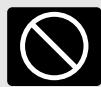
It can be a cause of overheating and/or fire. Use an exclusive grounding receptacle for the refrigerator.
There is a risk of electric shock.
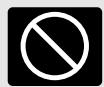
Never use damaged power cord or plug, loose receptacle.
Be sure to ground. Check if your wall outlet is grounding (earthed) one.
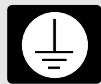
There is a risk of fire, electric shock or serious injury.
There is a risk of electric shock hazards.
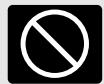
Never unplug by pulling only the power cord wire. Always grip the plug firmly.
WARNING
Let the cord from the plug outlet be directed Downwards.
- If it directed up, the cord near the plug is bent and can be damaged, which can cause electric shock or fire.

Never let the power cord touch or pass over heating appliances.
Power cord can be damaged, resulting in a risk of electric shock hazards.

Never pour or spray water into the refrigerator (both interior and exterior).
- Electric insulation gets weakened, resulting in a risk of electric shock hazards.

Do not let children hang on the refrigerator doors.
Refrigerator can fall and do harm to them.

Never repair or disassemble or amend refrigerator on your own
There is a risk of personal injury or damage to the refrigerator. It is recommended that any service be carried out by a qualified person.

Never use flammable gas, benzene, thinner, gasoline, spray etc. near the refrigerator.
There is a risk of fire, explosion and personal injury or damage.
Do not install refrigerator on a wet floor or in a place with much humidity moisture.
- Electric insulation gets weakened, resulting in a risk of electric shock hazards.
Check if plug is loose from the wall outlet.
Electric insulation gets weakened, resulting in a risk of electric shock hazards.
Do not place containers with water or liquid on top of refrigerator.
Water can be poured into the refrigerator and can cause electric shock hazards or damage.
Do not move or remove compartment shelves/pockets while foods and containers are on them.
- Hard container (of glass, metal etc.) can fall to hurt you and can break shelf glass and interior parts.
Never store any flammable gas or liquid in the refrigerator.
If a gas leak found near the refrigerator or in the kitchen, ventilate it immediately without touching power plug or refrigerator.
WARNING

Do not store medicine, academic research samples which require strict temperature control in the refrigerator.

Never insert fingers or hands into the bottom of refrigerator, especially into the bottom back.
- You can be hurt by sharp metal edges or can receive an electric shock.

Do not change fuse or light bulb on your own. Call the service agent to change them.

When you find the power cord damaged or cut, call the service agent immediately.

When you get rid of your old refrigerator, be sure to remove the door packings first.
CAUTION
Children can be entrapped and suffocated in an abandoned refrigerator. Leave it "just a few days!"is very dangerous.

Be sure to unplug when the refrigerator is not used for a long time.

Never touch foods and containers especially of metal with wet hands in the freezer compartment.
●You can be hurt by chilblains or cold bum.

Never eat any decayed or deteriorated food at all.

Never place bottles and containers of glass in the freezer compartment.
- Foods stored too long in the refrigerator can be decayed or deteriorated.
Glass containers and bottles can be broken so can hurt you.

When moving the refrigerator (layed or tilted), more than 2 persons are required to hold it. (One to hold top back handles, the other, bottom holder.)
If other parts gripped, it is very dangerous and likely to slip.

- Be sure to turn up the wheel first before moving the refrigerator.
The wheels can damage or scratch the floor. If you move it a long distance, never forget to fasten the interior parts tightly with tapes.
The parts can shake to break each other.
Installation Guide
Read these safety instructions carefully before use and follow precautions for your safety.

Precautions in installation and power connection
■To prevent fire, electric shock or leakage
1 Never install the refrigerator on a wet, watery floor or where water can easily gather.
2 Check the following before power connection.
Connect power plug only to a grounding wall receptacle (an earthed mains).
- Do not plug refrigerator power together with other appliances to a same receptacle(socket).
3 Do not use an adapter plug or an extension cord.
4 Do not let power cord be crushed down by other (heavy) objects.
- If you hear strange noise or strong chemical odor or find smog etc. from the refrigerator after power plugin, pull out the plug immediately and call the service.
- Wait about 5 minutes before you plugin again in order to prevent any damage to the compressor and electrical devices of refrigerator.
- Wait 2~3 hours until the inside gets cold enough after first power plugin, then store foods in. (There can be some peculiar smell of plastic parts at initial operation of refrigerator after plugin. The smell fades away as refrigerator works and doors are opened and closed.)

Precautions in use
■To prevent personal injury, fire, electric shock etc. read this user guide carefully before use and keep it at hand for any reference.
■Accessories

Egg case
Egg cradle
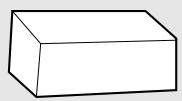
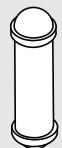
Filter Box
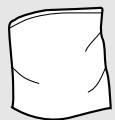
Water supply Kit
User guide
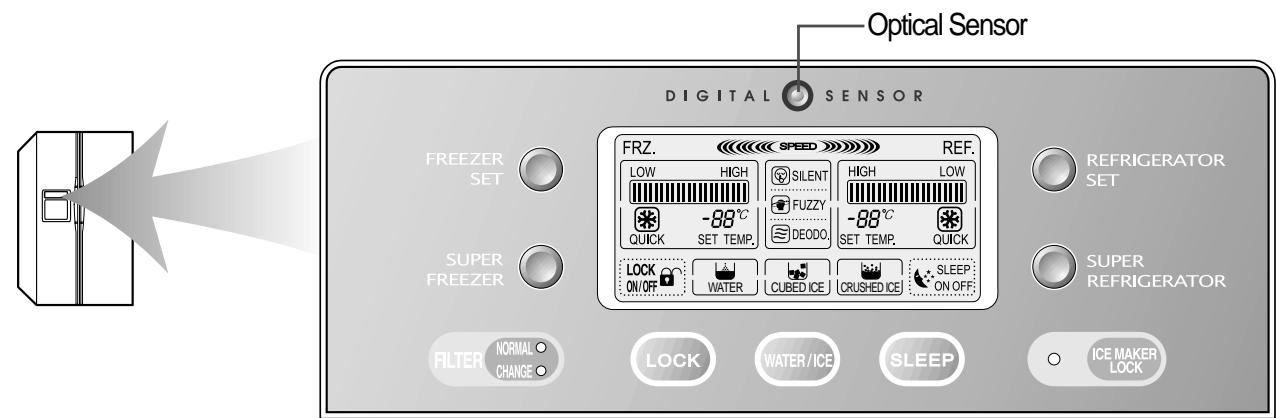
Control Panel
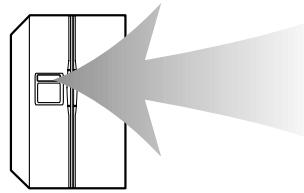
Optical Sensor
DIGITA
S E N S O R
FRE
ER ET
F
REFRIGERATORET
SUPEF FREEZER
LOCK ON/OFF
SLEE ONC
C
SUPER REERCIO
NORMAL CHANGES





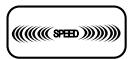
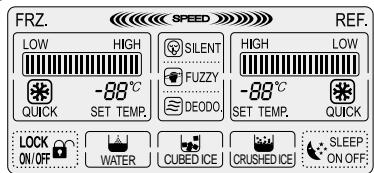
If you fill the refrigerator with much foods or in case of frequent door openings, Speed Mode starts automatically to maintain optimal condition of temperature.
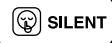
Optical Sensor in the top center of the panel senses the amount of light surrounding the refrigerator.
-
When it decides that it is dark (night), Silence Mode starts. Refrigerator works on in minimum operation condition, so it makes little or less working noise.
-
[Notice] Do not let the Optical Sensor be covered by memo sheet (Post-it) etc.
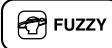
It shows that the digital control system is working the refrigerator. (The icon is always on while the refrigerator is working.)
As long as the refrigerator is working deodorization is always on.
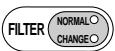
The NORMAL (Green LED) is ON for 6 months after the first installation of refrigerator.
- When the time comes to change the filter or RESET, press the [ICE MAKER LOCK] for 3 seconds or more while pressing the [LOCK] button, then the LED will change to NORMAL(Green).

Children may push any button on the panel for fun, resulting in disorder of temperature and function of refrigerator.
- Press this button to lock out this case and to keep temperature and function setting.
- Push Lock button again for more than a second to stop it.

For your convenience you can select WATER / CUBED ICE or CRUSHED ICE.
A rectangle line around the icon lights up to indicate your selection is ON.
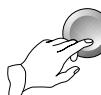
To obtain the water or ice, push the pad smoothly with your cup and your selection will come out 1~2 seconds later.
-
Try to avoid placing the rim of your glass near the bottom of the pad, otherwise Water or Icecubes may spill or splash.
-
You will hear a snap sound 2 seconds after the icecubes come out. This is from the shut off ice-out valve.
-
Wait 2~3 seconds after pushing the pad to get all the available water or ice cubes.

If you need total silence from the refrigerator just push sleep button.
This mode works for maximum 12 hours and then it returns to the previously set mode.
When you want to stop the mode, just push the button again and it also returns to the previously set mode.
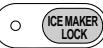
When cleaning the icecubes case assembly or when you do not use for a long period of time, remove the icecubes in the ice storage case and press the button to stop making icecubes.
- Interior lights of refrigerator turn off when the doors are open for more than 10 minutes.
- In case either freezer or refrigerator door is open for more than a minute, door alarm rings for 5 minutes with 1 minute interval.
LCD Background Light
The LCD light turns on in the following case to help you control the panel easily ;
- When the refrigerator is plugged in
- When you push a button (The background light turns on first, then button mode is activated.)
When you open the door
If you push a button when the backlight is off, only the backlight turns on and it does not affect any other button mode.
The LCD light turns off in the following case to save energy consumption ;
-1 minute after power plug in
10 seconds after the door is closed
No other button is pushed for more than 1 minute after button selection
- When you look at LCD display from side or down, not from front, the display (letters, icons and signs) can look faded or dim.
Temperature Control
When this refrigerator is first plugged in, the temperature mode is set to [Middle].
Freezer Compartment
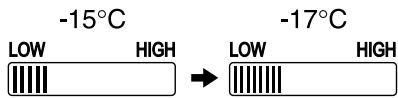
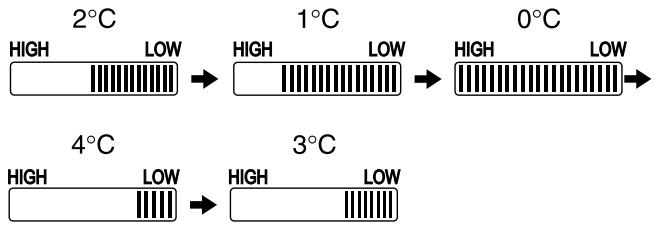
Push the FREEZER SET. button and the setting temperature changes as the figure shows.
Sequential Temperature Change <<

Faster Freezing...
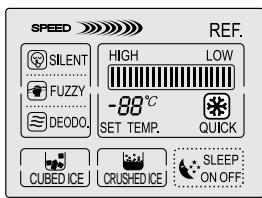
When you want faster freezing, push the SUPER FREEZER. button, then “QUICK” icon turns on and the mode starts. Just push the button once again when you want to stop the mode.
FREEZER SET
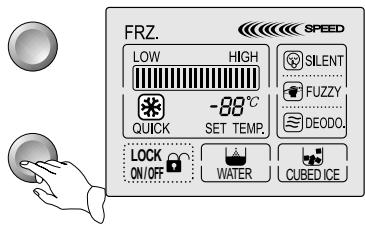
SUPER FREEZER
The inside temperature can varies according to door openings, amount of foods, surrounding temperature etc.
The mode ends automatically and it returns to the previously set mode.
For example) The refrigerator is working on [LOW Mode]. --[SUPER FREEZER.] starts and ends. ->Returns to [LOW Mode] again.
Refrigerator Compartment
Push the REFRIGERATOR SET. button and the setting temperature changes as the figure shows.
Sequential Temperature Change <<
Faster Cooling or Refrigeration
When you want faster refrigerating, push the SUPER REFRIGERATOR. button, then “QUICK” icon turns on and the mode starts. Just push the button once again when you want to stop the mode.

REFRIGERATOR SET
SUPER REFRIGERATOR
The inside temperature can varies according to door openings, amount of foods, surrounding temperature etc.
The mode ends automatically and it returns to the previously set mode.
For example) The refrigerator is working on [LOW Mode].
->[SUPER REFRIGERATOR.] starts and ends. ->Returns to [LOW Mode] again.

Foods in the refrigerator can be frozen if the ambient temperature of refrigerator is below 5^ .
How To change Interior Light Bulb
The lamp shall be replaced only by a service agent or similarly qualified person.
Change of Freezer Lights
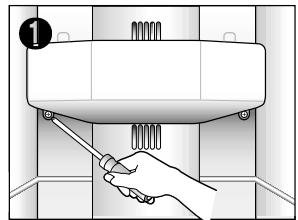
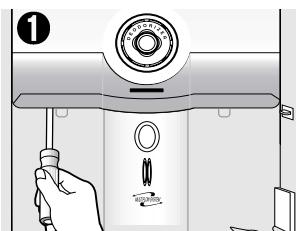
Remove screw caps bottom of light cover with a tiny tip screw driver.
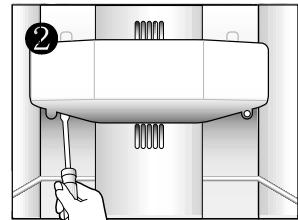
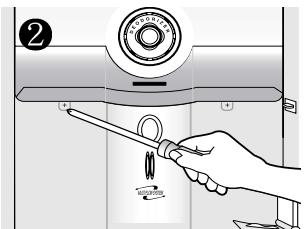
Remove 2 screws of light cover.
Hold the bottom of light cover and pull forward to remove.
Change the light bulb. ※ Follow the reverse order of disassembling after changing the light
Change of Refrigerator Lights
Refrigerator Top Lights
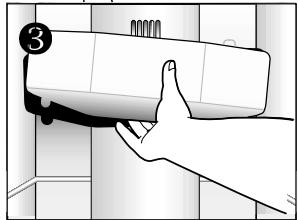
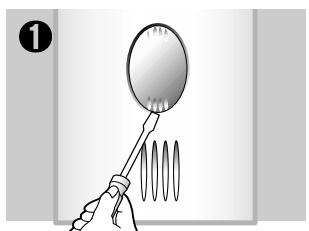
Remove screw caps bottom of light cover with a small tip screw driver.
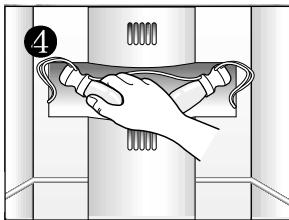
Remove screws of light cover.
Hold the bottom of cover and pull forward to remove.
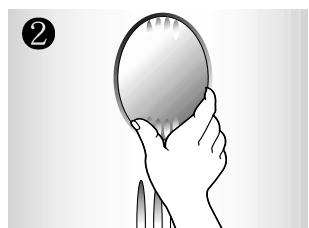
Change the light bulbs.
※Follow the reverse order of disassembling when assembling back.
Refrigerator Bottom Lights
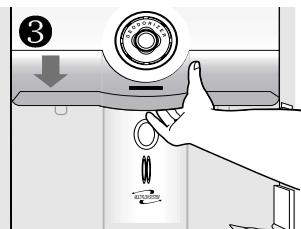
Snap outhte bottom hook of light cover with a flat tip screw driver.
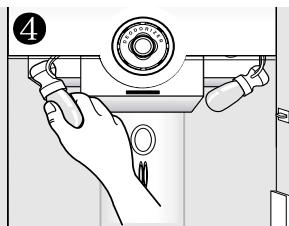
Hold down the light cover to pull out.
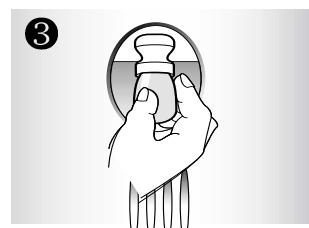
Change the light bulb. ※ Follow the reverse order after changing the light.
How to use interior parts
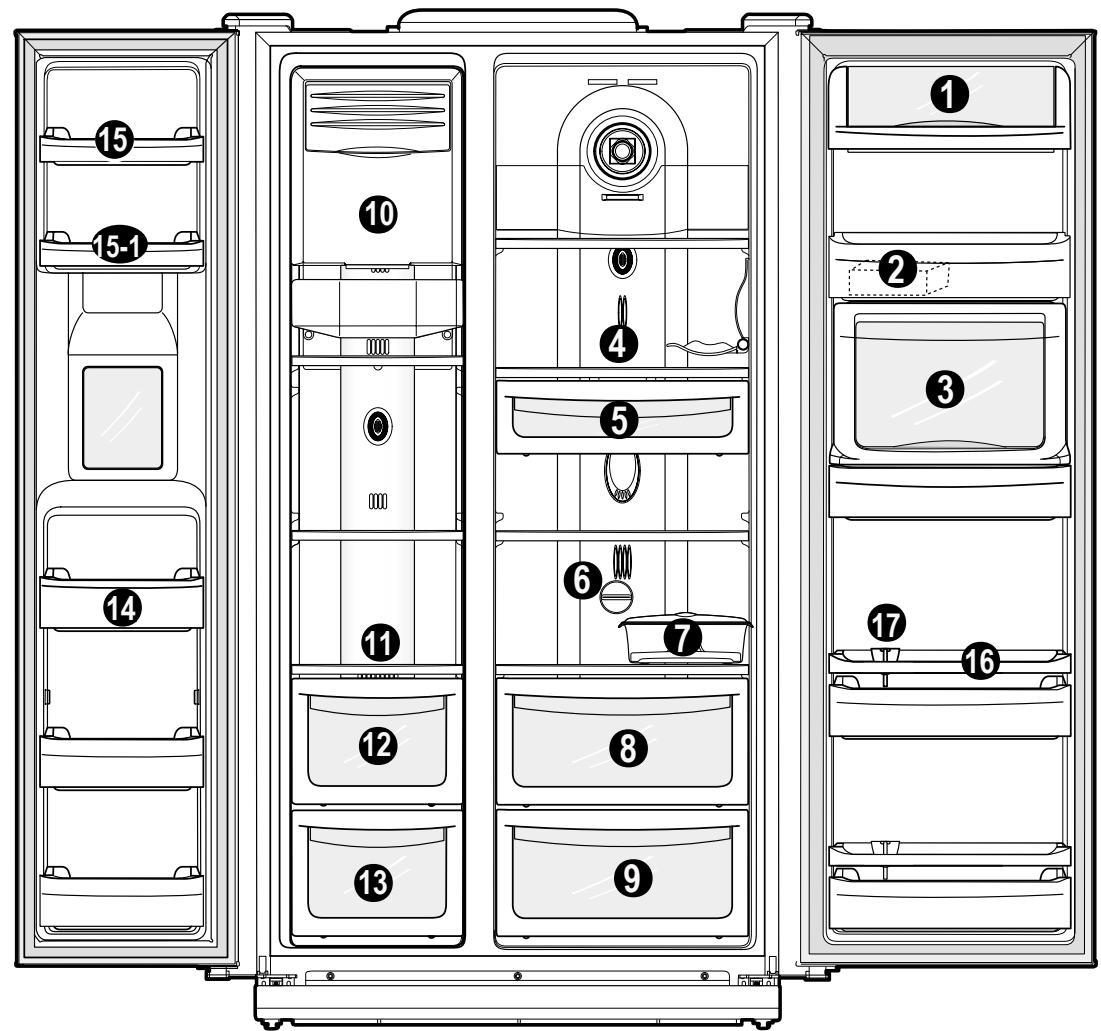
Interior Parts
1 Dairy Pocket
For storing dairy products such as butter and cheese
2 Small Pocket
For storing small packed foods
4 Refrigerator Shelf (tempered glass)
For storm common foods
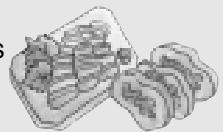
Chilled Case
For storing foods temporarily that is ready to cook (meat, fish...)
3 Refreshment Pocket
(Refreshment Pocket Models Only)
For frequently used cans, drink water, beverages
Switch Handle for Chilled Room or Vegetable
Caution
- Do not touch or hold with wet hands foods (foods container) in the freezer compartment.
There is a risk of chilblains (cold burn)
- Do not store medicine, academic research samples etc. in the refrigerator.
Do not store vegetables in the chilled room, for they can be frozen.
- Egg case can be placed on a refrigerator shelf as you like.
7 Movable Egg Case
Place the case for your convenience.
(Do not use the case for storing ice cubes nor place in the freezer compartment.)
Vegetable Case & Chilled Case
Refer to page 7.
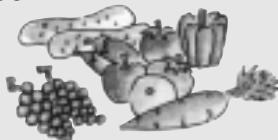
Fruit Case
For storing fruits
Ice cubes storage case
For storing icecubes.
Freezer Shelf (tempered glass)
For storing frozen foods such as meat, fish, ice-cream...
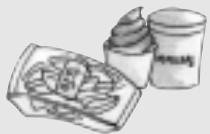
Drying Case of Freezer
for storing dried foods for so long (dried squid, dried anchovy etc.)
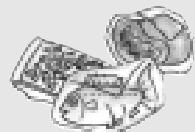
Meat case of Freezer
for storing meat, fish, chicken with foil cover or vinyl wrap
14 Freezer Pocket
for storing frozen foods
(Do not store ice cream or long stored foods on the top freezer pocket.)
Freezer Small Pocket
for storing small frozen foods
FRS-24**** Models Only.
1 Refrigerator Pocket
for storing refrigerating foods, milk, juice, beer bottle etc.
17 Refrigerator Pocket Guide
to prevent (tall) foods on the pocket from falling
Wine Bottle Support
Food Storage Tips
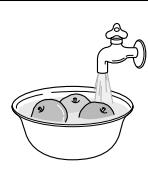
Wash foods before storing
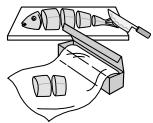
Divide and separate foods into smaller pieces as possible.
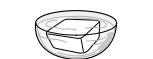
Place watery foods or foods with much moisture in front of shelves (close to door side).
If they are placed close to the cold air spout, they can be frozen.
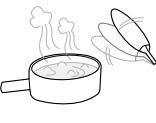
Warm or hot foods should be cooled down enough before storing to reduce power consumption and to enhance refrigeration performance.
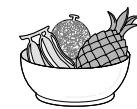
Be careful in storing such tropical fruit as bananas, pineapples, tomatoes, for they can easily be deteriorated in lower temperature.
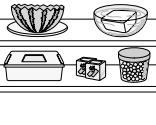
Keep enough space between the foods as possible. If too tight or too close, cold air circulation is hindered, resulting in poor refrigeration.
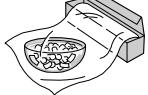
Never forget to cover or wrap foods to prevent odor of foods.
Vegetable Case & Chilled Case
The first case or drawer of the refrigerator compartment can be used either as a vegetable case or as a chilled case for your convenience. The temperature in the chilled case is somewhat lower than the vegetable one, so you can keep food more fresh.
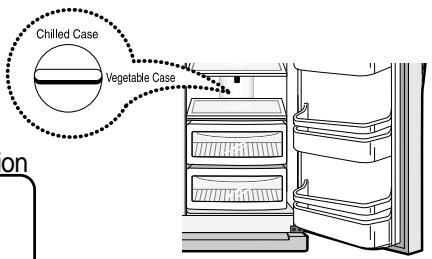
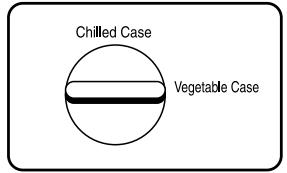
For Vegetable Case
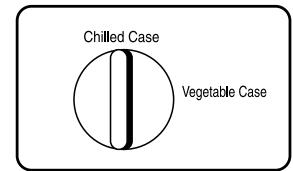
For Chilled Case
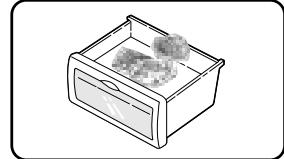
■Be sure to check the handle bar direction
- If you store vegetables and fruits in the chilled room mode, they can be frozen.
- If you store fish in the chilled room mode for a long time, it can deteriorate. Store it in the freezer compartment.
- Do not place foods close to the cold air spout, for it can weaken cold air circulation.
How to use the Dispenser
■ Select WATER / CUBED ICE / CRUSHED ICE and press the cup on the PUSH pad for your convenience.


Press the WATER/ICE button to select WATER and a rectangle around the icon lights up to show it is on.

Press the WATER/ICE button to select CUBED ICE and a rectangle around the icon turns on.


Press the WATER/ICE button to select CRUSHED ICE and a rectangle around the icon turns on.
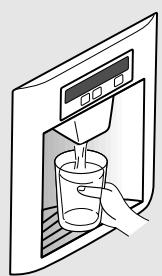
WATER
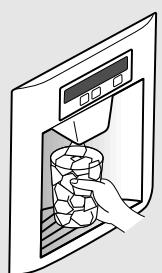
CUBED ICE
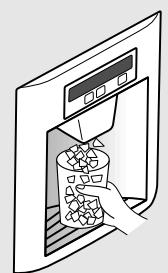
CRUSHED ICE
※ When you get [CUBED ICE] or [CRUSHED ICE], remove the cup from the pad when if it is half full.
( If you don't, the remaining ICES will make the cup overflow or the dispenser outlet become blocked.)
Caution
- Avoid using thin fragile cups or crystal glasses when taking (crushed) icecubes.
- For your safety, never insert your fingers or other tools into the dispenser outlet.
- If you find the (crushed/cubed) ices discolored, stop using the dispenser and call the service agent.
- 1 hour after you get [CUBED ICE] or [CRUSHED ICE], the selection mode returns to [WATER] automatically.

If you have 3 cups of water or more, the next water may not be cool. Add some ice cubes to the water or wait until the water gets cold.
It is quite normal that in some areas the tap water (and the water / ice out of it) smells sterilized.
How to use Automatic Icemaker
- About 10 icecubes (7~8 times a day) are made at one time. If the ice storage case is full, icemaking stops.
- It is normal for the icemaker to make banging sounds when the icecubes are falling into the ice storage case.
- To prevent a bad odour or smells, regularly clean the Icecubes Storage Case.
- If the amount of ice in the storage case is not sufficient, the ice may not be dispensed. Wait a day or so to make more ice.
- If the ice does not dispense easily, ensure the dispenser outlet is not blocked.

In case the icemaker doesn't work

If the icecubes get stuck and not dispensed
- Pull out the ice storage case and separate the icecubes any icecubes that may have stuck together.
- If the amount of water which is supplied to the icemaker needs adjusting. Call for the service agent.
In case of power failure
- The icecubes in the case may melt to flow down to the freezer room. If a long hours' of power failure is predicted, pull out the case, remove the icecubes in it and replace it back.

Use only the ices out of this refrigerator.
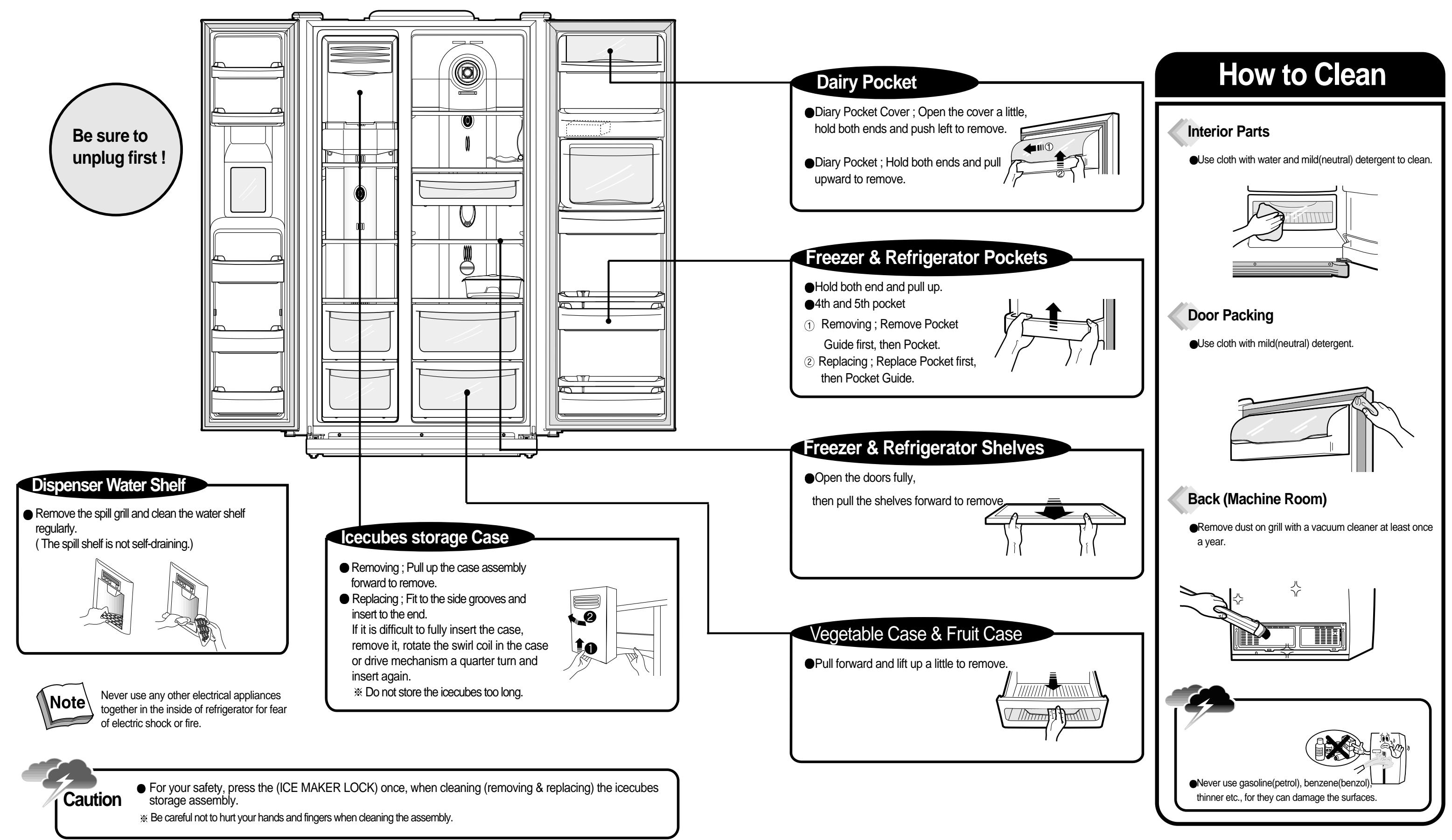
Before You Call for Service…
Please check up the following troubleshooting tips before you call for service !
| Problem | Checkup Point | Action |
| It never gets cold inside.
Freezing & refrigerating is not so good. | 1 Is the refrigerator unplaged?
2 Is the temperature set to [Low Mode]?
3 Is the refrigerator under direct sunlight or is any heat appliance placed near it?
4 Is the space between refrigerator back and the wall too close? | 1 Plug the refrigerator.
2 Set the temperature mode to Middle or High.
3 Move to a place where there is no direct sunlight, no heat appliances around.
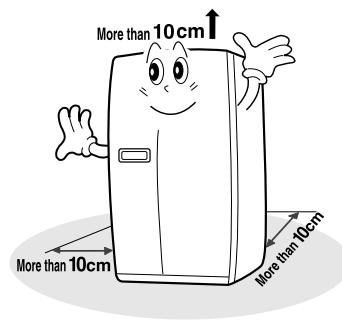
4 Keep sufficient space (more than 10cm)between refrigerator back and the wall. |
| Foods in the refrigerator get frozen. | 1 Is temperature set to [Strong]?
2 Is surround temperature too low?
3 Is foods with much moisture stored close to the cold air spout? | 1 Set the temperature to [Middle] or [Low].
2 Foods can be frozen if ambient temperature is below 5℃. Move to a place where the temperature is over 5℃.
3 Place foods with moisture on the shelves close to the doors. |
| Strange sound from the refrigerator | 1 Is floor beneath the refrigerator uneven?
2 Is the space between refrigerator back and the wall too close?
3 Does other stuff touch the refrigerator? | 1 Move the refrigerator to a level and even floor.
2 Keep sufficient space.
3 Remove any object a way which touches the refrigerator. |
| Odor or disgusting smell from the inside | 1 Is food stored uncovered or unwrapped?
2 Are the shelves and pockets stained with foods stuff?
3 Is food stored too long? | 1 Be sure to cover and wrap the foods.
2 Clean them regularly. Once smell gets soaked to those parts, it is not easy to remove.
3 Do not store foods for so long. Refrigerator is neither a perfect nor a permanent foods keeper. |
Something strange? Don’t worry. Here is the answer.
| Case | Explanation |
| Heat
Door
is
sticky | Front and side of refrigerator
feels warm or hot. | ●Pipes (refrigerant vessel) are placed beneath the
surface to prevent moisture forming on it. |
| Doors are not to open easily. | ●When you close the door and then open again
immediately, the door is not easy to open. Warm air
rushes into the inside to make the pressure difference.
In this case wait for a minute, then it will open easily. |
| Strange Sound | It sounds like water is flowing from the refrigerator. | | ●When the compressor starts to run or stops, refrigerant which makes the inside cold flowing in the pipes can make such a sound.
●Defrosted water can also make such a sound. (This refrigerator adopts an automatic defrosting system.) |
| Something cracking or click sound. | | ●Inside parts shrink and/or expand due to temperature change ---When the inside gets cold or when the door is open ---such sound can be made. |
| Humming or buzz sound. | ●Compressor or fans for cold air circulation can make such working sound. (If the refrigerator is not level, the sound can be louder.) |
| Frost & Dew
Dew or frost on the wall and/or food container surface in the freezer and refrigerator compartment. | Frost and/or dew can be made in the following cases;
● High temperature and/or high humidity around the refrigerator
● When doors are open too long
● Foods with much moisture are stored uncovered or unwrapped
※ You can see the same appearance when cold water is poured in a glass cup and dew is forming on the surface of it. |
| Dew on the interior lights cover | ● The light bulb radiates heat while it is on, so when doors are open too long, dew can form on the light cover due to temperature difference. |
| Dew on the cabinet surface | ● In case it is highly humid around the refrigerator, moisture in the air sticks to the surface to form the dew. |
Installation Preparation
Check if the refrigerator can pass a doorway or enter a door first.

| Dimensions( including Door Handles) |
| FRS-20 *** | (Width*Depth*Height) 928mm × 816mm × 1808mm |
| FRS-24 **** | (Width*Depth*Height) 928mm × 896mm × 1808mm |
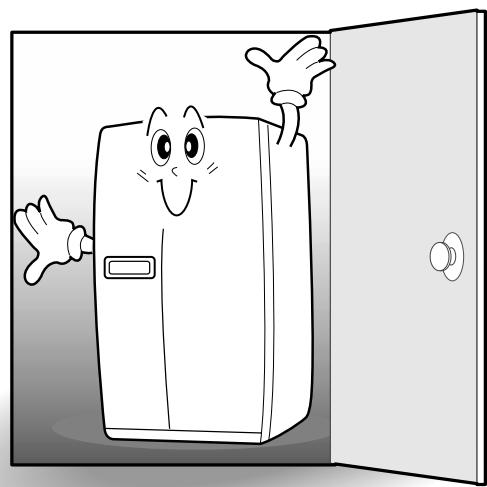
Find a suitable place to install

- Sufficient space from refrigerator back to the wall for free air ventilation
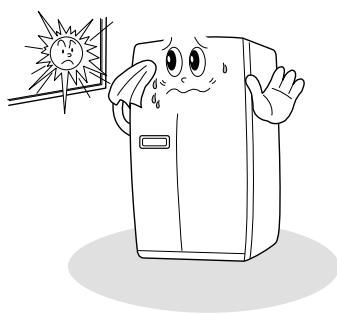
Avoid direct sunlight.

Once the installation place is ready follow the installation instructions.
If surround temperature of refrigerator is low (below 5^ ), foods can be frozen or the refrigerator can work in abnormal way.
If the refrigerator can not enter the door, follow these steps.
- Removing Freezer Door
※ Remove front bottom cover first, if it is attached.
| 1 Remove the bottom cover first.
Pull out the left collar of the coupling first, then hold the coupling and pull out the left water tube. | 2 Unscrew top hinge cover with a screw driver.
Insert a thin screw driver into the side groove of the cover to remove. | 3 Turn top hinge fastener counterclockwise 3~4 times.
Disconnect the harness wires. |
| 4 Lift up the front of hinge to remove.
( After the hinge is removed the door can fall down forward. Be careful !) | 5 Be careful not to damage the water line when removing the door. | |
Removing Refrigerator Door
| 1 Unscrew top hinge cover with a screw driver.
Insert a thin screw driver into the side groove of the cover to remove. | 2 Turn top hinge fastener counterclockwise 3~4 times. Disconnect harness wires. | 3 Lift up the front of hinge to remove.
(After the hinge is removed the door can fall down forward. Be careful !) |
4 Lift the door straight up to remove.
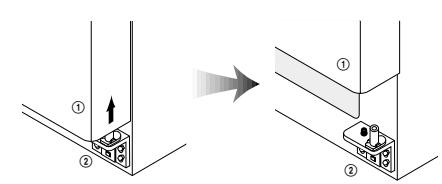
Replacing Freezer Door

| 1 Insert the water tube into the hole of the bottom hinge pin first, then Insert the bottom of freezer door into the bottom hinge pin. | 2 Insert the bottom hole of freezer door straight to the bottom hinge pin. | 3 Let the top of door close to the cabinet and insert the top hinge pin to the top hole of freezer door. (Insert the back of hinge to the groove of protrusion first, then front to the top hole of door.) |
| 4 Turn the hinge fastener tightly to the end. Connect harness wirings and screw ground wire. | 5 Insert the water tube far into the coupling. | |
Replacing Refrigerator I

| 1 Insert the bottom hole of refrigerator door straight to the bottom hinge pin | 2 Let the top of door close to the cabinet and insert the top hinge pin to the top hole of freezer door. (Insert the back of hinge to the groove of protrusion first, then front to the top hole of door.) | 3 Turn the hinge fastener tightly to the end. Connect harness wirings and screw ground wire. Click and screw the top hinge cover. |
In case freezer door is lower than refrigerator door...
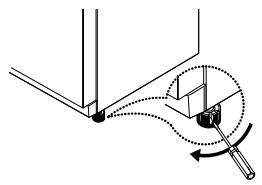
1 Insert a screw driver (flat tip) into a groove of the left wheel (bottom of freezer) and turn it clockwise until the door is balanced. (clockwise to raise freezer door; counterclockwise to lower) Unless the freezer door is balanced by step 1, then follow the next steps.
2 Open the doors, unscrew the front cover and remove, if it is attached.
3 Loosen 3 hinge bolts(1 on the left + 2 on the right) a little. (Do not unfasten them completely.) Insert a hexagonal wrench into the groove of adjusting nut and turn clockwise until the door is level.
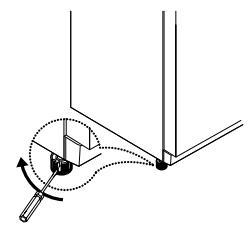
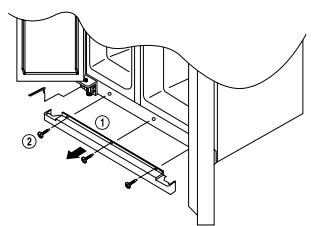
Once the door is balanced, fasten the hinge bolts tightly and screw the front cover.
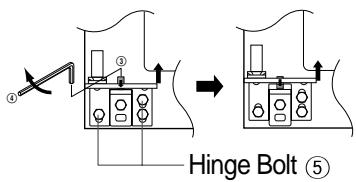
Caution
- The front of refrigerator needs to be higher just a little than the back for easy door closing, but if the wheel is raised too much for door balance, i.e. front of refrigerator is too higher than the back, it can be difficult to open the door.
- In case refrigerator door is lower than freezer door...
1 Insert a screw driver (flat tip) into a groove of the right wheel (bottom of refrigerator) and turn it clockwise until the door is balanced. (clockwise to raise refrigerator door; counterclockwise to lower)
*Unless the refrigerator door is balanced by step 1, then follow the next steps.
2 Loosen 3 hinge bolts(2 on the left + 1 on the right) a little. (Do not unfasten them completely.) Insert a hexagonal wrench into the groove of adjusting nut and turn clockwise until the door is level.
3 Once the door is balanced, fasten the hinge bolts tightly.
Front Cover
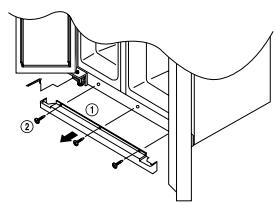
After installation and/or door leveling, fasten front cover with screws.(Remove the screws on the front bottom panel first. Click and screw the cover)
Attaching of Water Filter Holder
Remove the back paper of the tape on the filter holder and attach the filter holder on a suitable place.
How to install Water Line
- The water pressure should be 3kgf/cm^2 or more to run the automatic icemaker.
※ Checkup your tap water pressure ; if a cup of 180cc is full within 10 seconds, the pressure is OK.
- When installing the water tubes, ensure they are not colse to any hot surfaces.
- The water filter only "filters"water ; it does not eliminate any bacteria or microbes.
- If the water pressure is not so high to run the icemaker, call the local plumber to get an additional water pressure pump.
- The filter life depends on the amount of use. We recommend you replace the filter at least once every 6months. ※ When attaching the filter, place it for easy access (removing & replacing)
- After installation of refrigerator and water line system, select [WATER] on your control panel and press it for 2~3 minutes to supply water into the water tank and dispense water.
- Use sealing tape to every connection of pipes/tubes to ensure there is no water leak.
- The water tube should be connected to the cold water line.
WATER SUPPY KIT
※ Check the parts below for installing water supply. Some other necessary parts are available at your local service agents.


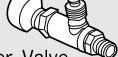
Water Valve (30154202400)
Connector A,B
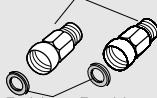
Rubber Packing (3014454500)

Holder (3012020700)
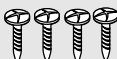
Screw × 4 ea (7112401211)
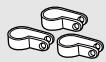
Fastener A×3ea (3011202000)
Installation Procedure
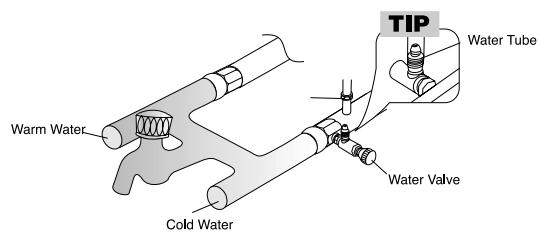
1. Join [Connector A], [Connector B] and [Water Valve] to the tap water lines.
1) Switch off the main water line(valve).
2) Connect [Water Valve] and [Connector A].
3) Join [Connector A], [Connector B] to the tap water lines
※ Use only [Connector A + Water Valve] in case there's only one tap water line.
※ Apply the sealing tape to all the joints as the figure shows.
※ If the connectors(valves) do not fit the existing water line, call your service agent for additional guidance and action.
![DAEWOO FRS-2011IAL - Join [Connector A], [Connector B] and [Water Valve] to the tap water lines. - 1](/content/2025/01/146630/images/7f177e74dac5238f0462334f5eaa6b4babdeb8f85c1b44ee2037484ce5e0aaa5.jpg)
The water valve should be connected to the cold water line, otherwise there can be a problem of cold water supply."
![DAEWOO FRS-2011IAL - Join [Connector A], [Connector B] and [Water Valve] to the tap water lines. - 2](/content/2025/01/146630/images/3d362d85d439c74ee343a593f97dee5feaf48b0e5794decb7abb842c6262fb17.jpg)
2. Connect the Water Tube to the Water Valve.
1) Insert the Nut to the Water tube.
2) Insert the Tube to the Valve as the figure shows.
3) Fasten the nut to join firmly.
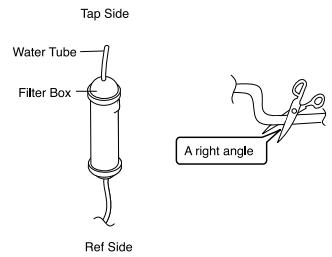
3. Get ready to install the Water Filter
1) Measure an approximate distance between the filter and the Water Tube and cut the tube off filter vertically.
2) Connect the tubes to the filter as the figure shows.

Leave a sufficient distance when cutting the tubes.
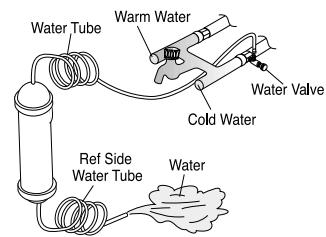
4. Remove any substances in the filter.
1) Open the main tap water valve and check if water comes out of the Water Tube.
2) Check if the Water Valve is open in case water does not come out.
3) Leave the valve open until clean water is coming out.
※ Initial water may contain some substances out of filter (manufacturing process).
5. Attach the Filter Box
1) Screw and fasten the filter holder to the left/right side of the back of refrigerator.
※ In case the holder is not fastened well, remove the back paper of the tape on the filter holder and attach it."
2) Insert the filter box into the holder.
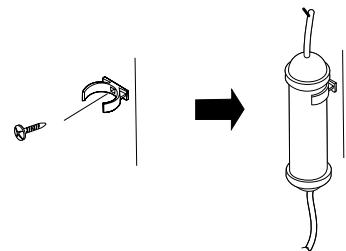
6. Connect the Water Tube to the refrigerator.
1) Remove the rear cover at the bottom back of the refrigerator.
2) Insert the fastening ring into the Water tube. (Be careful to follow the direction of the nut.)
3) Insert the Water Tube into the top of Water Valve, turn the nut clockwise to fasten it. (The Water valve is to the right of the motors.)
4) Check for any bent tubes or water leaks; if so, re-check installation procedure.
5) Replace the rear cover. (The Water Tube should be placed between the groove of the refrigerator back and motor cover.)

Set the tube upright as the figure shows.
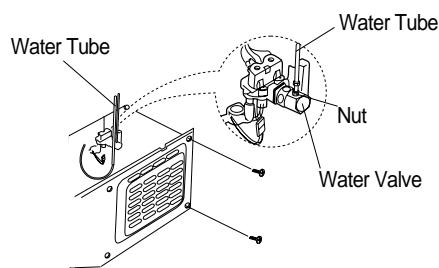
7. Fasten the Water Tube.
1) Fasten the Water Tube with the [Fastener A].
2) Check if the tube is bent or squeezed. If so, set it right to prevent any water leak.
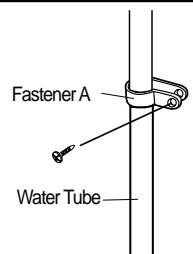
8. After installation of Water Supply System
1) Plug the refrigerator, press the [WATER] button on the control panel for 2~3 minutes to remove any air (bubble) in the pipes and drain out the initial water.
2) Check the water leak again through the water supply system (tubes, connectors and pipes) Rearrange the tubes again and do not move the refrigerator.
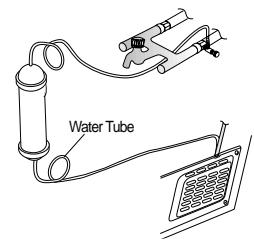
USER GUIDE

CFC-Free
FRS-2011IAL
FRS-2011WAL
FRS-2011EAL
FRS-2011CAL
FRS-2411IAL
FRS-2411WAL
FRS-2411EAL
FRS-2411CAL
FRS-2031IAL
FRS-2031WAL
FRS-2031EAL
FRS-2031CAL
FRS-2431IAL
FRS-2431WAL
FRS-2431EAL
FRS-2431CAL
CONTENTS
Be sure to keep for safety 1~3
Installation Guide 4
Control Panel 5
Temperature Control 6
How To change Interior Light Bulb 7
How to use interior Parts 8~10
How to use the Dispenser 10
How to use Automatic Icemaker 11
Care & Cleaning 12~13
Before You Call for Service... 14
Something strange?
Don't worry. Here is the answer 15
Installation Preparation 16
If the refrigerator can not enter
the door, follow these steps 17~18
Refrigerator Leveling &
Door Adjustment(if needed.) 19
How to install Water Line 20~21
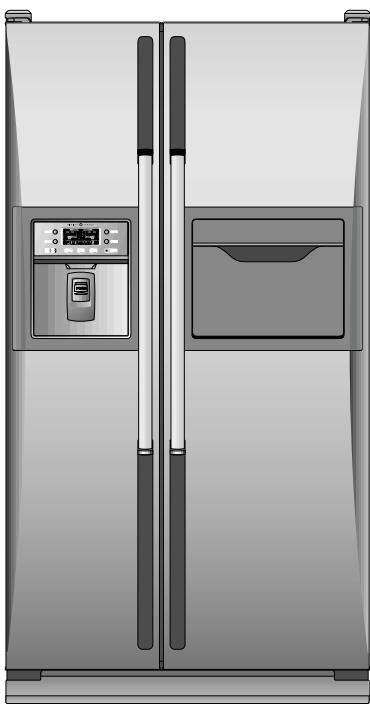
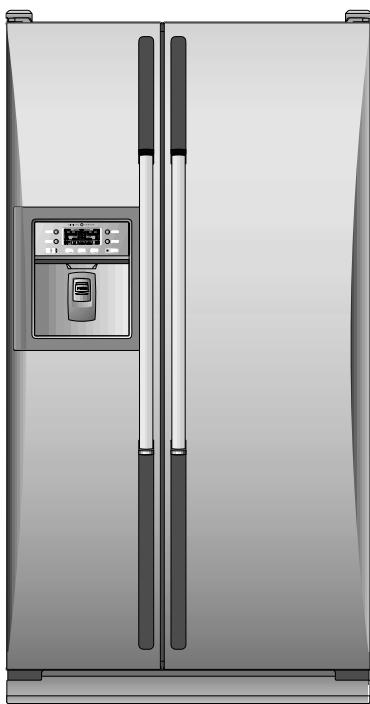
Read this user guide thoroughly and carefully before using for your safety and optimal performance of refrigerator.
Code: S241-1