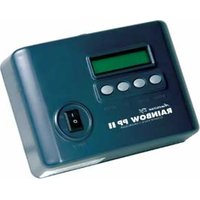
Rainbow PP II - DJ Controller American Audio - Free user manual and instructions
Find the device manual for free Rainbow PP II American Audio in PDF.


Pick your language and provide your email: we'll send you a specifically translated version.
| Product Type | LED Effect Light |
| Model | Rainbow PP II |
| Brand | American Audio |
| Dimensions (approx.) | 200 x 150 x 100 mm |
| Weight (approx.) | 1 kg |
| Power Supply | AC 100-240V, 50/60Hz |
| Power Consumption | 30W |
| Light Source | RGB LEDs |
| Control Modes | DMX512, Sound Active, Auto, Master/Slave |
| DMX Channels | 4 channels |
| Beam Angle | 60° |
| Housing Material | Aluminum and plastic |
| Cooling | Passive (no fan) |
| Operating Temperature | 0°C to 40°C |
| Mounting | Floor stand or hanging bracket |
| Maintenance | Clean lens with a dry cloth; avoid moisture |
| Safety | Keep away from flammable materials; use proper ventilation |
| Spare Parts | LED module, fuse |
| Reparability | Replacement of LED module and fuse by qualified personnel |
| Included Accessories | Power cord, user manual |
Frequently Asked Questions - Rainbow PP II American Audio
How do I set the DMX address on the Rainbow PP II?
Use the DMX dip switches on the rear panel. The address is set in binary. Refer to the manual for exact switch settings for desired address.
Can the Rainbow PP II be used outdoors?
No, it is designed for indoor use only. Avoid exposure to rain, moisture, or extreme temperatures.
What power supply is required?
The Rainbow PP II operates on AC 100-240V, 50/60Hz. Use the included power cord.
How do I clean the device?
Disconnect power. Wipe the housing and lens with a soft, dry cloth. Do not use chemical cleaners or water.
Why is the light not responding to DMX?
Check DMX cable connections, ensure the correct DMX address is set, and verify the controller is on the same DMX universe.
Can I link multiple units together?
Yes, use DMX daisy-chain or master/slave mode. Set one unit as master and others as slave via dip switches.
What does the sound active mode do?
The light will flash and change colors in sync with music via the built-in microphone. Adjust sensitivity if needed.
How to replace a fuse?
Disconnect power. Open the fuse holder on the rear panel using a small screwdriver. Replace with same type (e.g., T1A 250V).
Is the Rainbow PP II compatible with 3-pin DMX?
Yes, it uses standard 3-pin XLR connectors for DMX input and output.
What is the recommended mounting height?
Hang or mount the fixture at least 2 meters above the floor to ensure proper coverage and safety.
User questions about Rainbow PP II American Audio
0 question about this device. Answer the ones you know or ask your own.
Ask a new question about this device
No questions yet. Be the first to ask one.
Download the instructions for your DJ Controller in PDF format for free! Find your manual Rainbow PP II - American Audio and take your electronic device back in hand. On this page are published all the documents necessary for the use of your device. Rainbow PP II by American Audio.
USER MANUAL Rainbow PP II American Audio
Manual assistant
Powered by Anthropic
Waiting for your message
Product information
Brand : American Audio
Model : Rainbow PP II
Category : DJ Controller