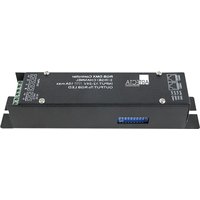
A9915011 - LED Light Controller Artecta - Free user manual and instructions
Find the device manual for free A9915011 Artecta in PDF.


Pick your language and provide your email: we'll send you a specifically translated version.
| Brand | Artecta |
| Model | A9915011 |
| Product Type | LED Lighting Fixture |
| Power Consumption | 150W |
| Light Source | 7x 10W RGBW LEDs |
| Beam Angle | 25° |
| DMX Channels | 6/8 channels |
| Control Modes | DMX512, Auto, Sound Active, Master/Slave |
| Dimensions (L x W x H) | 9.8 x 9.8 x 11.2 inches |
| Weight | 4.5 kg |
| Housing | Metal and plastic |
| Cooling | Fan cooled |
| Operating Voltage | AC 100-240V, 50/60Hz |
| Fuse | T2A 250V |
| Connectors | PowerCON in/out, 3-pin DMX in/out |
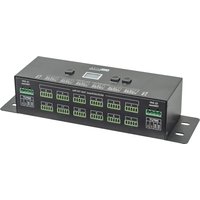
| Display | LED display with buttons |
| Functions | Strobe, dimmer, color macros |
| Included Accessories | Power cable, DMX cable, mounting bracket |
| Safety Certifications | CE, RoHS compliant |
| Maintenance | Clean with dry cloth, avoid moisture |
| Environment | Indoor use only |
Frequently Asked Questions - A9915011 Artecta
How do I reset the fixture?
Press the Menu button, navigate to Reset, and confirm by pressing Enter.
What is the recommended cleaning method?
Use a soft, dry cloth to clean the exterior. Avoid using liquids or abrasive materials.
Can I use this fixture outdoors?
No, this fixture is designed for indoor use only. Exposure to moisture can cause damage.
How do I set the DMX address?
Go to Menu > DMX Address, then use the up/down buttons to set the desired address and press Enter.
What should I do if there is no light output?
Check the power cable and DMX cable connections. Ensure the fixture is powered on and not in standby mode.
How to update the firmware?
Firmware updates are done via a DMX interface using specialized software. Contact Artecta support for instructions.
Is this fixture compatible with other DMX controllers?
Yes, it is compatible with any standard DMX512 controller.
How do I replace the fuse?
Disconnect the fixture from power, open the fuse holder on the rear panel, and replace the blown fuse with one of the same type (T2A 250V).
What is the maximum ambient temperature for operation?
The maximum ambient temperature is 40°C (104°F). Ensure adequate ventilation.
What is the warranty period?
Artecta offers a 2-year warranty against manufacturing defects from the date of purchase.
User questions about A9915011 Artecta
0 question about this device. Answer the ones you know or ask your own.
Ask a new question about this device
No questions yet. Be the first to ask one.
Download the instructions for your LED Light Controller in PDF format for free! Find your manual A9915011 - Artecta and take your electronic device back in hand. On this page are published all the documents necessary for the use of your device. A9915011 by Artecta.
USER MANUAL A9915011 Artecta
Manual assistant
Powered by Anthropic
Waiting for your message
Product information
Brand : Artecta
Model : A9915011
Category : LED Light Controller