
ADDERView 8 PRO DVI - Switch Adder - Free user manual and instructions
Find the device manual for free ADDERView 8 PRO DVI Adder in PDF.


Pick your language and provide your email: we'll send you a specifically translated version.
| Product Type | KVM Switch |
| Brand | Adder |
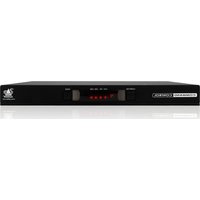
| Model | ADDERView 8 PRO DVI |
| Number of Ports | 8 |
| Video Interface | DVI-I (Dual Link) |
| Max Resolution | 1920 x 1200 @ 60Hz |
| Supported Computers | 8 PCs, Macs, or Sun systems |
| Control Methods | Front panel buttons, keyboard hotkeys, OSD |
| Dimensions (W x D x H) | 44.0 x 20.0 x 4.4 cm (rack mountable) |
| Weight | 2.5 kg (approximate) |
| Power Supply | External AC adapter, 9V DC, 1.5A |
| Power Consumption | < 10W |
| Operating Temperature | 0°C to 40°C |
| Storage Temperature | -20°C to 60°C |
| Humidity | 0% to 80% non-condensing |
| Key Features | Multi-platform support, USB peripheral sharing, auto-scan, cascade support |
| Maintenance and Cleaning | Wipe with a dry, soft cloth; avoid liquids. Ensure ventilation. |
| Safety | Use only provided power supply. Keep away from moisture. No user-serviceable parts inside. |
| Spare Parts and Repairability | Contact Adder support for replacement power adapters. No user repairs. |
Frequently Asked Questions - ADDERView 8 PRO DVI Adder
How do I switch between computers on the ADDERView 8 PRO DVI?
You can switch by using the front panel buttons, keyboard hotkeys (e.g., Scroll Lock twice), or the On-Screen Display (OSD) menu.
What maximum resolution does this KVM support?
It supports up to 1920 x 1200 at 60Hz via DVI-I dual link.
Can I connect both PCs and Macs?
Yes, the ADDERView 8 PRO DVI supports multi-platform computers including PC, Mac, and Sun systems with USB keyboard and mouse.
Does it have audio support?
This model does not include audio switching. You need a separate audio solution.
How do I access the OSD menu?
Press the front panel button or use the hotkey sequence Scroll Lock + Enter to bring up the On-Screen Display.
Can I cascade multiple switches?
Yes, you can cascade up to 8 units to control up to 64 computers.
What type of cables do I need?
You need DVI-D or DVI-I cables for video and USB Type-A to Type-B cables for keyboard/mouse connection.
Is the switch rack-mountable?
Yes, it comes with rack mount brackets for 19-inch racks. Dimensions are standard 1U height.
How do I reset the switch to factory defaults?
Press and hold the front panel reset button for 5 seconds, or use the OSD menu option.
What should I do if the switch stops responding?
Unplug the power adapter for 30 seconds, then reconnect. If the issue persists, contact Adder support.
User questions about ADDERView 8 PRO DVI Adder
0 question about this device. Answer the ones you know or ask your own.
Ask a new question about this device
No questions yet. Be the first to ask one.
Download the instructions for your Switch in PDF format for free! Find your manual ADDERView 8 PRO DVI - Adder and take your electronic device back in hand. On this page are published all the documents necessary for the use of your device. ADDERView 8 PRO DVI by Adder.
USER MANUAL ADDERView 8 PRO DVI Adder

Manual assistant
Powered by Anthropic
Waiting for your message
Product information
Brand : Adder
Model : ADDERView 8 PRO DVI
Category : Switch