
ADDERLink INFINITY 2124T - Switch Adder - Free user manual and instructions
Find the device manual for free ADDERLink INFINITY 2124T Adder in PDF.


Pick your language and provide your email: we'll send you a specifically translated version.
| Product Type | KVM Switch (Digital Extender) |
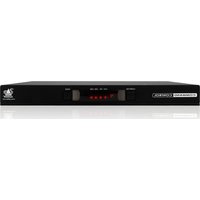
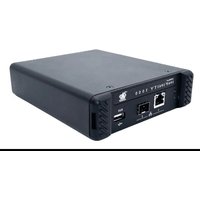
| Model | ADDERLink INFINITY 2124T |
| Brand | Adder |
| Dimensions (W x D x H) | 440 x 200 x 44 mm (1U rackmount) |
| Weight | Approx. 2.1 kg |
| Power Supply | 100-240V AC, 50/60 Hz, external power adapter |
| Power Consumption | 30 W typical |
| Video Support | Up to 4K@60Hz (3840 x 2160) |
| Video Interfaces | DisplayPort or HDMI (depending on variant) |
| USB Support | USB 2.0 (keyboard, mouse, touchscreen) |
| Audio Support | Stereo audio over extension |
| Network Interface | 1x Gigabit Ethernet (RJ45) |
| Maximum Distance | Unlimited over IP network |
| Number of Ports | 1x Transmitter (CPU side), 1x Receiver (user side) |
| Main Functions | Extend KVM over IP, multicast support, remote access, video wall support |
| Security | AES-128 encryption, secure firmware update |
| Maintenance | Clean with dry cloth; keep vents free of dust |
| Spare Parts and Repairability | Replaceable power adapter; no user-serviceable parts inside |
| Operating Temperature | 0°C to 45°C |
| Certifications | CE, FCC, RoHS |
| Warranty | 3 years limited |
Frequently Asked Questions - ADDERLink INFINITY 2124T Adder
What is the ADDERLink INFINITY 2124T used for?
It is a KVM extender that allows you to control a computer from a remote location over a standard IP network, supporting high-resolution video, USB, and audio.
What video resolutions does the 2124T support?
It supports up to 4K@60Hz (3840x2160) with compatible DisplayPort or HDMI sources.
How do I connect the transmitter and receiver?
Connect the transmitter to your computer and the receiver to your remote console. Then link both units via a Gigabit Ethernet switch using CAT5e/6 cabling.
Can I use the 2124T over the internet?
Yes, it works over WAN as long as the network latency is low and sufficient bandwidth is available. Firewall settings may need adjustment.
What USB devices are supported?
It supports USB 2.0 devices such as keyboard, mouse, touchscreen, and mass storage (if enabled).
Is audio supported?
Yes, the 2124T supports stereo audio (line in/out) for bi-directional audio extension.
How do I update the firmware?
Firmware updates can be performed via the web interface or a dedicated tool. Download the latest firmware from the Adder support website.
What security features does it have?
The device offers AES-128 encryption for secure data transmission and supports secure web access (HTTPS).
Can I daisy-chain multiple units?
Daisy-chaining is not natively supported, but you can use multicast to send one video source to multiple receivers.
What does the LED status indicate?
A solid green LED indicates a good link; blinking indicates activity; red indicates an error. Refer to the manual for detailed LED meanings.
User questions about ADDERLink INFINITY 2124T Adder
0 question about this device. Answer the ones you know or ask your own.
Ask a new question about this device
No questions yet. Be the first to ask one.
Download the instructions for your Switch in PDF format for free! Find your manual ADDERLink INFINITY 2124T - Adder and take your electronic device back in hand. On this page are published all the documents necessary for the use of your device. ADDERLink INFINITY 2124T by Adder.
USER MANUAL ADDERLink INFINITY 2124T Adder

Manual assistant
Powered by Anthropic
Waiting for your message
Product information
Brand : Adder
Model : ADDERLink INFINITY 2124T
Category : Switch