ADDERView Secure AVS 4214 - Switch Adder - Free user manual and instructions
Find the device manual for free ADDERView Secure AVS 4214 Adder in PDF.


Pick your language and provide your email: we'll send you a specifically translated version.
| Type of Product | Secure KVM Switch |
| Model | ADDERView Secure AVS 4214 |
| Brand | Adder |
| Number of Ports | 4 computer ports |
| Video Support | Single-head DVI-I (digital and analog) |
| Maximum Resolution | 1920 x 1200 @ 60 Hz |
| Security Level | NIAP Protection Profile v1.4, tamper-evident seals |
| Power Supply | 100-240 VAC, 50/60 Hz, 30W (external adapter) |
| Dimensions (W x D x H) | 44.0 x 30.0 x 4.4 cm |
| Weight | 2.5 kg |
| Rack Mountable | Yes, 1U height with included ears |
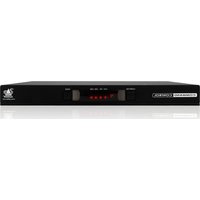
| Control Methods | Front panel push buttons, OSD, remote switching via serial |
| USB Peripheral Support | 1 USB 2.0 shared, keyboard/mouse emulation |
| Audio Support | 3.5mm stereo input/output per port |
| Operating Temperature | 0°C to 40°C |
| Humidity (non-condensing) | 20% to 80% |
| Certifications | FCC, CE, NIAP Common Criteria |
| Package Contents | KVM switch, power adapter, rack ears, quick start guide |
| Cleaning Instructions | Wipe with a soft, dry cloth; do not use liquids or solvents |
| Spare Parts / Repair | Contact Adder support for authorized service |
Frequently Asked Questions - ADDERView Secure AVS 4214 Adder
What is the ADDERView Secure AVS 4214?
The ADDERView Secure AVS 4214 is a secure KVM switch that allows users to control up to four computers from a single keyboard, mouse, and monitor, while maintaining high-security isolation between connected systems.
What security certifications does this switch have?
It is certified to NIAP Protection Profile v1.4 for peripheral sharing devices, ensuring it meets stringent government and military security standards. It also includes tamper-evident seals to detect physical intrusion.
Can I connect both digital and analog DVI monitors?
Yes, the DVI-I ports support both digital (DVI-D) and analog (VGA via adapter) signals, providing flexibility for various monitor types.
How do I switch between computers?
You can switch using the front panel push buttons, an on-screen display (OSD) controlled via keyboard hotkeys, or remotely via serial commands (RS-232).
Does the switch support audio?
Yes, each port has dedicated 3.5mm audio input and output jacks, allowing you to route microphone and speaker signals from each connected computer.
What is the maximum supported resolution?
The maximum resolution is 1920 x 1200 at 60 Hz, which is sufficient for most office and security applications.
Can I share USB devices across all computers?
Yes, there is one USB 2.0 shared port for devices like printers or flash drives. The switch also emulates a keyboard and mouse for each connected computer to ensure smooth switching.
Is the switch rack-mountable?
Yes, it is designed for 1U rack mounting and includes rack ears for installation in a standard 19-inch rack.
What is the power requirement?
It uses an external power adapter that accepts 100-240 VAC, 50/60 Hz, consuming up to 30W.
Where can I get spare parts or repair service?
For spare parts or repairs, please contact Adder support directly. Unauthorized disassembly may void the security seals and warranty.
User questions about ADDERView Secure AVS 4214 Adder
0 question about this device. Answer the ones you know or ask your own.
Ask a new question about this device
No questions yet. Be the first to ask one.
Download the instructions for your Switch in PDF format for free! Find your manual ADDERView Secure AVS 4214 - Adder and take your electronic device back in hand. On this page are published all the documents necessary for the use of your device. ADDERView Secure AVS 4214 by Adder.
USER MANUAL ADDERView Secure AVS 4214 Adder


Manual assistant
Powered by Anthropic
Waiting for your message
Product information
Brand : Adder
Model : ADDERView Secure AVS 4214
Category : Switch