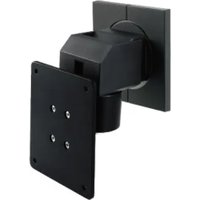
LA-011-W - LCD wall mount EIZO - Free user manual and instructions
Find the device manual for free LA-011-W EIZO in PDF.


Pick your language and provide your email: we'll send you a specifically translated version.
| Product Type | LCD Monitor |
| Model Number | LA-011-W |
| Brand | EIZO |
| Screen Size | 24 inches |
| Resolution | 1920 x 1080 (Full HD) |
| Aspect Ratio | 16:9 |
| Panel Type | IPS |
| Brightness | 250 cd/m² |
| Contrast Ratio | 1000:1 |
| Response Time | 5 ms |
| Viewing Angles | 178° / 178° |
| Connectivity | HDMI, DisplayPort, DVI-D, VGA |
| Power Consumption | 30 W (typical) |
| Power Supply | AC 100-240 V, 50/60 Hz |
| Dimensions (with stand) | 545 x 401 x 200 mm |
| Weight (with stand) | 6.5 kg |
| VESA Mount | 100 x 100 mm |
| Adjustable Stand | Tilt, height, swivel, pivot |
| Speakers | 1 W x 2 |
| Color | White |
Frequently Asked Questions - LA-011-W EIZO
How do I connect my monitor to a computer?
Use an HDMI, DisplayPort, DVI, or VGA cable. Connect one end to the monitor and the other to your computer. Then select the correct input source using the monitor's OSD menu.
What is the recommended cleaning method?
Turn off the monitor and unplug it. Use a soft, lint-free cloth slightly dampened with water. Do not use alcohol, ammonia, or abrasive cleaners. Gently wipe the screen and housing.
How do I adjust the screen settings?
Press the button on the front bezel to open the On-Screen Display (OSD). Use the navigation buttons to adjust brightness, contrast, color temperature, and other settings.
Can I mount this monitor on a wall?
Yes, the monitor supports VESA 100 x 100 mm mounting. Remove the stand and attach a compatible wall mount bracket. Ensure the wall can support the monitor's weight.
What should I do if the screen flickers?
Check the cable connection. Try a different cable or port. Ensure the refresh rate is set correctly (typically 60 Hz). If using an external adapter, verify compatibility.
Does the monitor have built-in speakers?
Yes, it has two 1-watt speakers. Audio input is via HDMI or DisplayPort. To use speakers, connect an audio cable from your computer to the monitor's audio input if needed.
How do I adjust the height or tilt of the monitor?
The stand allows tilt (-5° to 35°), height adjustment up to 130 mm, swivel (172°), and pivot (90° for portrait mode). Firmly hold the monitor while adjusting.
Can I use the monitor with a Mac?
Yes, the monitor works with Macs via HDMI, DisplayPort, or USB-C with an adapter. Some features like brightness control may require additional software.
What is the power consumption in standby mode?
The monitor consumes less than 0.5 W in standby mode to save energy. It also features an Eco mode to further reduce power usage.
How do I reset the monitor to factory settings?
Open the OSD menu, navigate to 'Others' or 'System', select 'Reset', and confirm. All settings will return to default values.
User questions about LA-011-W EIZO
0 question about this device. Answer the ones you know or ask your own.
Ask a new question about this device
No questions yet. Be the first to ask one.
Download the instructions for your LCD wall mount in PDF format for free! Find your manual LA-011-W - EIZO and take your electronic device back in hand. On this page are published all the documents necessary for the use of your device. LA-011-W by EIZO.
USER MANUAL LA-011-W EIZO
Manual assistant
Powered by Anthropic
Waiting for your message
Product information
Brand : EIZO
Model : LA-011-W
Category : LCD wall mount