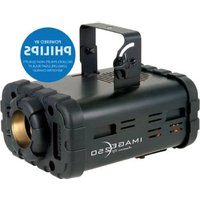
Image 250 - Video projector American Audio - Free user manual and instructions
Find the device manual for free Image 250 American Audio in PDF.


Pick your language and provide your email: we'll send you a specifically translated version.
| Product Type | LED Moving Head Light |
| Model | Image 250 |
| Brand | American Audio |
| Light Source | 250W LED |
| Beam Angle | 13° |
| Pan Range | 540° |
| Tilt Range | 270° |
| DMX Channels | 16 |
| Control Modes | DMX512, Sound Active, Auto, Master/Slave |
| Power Supply | AC 100-240V, 50/60Hz |
| Power Consumption | 300W |
| Dimensions (L x W x H) | 300 x 250 x 400 mm |
| Weight | 5.2 kg |
| Housing Material | Metal & Plastic |
| Cooling | Active Fan Cooling |
| IP Rating | IP20 |
| Mounting | Floor standing or hanging via Omega brackets |
| Display | LED Menu Display with 4 buttons |
| Included Accessories | Power cord, DMX cable, Omega brackets, manual |
| Safety Features | Overheat protection, safety cable attachment point |
| Maintenance | Clean lens with soft cloth, check fan periodically |
| Repairability | Replaceable LED module and power supply |
| Certifications | CE, RoHS |
Frequently Asked Questions - Image 250 American Audio
How do I set the DMX address on the Image 250?
Use the menu buttons to navigate to 'DMX Address' setting, then use the up/down buttons to set the desired address (1-512). Press Enter to confirm.
What is the recommended distance between units in master/slave mode?
Connect the master unit's DMX output to the slave unit's DMX input using a standard DMX cable. Ensure the slave is set to 'Slave' mode. The distance can be up to 100m with proper cable.
Can I use this light without a DMX controller?
Yes, you can use the built-in sound active or auto modes. In sound active mode, the light responds to music via built-in microphone. In auto mode, it runs pre-programmed chases.
How do I clean the lens?
Use a soft, lint-free cloth slightly dampened with water or a mild glass cleaner. Do not use abrasive cleaners or spray directly onto the lens. Wipe gently to avoid scratches.
What spare parts are available for this model?
Common spare parts include replacement LED modules, power supply units, main circuit boards, and fan assemblies. Contact American Audio authorized dealers for compatible parts.
Does the Image 250 support RDM?
The Image 250 does not support RDM (Remote Device Management) as standard. It is a basic DMX fixture for simple control.
What is the maximum ambient temperature for operation?
The safe operating ambient temperature range is 0°C to 40°C (32°F to 104°F). Avoid using in extreme heat or direct sunlight to prevent overheating.
How do I replace the fuse?
Disconnect the power cord. Use a flat-head screwdriver to open the fuse holder next to the power input. Replace with a fuse of the same rating (usually T3.15A 250V). Close the holder and reconnect power.
Can I mount the light upside down?
Yes, the Image 250 can be hung upside down using the built-in Omega brackets. Ensure the safety cable is attached to prevent accidental falls.
Why is the light not responding to DMX?
Check that the DMX cable is properly connected and not damaged. Verify the DMX address matches the controller. Ensure the fixture is in DMX mode and not in sound or auto mode. Try a different DMX channel or controller.
User questions about Image 250 American Audio
0 question about this device. Answer the ones you know or ask your own.
Ask a new question about this device
No questions yet. Be the first to ask one.
Download the instructions for your Video projector in PDF format for free! Find your manual Image 250 - American Audio and take your electronic device back in hand. On this page are published all the documents necessary for the use of your device. Image 250 by American Audio.
USER MANUAL Image 250 American Audio
Manual assistant
Powered by Anthropic
Waiting for your message
Product information
Brand : American Audio
Model : Image 250
Category : Video projector