
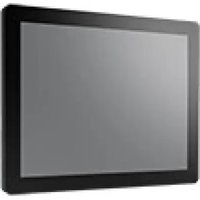
IDK-1121W-25FHA1E - Monitor Advantech - Free user manual and instructions
Find the device manual for free IDK-1121W-25FHA1E Advantech in PDF.


Pick your language and provide your email: we'll send you a specifically translated version.
| Product Type | Monitor |
| Brand | Advantech |
| Model | IDK-1121W-25FHA1E |
| Display Size | 21.5 inches |
| Resolution | 1920 x 1080 (Full HD) |
| Brightness | 250 cd/m² |
| Panel Type | TFT LCD with LED backlight |
| Touch Technology | Capacitive multi-touch |
| Dimensions (W x H x D) | 531 mm x 330 mm x 45 mm |
| Weight | 5.0 kg |
| Power Supply | 12V DC, external adapter |
| Power Consumption | < 25W typical |
| Video Inputs | VGA, DVI-D, DisplayPort, HDMI |
| Touch Interface | USB 2.0 |
| Mounting | VESA 75 mm x 75 mm, panel mount |
| Operating Temperature | 0°C to 50°C |
| Cleaning | Use a soft, dry cloth; avoid harsh chemicals |
| Safety Precautions | Disconnect power before cleaning; use only supplied adapter |
| Spare Parts | Power adapter, cables, bezel kit available |
| Repairability | Moderate; professional service recommended for internal components |
Frequently Asked Questions - IDK-1121W-25FHA1E Advantech
What are the key features of the Advantech IDK-1121W-25FHA1E monitor?
This 21.5-inch Full HD monitor features capacitive touch technology, wide viewing angles, multiple video inputs (VGA, DVI, HDMI, DisplayPort), and a VESA mount. It's designed for industrial applications.
How do I clean the touchscreen safely?
Use a soft, lint-free cloth slightly dampened with water or a mild glass cleaner. Avoid abrasive materials and spray directly onto the cloth, not the screen.
What power adapter does this monitor require?
It requires a 12V DC power adapter with a 5.5mm x 2.5mm barrel connector. Ensure the adapter provides at least 3A output.
Can I mount this monitor on a VESA arm?
Yes, it supports VESA 75mm x 75mm mounting pattern. Use appropriate screws and ensure the arm can support the monitor's weight (5 kg).
How do I connect the touch function to my computer?
Connect the USB cable from the monitor's touch interface to a USB port on your computer. The touch function should be plug-and-play; drivers may be needed for advanced features.
What should I do if the screen does not display?
Check connections, ensure the power adapter is plugged in and the monitor is on. Try a different video source or cable. If using a signal converter, verify compatibility.
Is the monitor compatible with Raspberry Pi?
Yes, it can be used with Raspberry Pi via HDMI or DVI. For touch, connect USB and install compatible drivers (e.g., for multi-touch).
What is the typical power consumption?
The monitor consumes less than 25 watts under typical conditions. Power consumption may vary with brightness and mode.
Can I replace the touch panel if damaged?
The touch panel is integrated and not user-serviceable. Contact Advantech support for replacement options if needed.
Does this monitor come with a remote control?
No, it does not include a remote. On-screen display (OSD) adjustments are made via buttons on the monitor.
User questions about IDK-1121W-25FHA1E Advantech
0 question about this device. Answer the ones you know or ask your own.
Ask a new question about this device
No questions yet. Be the first to ask one.
Download the instructions for your Monitor in PDF format for free! Find your manual IDK-1121W-25FHA1E - Advantech and take your electronic device back in hand. On this page are published all the documents necessary for the use of your device. IDK-1121W-25FHA1E by Advantech.
USER MANUAL IDK-1121W-25FHA1E Advantech
Manual assistant
Powered by Anthropic
Waiting for your message
Product information
Brand : Advantech
Model : IDK-1121W-25FHA1E
Category : Monitor