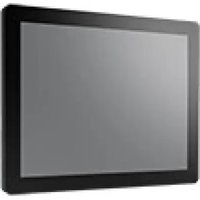
IDS-3110N-50XGA1E - Monitor Advantech - Free user manual and instructions
Find the device manual for free IDS-3110N-50XGA1E Advantech in PDF.


Pick your language and provide your email: we'll send you a specifically translated version.
| Product Type | Industrial LCD Monitor |
| Display Size | 10.4 inches diagonal |
| Resolution | 1024 x 768 (XGA) |
| Aspect Ratio | 4:3 |
| Brightness | 400 cd/m² (typical) |
| Contrast Ratio | 600:1 (typical) |
| Viewing Angle | ±80° horizontal, ±80° vertical |
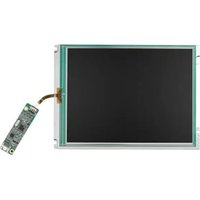
| Touch Screen | Optional (resistive or capacitive) |
| Input Signal | VGA, DVI-D |
| Power Supply | 12V DC, 24W typical |
| Power Consumption | ≤20W (without touch) |
| Operating Temperature | 0°C to 50°C |
| Storage Temperature | -20°C to 60°C |
| Humidity | 10% to 90% (non-condensing) |
| Dimensions (W x H x D) | 284 x 222 x 48 mm (without stand) |
| Weight | 2.5 kg (approximately) |
| Mounting | Panel mount (VESA 75mm) |
| Protection Rating | IP65 (front panel) |
| Cleaning | Use a soft dry cloth; avoid abrasive cleaners. |
| Safety | CE, FCC Class A |
| Spare Parts | Power adapter, VGA/DVI cables available from Advantech |
| Warranty | 2 years limited |
Frequently Asked Questions - IDS-3110N-50XGA1E Advantech
How do I set up the monitor for the first time?
Connect the monitor to a power source (12V DC adapter) and to your computer using a VGA or DVI cable. Press the power button on the front panel. The screen should display the input signal automatically.
What should I do if the screen does not turn on?
Check that the power adapter is securely connected and the power outlet is working. Ensure the monitor's power switch is in the ON position. If the issue persists, test with a different power adapter.
How can I clean the monitor screen?
Power off the monitor and unplug it. Use a soft, lint-free cloth slightly dampened with water or a mild screen cleaner. Wipe gently in a circular motion. Avoid spraying liquid directly onto the screen.
What is the recommended resolution for best display?
The native resolution is 1024 x 768 (XGA). For optimum sharpness, set your computer's output to this resolution.
Can I mount this monitor on a wall or arm?
Yes, the monitor supports VESA 75mm mounting holes. Use a compatible mount and follow the instructions in the manual for proper installation.
How do I adjust the brightness or contrast?
Use the buttons on the front panel to access the on-screen display (OSD) menu. Navigate to the brightness or contrast settings and adjust as needed. Confirm changes by pressing the menu/enter button.
Is there a built-in touch screen?
The IDS-3110N-50XGA1E may be equipped with an optional touch screen. Check your specific model's label. If equipped, install the provided driver for touch functionality.
What should I do if the display shows no signal?
Verify that the video cable is properly connected to both the monitor and the computer. Ensure the computer is turned on and outputting a signal. Try a different cable or port if available.
Where can I find the user manual?
The user manual is available for download on the Advantech official website or at notice-facile.com by searching the model number IDS-3110N-50XGA1E.
What is the power consumption in standby?
In standby mode, the power consumption is typically less than 1W. For exact values, refer to the product label.
User questions about IDS-3110N-50XGA1E Advantech
0 question about this device. Answer the ones you know or ask your own.
Ask a new question about this device
No questions yet. Be the first to ask one.
Download the instructions for your Monitor in PDF format for free! Find your manual IDS-3110N-50XGA1E - Advantech and take your electronic device back in hand. On this page are published all the documents necessary for the use of your device. IDS-3110N-50XGA1E by Advantech.
USER MANUAL IDS-3110N-50XGA1E Advantech
Manual assistant
Powered by Anthropic
Waiting for your message
Product information
Brand : Advantech
Model : IDS-3110N-50XGA1E
Category : Monitor