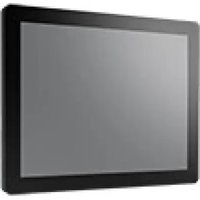
FPM-2120G - Monitor Advantech - Free user manual and instructions
Find the device manual for free FPM-2120G Advantech in PDF.


Pick your language and provide your email: we'll send you a specifically translated version.
| Product Type | Industrial Panel Mount Monitor |
| Brand | Advantech |
| Model | FPM-2120G |
| Display Size | 21.5 inches |
| Resolution | 1920 x 1080 (Full HD) |
| Aspect Ratio | 16:9 |
| Brightness | 250 cd/m² |
| Contrast Ratio | 1000:1 |
| Viewing Angle | 178° / 178° |
| Touchscreen | Optional resistive or capacitive touchscreen |
| Input Signal | VGA, DVI-D, DisplayPort |
| Power Supply | DC 12V |
| Power Consumption | 30 W (typical) |
| Dimensions (W x H x D) | 547 x 341 x 58 mm |
| Weight | 5.5 kg |
| Mounting | Panel mount, VESA 100 x 100 mm |
| Operating Temperature | 0°C to 50°C |
| Storage Temperature | -20°C to 60°C |
| Protection Rating | IP65 (front panel) |
| Certifications | CE, FCC |
| Warranty | 2 years |
Frequently Asked Questions - FPM-2120G Advantech
How do I mount the FPM-2120G?
The monitor supports VESA 100x100 mm mounting. For panel mount, follow the instructions in the user manual to secure the monitor using the provided brackets and screws.
What are the input ports available?
The FPM-2120G includes VGA, DVI-D, and DisplayPort inputs for video signal connectivity.
Can I use a touchscreen version?
Yes, the FPM-2120G is available with optional resistive or capacitive touchscreen. Check the product variant for touch options.
What is the recommended cleaning procedure?
Disconnect power before cleaning. Use a soft, dry cloth to wipe the screen. For stubborn stains, slightly dampen the cloth with water or a mild glass cleaner. Avoid abrasive cleaners.
How to adjust OSD settings?
Use the buttons on the front bezel to access the On-Screen Display (OSD) menu. Navigate using the arrow keys and confirm with the select button.
Is the monitor suitable for outdoor use?
The FPM-2120G has an IP65-rated front panel, making it dust-tight and protected against low-pressure water jets. However, it is designed for indoor industrial environments.
What power adapter is required?
The monitor requires a DC 12V power adapter with at least 3A output. An adapter is usually included with the product.
How do I replace the backlight?
The backlight is not user-replaceable. Contact Advantech service center for repair or replacement.
Can I daisy-chain multiple monitors?
No, the FPM-2120G does not support daisy-chaining via DisplayPort MST. Each monitor must be connected directly to a video source.
What is the operating temperature range?
The monitor operates reliably between 0°C and 50°C. Storage temperature ranges from -20°C to 60°C.
User questions about FPM-2120G Advantech
0 question about this device. Answer the ones you know or ask your own.
Ask a new question about this device
No questions yet. Be the first to ask one.
Download the instructions for your Monitor in PDF format for free! Find your manual FPM-2120G - Advantech and take your electronic device back in hand. On this page are published all the documents necessary for the use of your device. FPM-2120G by Advantech.
USER MANUAL FPM-2120G Advantech
Manual assistant
Powered by Anthropic
Waiting for your message
Product information
Brand : Advantech
Model : FPM-2120G
Category : Monitor