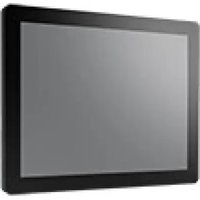
FPM-D15W-FHE - Monitor Advantech - Free user manual and instructions
Find the device manual for free FPM-D15W-FHE Advantech in PDF.


Pick your language and provide your email: we'll send you a specifically translated version.
| Product Type | Industrial LCD Monitor |
| Model | FPM-D15W-FHE |
| Brand | Advantech |
| Screen Size | 15 inches (diagonal) |
| Resolution | 1024 x 768 (XGA) |
| Aspect Ratio | 4:3 |
| Display Type | TFT LCD with LED backlight |
| Brightness | 350 cd/m² |
| Contrast Ratio | 1000:1 |
| Viewing Angle | 178°/178° (H/V) |
| Video Inputs | VGA, DVI-D, Composite, S-Video |
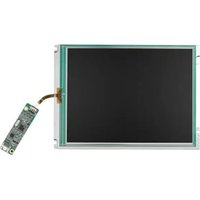
| Touchscreen | Optional (resistive or capacitive) |
| Power Supply | 12V DC, 2A (external adapter) |
| Power Consumption | 20W (typical) |
| Dimensions (W x H x D) | 360 x 280 x 50 mm |
| Weight | 3.5 kg (7.7 lbs) |
| Mounting | VESA 75 x 75 mm |
| Operating Temperature | 0°C to 50°C (32°F to 122°F) |
| Protection Rating | IP65 (front panel) |
| Certifications | CE, FCC, UL |
| Accessories Included | Power adapter, VGA cable, user manual |
Frequently Asked Questions - FPM-D15W-FHE Advantech
How do I connect the monitor to my PC?
Use the provided VGA or DVI cable. Connect one end to the monitor and the other to your computer's video output. Ensure both devices are turned off before connecting.
What is the recommended cleaning method?
Power off and unplug the monitor. Use a soft, lint-free cloth slightly dampened with water or a mild glass cleaner. Never spray directly on the screen; apply to cloth first.
Can this monitor be used outdoors?
It is designed for indoor use only. The operating temperature range is 0°C to 50°C, but direct sunlight may affect readability and cause overheating.
How do I adjust the brightness and contrast?
Use the buttons on the front panel to access the On-Screen Display (OSD) menu. Navigate to the 'Brightness/Contrast' settings and adjust as needed.
Does this monitor support touch input?
The monitor is available with optional touchscreen. Check your model number (might include 'T' for touch). If touch is supported, install the provided drivers.
What should I do if the screen flickers?
Try a different video cable, ensure connections are secure, and check that the resolution is set to the native 1024x768. Update your graphics drivers.
Is VESA mounting supported?
Yes, the monitor has a VESA 75 x 75 mm mounting pattern. Use appropriate screws and ensure the wall mount or arm can support the 3.5 kg weight.
What power adapter is required?
Use the included 12V DC, 2A adapter. Do not substitute with other adapters, as incorrect voltage or current may damage the monitor.
How do I replace the backlight?
The LED backlight is not user-replaceable. If the screen becomes dim or fails, contact Advantech support or a qualified technician.
Can I use this monitor with a Raspberry Pi?
Yes, if your Raspberry Pi has a VGA or DVI output (via adapter). Ensure the Pi's resolution is set to 1024x768 for best results.
User questions about FPM-D15W-FHE Advantech
0 question about this device. Answer the ones you know or ask your own.
Ask a new question about this device
No questions yet. Be the first to ask one.
Download the instructions for your Monitor in PDF format for free! Find your manual FPM-D15W-FHE - Advantech and take your electronic device back in hand. On this page are published all the documents necessary for the use of your device. FPM-D15W-FHE by Advantech.
USER MANUAL FPM-D15W-FHE Advantech
Manual assistant
Powered by Anthropic
Waiting for your message
Product information
Brand : Advantech
Model : FPM-D15W-FHE
Category : Monitor