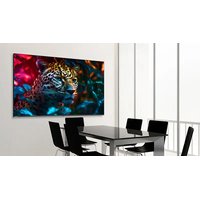
STV-8524-PLUS - Monitor Newline - Free user manual and instructions
Find the device manual for free STV-8524-PLUS Newline in PDF.


Pick your language and provide your email: we'll send you a specifically translated version.
| Product Type | Interactive Flat Panel Display |
| Model | STV-8524-PLUS |
| Brand | Newline |
| Screen Size | 85 inches |
| Resolution | 3840 x 2160 (4K UHD) |
| Aspect Ratio | 16:9 |
| Brightness | 400 cd/m² |
| Contrast Ratio | 1200:1 |
| Response Time | 8 ms |
| Touch Technology | Infrared (IR) Touch |
| Touch Points | Up to 20 simultaneous touches |
| Built-in Speakers | 2 x 15W |
| Operating System | Android (Version may vary) |
| Input Ports | 4 x HDMI, 2 x USB-A, 1 x USB-B, 1 x Audio In |
| Output Ports | 1 x Audio Out, 1 x HDMI |
| Ethernet | 1 x RJ45 |
| Wireless Connectivity | WiFi 802.11ac, Bluetooth 4.2 |
| Power Consumption (Typical) | 400 W |
| Dimensions (W x H x D with stand) | 1957 x 1174 x 100 mm |
| Weight (with stand) | 75 kg |
| VESA Mount Pattern | 600 x 400 mm |
| Safety Features | Anti-glare screen, overheat protection, Kensington lock slot |
| Maintenance | Clean with soft lint-free cloth; avoid abrasive cleaners |
| Recyclability | Complies with WEEE directive; contact local recycling center |
Frequently Asked Questions - STV-8524-PLUS Newline
How do I connect an external device to the monitor?
Use an HDMI cable to connect your device to one of the HDMI input ports. The monitor will automatically detect the signal. For older devices, you may use the VGA input with an audio cable.
Can I use the monitor as a whiteboard?
Yes, the monitor features interactive touch technology. Simply use the included stylus pen or your finger to write or draw on the screen. No additional software is required for basic whiteboard functions.
How do I calibrate the touch screen?
Go to the settings menu and select Touch Calibration. Follow the on-screen prompts to tap the displayed points. Calibration ensures accurate touch response.
What is the recommended cleaning method?
Turn off the monitor and unplug it. Use a soft, lint-free cloth slightly dampened with water or a mild cleaner. Do not spray liquid directly on the screen. Avoid abrasive cloths or cleaners.
How do I update the firmware?
Download the latest firmware from the Newline support website onto a USB drive. Insert the USB drive into the monitor and navigate to Settings > System Update. Select the firmware file to begin installation.
Does the monitor support wireless screen mirroring?
Yes, the monitor supports Miracast and AirPlay for wireless mirroring from compatible devices. Enable screen mirroring on your device and select the monitor from the available displays.
What are the power specifications?
The monitor operates on AC 100-240V, 50/60Hz. Typical power consumption is 400W. Standby power consumption is less than 0.5W. Use the included power cable.
How do I mount the monitor on a wall?
The monitor is VESA compatible with a 600x400 mm pattern. Use a wall mount that supports at least 75 kg. Ensure the wall is sturdy and follow the mounting instructions in the manual.
The touch screen is not responding, what should I do?
First, check if the touch lock is enabled in settings. Restart the monitor. If the issue persists, try recalibrating the touch screen. If still not working, contact Newline support.
How do I adjust the display settings?
Press the Menu button on the remote control or the monitor's control panel. Use the on-screen menu to adjust brightness, contrast, color temperature, and other picture settings.
User questions about STV-8524-PLUS Newline
0 question about this device. Answer the ones you know or ask your own.
Ask a new question about this device
No questions yet. Be the first to ask one.
Download the instructions for your Monitor in PDF format for free! Find your manual STV-8524-PLUS - Newline and take your electronic device back in hand. On this page are published all the documents necessary for the use of your device. STV-8524-PLUS by Newline.
USER MANUAL STV-8524-PLUS Newline


Manual assistant
Powered by Anthropic
Waiting for your message
Product information
Brand : Newline
Model : STV-8524-PLUS
Category : Monitor