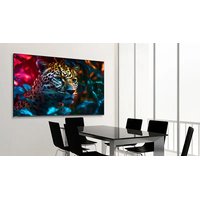
STV-6524-PLUS - Monitor Newline - Free user manual and instructions
Find the device manual for free STV-6524-PLUS Newline in PDF.


Pick your language and provide your email: we'll send you a specifically translated version.
| Product Type | Interactive Flat Panel Display |
| Screen Size | 65 inches |
| Resolution | 3840 x 2160 (4K UHD) |
| Brightness | 400 cd/m² |
| Touch Technology | Infrared touch (20 touch points) |
| Operating System | Android 8.0 or later (built-in) |
| Dimensions (with stand) | 1524 x 920 x 90 mm |
| Weight (with stand) | 45 kg |
| Power Consumption | 250 W (typical) |
| Input Voltage | 100-240 V AC, 50/60 Hz |
| Speakers | Built-in 2 x 15W speakers |
| Connectivity | HDMI (x3), USB 2.0, USB 3.0, VGA, Audio out, RS232, LAN |
| Wireless | Wi-Fi 802.11ac, Bluetooth 4.0 |
| Storage | 32 GB internal |
| RAM | 4 GB |
| Cleaning | Use a soft dry cloth; mild cleaner for stubborn stains |
| Safety | Anti-glare glass, VESA mount compatible (600x400mm) |
| Repairability | Modular design; replaceable power supply and main board |
| General Use | Suitable for classrooms, conference rooms, and digital signage |
Frequently Asked Questions - STV-6524-PLUS Newline
What is the screen size of the Newline STV-6524-PLUS?
The Newline STV-6524-PLUS features a 65-inch diagonal screen, providing ample space for presentations and collaboration.
Does the monitor support 4K resolution?
Yes, it supports 4K UHD resolution (3840 x 2160), delivering crisp and detailed images.
How many touch points does the interactive display support?
It supports up to 20 simultaneous touch points using infrared touch technology, allowing multiple users to interact at once.
Can I mount the STV-6524-PLUS on a wall?
Yes, it is VESA compatible with a 600x400mm mounting pattern. Ensure the wall mount can support the weight (approximately 45 kg with stand).
What operating system does the built-in computer use?
It runs on Android 8.0 or later, providing access to apps and screen mirroring capabilities.
How do I clean the screen safely?
Use a soft, lint-free cloth slightly dampened with water or a mild screen cleaner. Avoid abrasive cleaners or spraying liquid directly onto the screen.
What connectivity options are available?
It includes multiple HDMI ports, USB 2.0 and 3.0, VGA, audio out, RS232, and LAN. It also has built-in Wi-Fi and Bluetooth.
Is there built-in sound?
Yes, it has built-in stereo speakers (2 x 15W) suitable for small to medium-sized rooms.
Can I use the monitor without a connected PC?
Yes, the integrated Android system allows you to run apps locally, display files, and use whiteboarding features without an external computer.
Where can I find the user manual for further details?
The user manual is available for free download on the manufacturer's website or on notice-facile.com in PDF format.
User questions about STV-6524-PLUS Newline
0 question about this device. Answer the ones you know or ask your own.
Ask a new question about this device
No questions yet. Be the first to ask one.
Download the instructions for your Monitor in PDF format for free! Find your manual STV-6524-PLUS - Newline and take your electronic device back in hand. On this page are published all the documents necessary for the use of your device. STV-6524-PLUS by Newline.
USER MANUAL STV-6524-PLUS Newline


Manual assistant
Powered by Anthropic
Waiting for your message
Product information
Brand : Newline
Model : STV-6524-PLUS
Category : Monitor