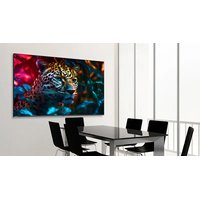
STV-5524-PLUS - Monitor Newline - Free user manual and instructions
Find the device manual for free STV-5524-PLUS Newline in PDF.


Pick your language and provide your email: we'll send you a specifically translated version.
| Product Type | Interactive Flat Panel Display |
| Screen Size | 55 inches (diagonal) |
| Resolution | 4K UHD (3840 x 2160) |
| Touch Technology | Infrared, 20-point multi-touch |
| Operating System | Android 8.0 or later |
| Dimensions (W x H x D) | 1272 mm x 756 mm x 88 mm (without stand) |
| Weight | Approximately 35 kg (without stand) |
| Power Supply | 100-240V AC, 50/60Hz, 2.5A |
| Power Consumption | Typical 200W, Standby <0.5W |
| Connectivity | HDMI x3, USB 2.0 x2, USB 3.0 x1, VGA, Audio Out, RJ45, RS232 |
| Built-in Speakers | 2 x 10W |
| Touch Pens | 2 passive pens included |
| Wall Mount | VESA 400 x 400 mm |
| Warranty | 3 years limited warranty |
| Certifications | FCC, CE, RoHS |
| Cleaning Instructions | Use a soft, dry cloth. Do not use liquid cleaners. |
| Repairability | Replaceable power supply, main board, and touch module |
Frequently Asked Questions - STV-5524-PLUS Newline
How do I turn on the Newline STV-5524-PLUS monitor?
Press the power button located on the bottom right corner of the bezel. Alternatively, use the remote control.
Can I install third-party apps on this monitor?
Yes, the monitor runs on Android and supports installation of apps from the Google Play Store or APK files.
How do I connect a laptop to the display?
Use an HDMI cable to connect your laptop to one of the HDMI ports on the display. Ensure the input source is set to the correct HDMI channel.
What should I do if the touchscreen is not responding?
First, clean the screen with a soft dry cloth. Then, restart the display. If the issue persists, check the USB cable connection between the display and the internal touch controller.
How do I update the firmware on my Newline monitor?
Go to Settings > Device Preferences > About > System Update. The monitor can check for updates over the internet or via USB.
Can I use the monitor without the touch function?
Yes, you can use the monitor as a standard display. Touch is optional; if not needed, connect only the video source.
What is the recommended mounting height for the display?
The center of the screen should be at eye level of the average user. Typically, bottom edge at about 90-100 cm from the floor.
How do I clean the screen safely?
Use a soft, lint-free cloth slightly dampened with water. Do not use any chemical cleaners, sprays, or abrasive materials.
Is there a built-in whiteboard feature?
Yes, the monitor includes a pre-installed whiteboard application that allows you to draw, write, and annotate on screen.
What are the power requirements for the STV-5524-PLUS?
The monitor operates on 100-240V AC, 50/60Hz. The included power cord is region-specific.
User questions about STV-5524-PLUS Newline
0 question about this device. Answer the ones you know or ask your own.
Ask a new question about this device
No questions yet. Be the first to ask one.
Download the instructions for your Monitor in PDF format for free! Find your manual STV-5524-PLUS - Newline and take your electronic device back in hand. On this page are published all the documents necessary for the use of your device. STV-5524-PLUS by Newline.
USER MANUAL STV-5524-PLUS Newline


Manual assistant
Powered by Anthropic
Waiting for your message
Product information
Brand : Newline
Model : STV-5524-PLUS
Category : Monitor