
TT-5524ZPRO - Monitor Newline - Free user manual and instructions
Find the device manual for free TT-5524ZPRO Newline in PDF.


Pick your language and provide your email: we'll send you a specifically translated version.
| Product Type | Interactive Flat Panel Display |
| Brand | Newline |
| Model | TT-5524ZPRO |
| Screen Size | 55 inches (diagonal) |
| Resolution | 3840 x 2160 (4K UHD) |
| Touch Technology | Infrared (IR) touch frame |
| Touch Points | Up to 20 simultaneous touch points |
| Brightness | 350 cd/m² |
| Contrast Ratio | 4000:1 |
| Operating System | Android 11 or later |
| Built-in Speakers | 2 x 15W stereo speakers |
| Input Ports | HDMI x2, USB x2, VGA, Audio, RS232 |
| Output Ports | HDMI, Audio, USB |
| Power Supply | AC 100-240V, 50/60Hz |
| Power Consumption | 200W (typical), <0.5W standby |
| Dimensions (WxHxD) | 1250 x 750 x 80 mm (without stand) |
| Net Weight | 30 kg |
| VESA Mount | 400 x 400 mm |
| Maintenance | Clean screen with soft dry cloth; avoid liquids |
| Safety | CE, FCC, RoHS certified; use grounded outlet |
| Spare Parts | Remote control, power cable, HDMI cable, touch pen (included) |
| Repairability | Contact authorized Newline service centers for repairs |
Frequently Asked Questions - TT-5524ZPRO Newline
How do I install the Newline TT-5524ZPRO monitor?
The monitor can be placed on a floor stand or mounted on a wall using a VESA 400x400 mm bracket. Ensure the surface can support at least 30 kg. Refer to the installation guide for detailed steps.
What touch gestures are supported?
The display supports standard multi-touch gestures including tap, swipe, pinch, zoom, and rotate. It recognizes up to 20 simultaneous touch points.
How do I connect external devices?
Use the HDMI, VGA, or USB ports on the rear panel. For audio, connect speakers via the 3.5mm audio output. The RS232 port allows control from a PC.
Can I use the monitor with a Mac or PC?
Yes, the TT-5524ZPRO is compatible with Windows, macOS, and Linux. Simply connect via HDMI or VGA. Touch functionality requires a USB connection for touch data.
What is the recommended cleaning method?
Turn off the display and unplug it. Use a soft, lint-free cloth slightly dampened with water or a mild screen cleaner. Do not spray liquids directly onto the screen.
How do I update the firmware?
Firmware updates are available from the Newline support website. Download the latest version onto a USB drive, insert it into the display, and follow the on-screen instructions in the settings menu.
What should I do if the touch is not responding?
First, check the USB cable connection. Then, restart the display. If the issue persists, recalibrate the touch screen via the settings menu or contact support.
Is the monitor compatible with screen-sharing software?
Yes, it supports wireless screen sharing via Miracast, AirPlay, and Chromecast built-in. It also works with Newline's own Cast app.
What are the power requirements?
The monitor operates on AC 100-240V, 50/60Hz. It consumes up to 200W during normal use and less than 0.5W in standby mode.
Where can I find the user manual?
The user manual is available for download on the Newline official website or on notice-facile.com. It contains detailed instructions for installation, operation, and troubleshooting.
User questions about TT-5524ZPRO Newline
0 question about this device. Answer the ones you know or ask your own.
Ask a new question about this device
No questions yet. Be the first to ask one.
Download the instructions for your Monitor in PDF format for free! Find your manual TT-5524ZPRO - Newline and take your electronic device back in hand. On this page are published all the documents necessary for the use of your device. TT-5524ZPRO by Newline.
USER MANUAL TT-5524ZPRO Newline
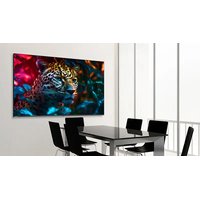

Manual assistant
Powered by Anthropic
Waiting for your message
Product information
Brand : Newline
Model : TT-5524ZPRO
Category : Monitor