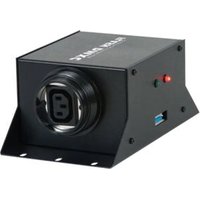
Flash DMXC - Lighting Controller American Audio - Free user manual and instructions
Find the device manual for free Flash DMXC American Audio in PDF.


Pick your language and provide your email: we'll send you a specifically translated version.
| Product Type | DMX Lighting Controller |
| Brand | American Audio |
| Model | Flash DMXC |
| Dimensions | 19" (48.3 cm) rack mount, 2U (3.5" / 8.9 cm) height |
| Weight | Approximately 5 kg (11 lbs) |
| Power Supply | 9V DC, 500 mA (external adapter) |
| DMX Channels | Up to 512 channels (1 universe) |
| Control Modes | Manual, chase, sound-active, master/slave |
| Built-in Effects | Multiple chase patterns and color macros |
| Display | 2-line LCD with backlight |
| Output Connector | 5-pin XLR female |
| Input Connector | 5-pin XLR male |
| Audio Input | 1/4" (6.35 mm) jack for sound activation |
| Memory | Store and recall up to 12 scenes or chases |
| Fader Resolution | 8-bit (256 steps) |
| Construction | Steel chassis with black finish |
| Cooling | Passive ventilation (no fan) |
| Operating Temperature | 0°C to 40°C (32°F to 104°F) |
| Cleaning & Maintenance | Wipe with a soft, dry cloth; avoid liquids |
| Safety Warnings | Use only with supplied power adapter; do not expose to moisture |
| Spare Parts & Repairability | Contact authorized American Audio service center |
| General Information | Designed for controlling DMX-compatible lighting fixtures |
Frequently Asked Questions - Flash DMXC American Audio
How do I connect the Flash DMXC to my lighting fixtures?
Use a standard 5-pin DMX cable to connect from the DMX output (5-pin XLR female) on the controller to the input of your first fixture, then daisy-chain to subsequent fixtures.
Can I use this controller with 3-pin DMX fixtures?
Yes, you will need a 5-pin to 3-pin adapter or a custom cable. The pinout is: pin 1 = ground, pin 2 = data -, pin 3 = data +.
What power supply does the Flash DMXC require?
It requires a 9V DC power supply with at least 500 mA current capacity. Use only the adapter provided by the manufacturer to avoid damage.
How do I save a scene or chase?
After adjusting faders and settings, press and hold the Record button, then select a memory bank (1-12) using the number buttons. The controller will store the current state.
Can I control multiple fixtures with different addresses?
Yes, set each fixture to a unique DMX address (e.g., 1, 17, 33) and use the corresponding faders on the controller to control each fixture independently.
What does the 'Sound Active' mode do?
In this mode, the controller uses an external audio signal (via the 1/4 inch jack input) to trigger chase patterns, syncing lights to music.
How many channels can I control with the Flash DMXC?
It controls up to 512 DMX channels (one full universe), which can be assigned to multiple fixtures.
The display shows 'No DMX' - what should I do?
Check that the DMX cable is properly connected and that your fixtures are powered on. Also ensure the termination switch (if any) on the last fixture is set to ON.
Is the Flash DMXC suitable for mobile DJs?
Yes, its compact rack-mountable design and built-in chase effects make it ideal for mobile DJs and small to medium-sized events.
How do I reset the controller to factory defaults?
Press and hold the Menu and Mode buttons simultaneously while powering on. The display will show 'Reset' - confirm to erase all user data.
User questions about Flash DMXC American Audio
0 question about this device. Answer the ones you know or ask your own.
Ask a new question about this device
No questions yet. Be the first to ask one.
Download the instructions for your Lighting Controller in PDF format for free! Find your manual Flash DMXC - American Audio and take your electronic device back in hand. On this page are published all the documents necessary for the use of your device. Flash DMXC by American Audio.
USER MANUAL Flash DMXC American Audio
Manual assistant
Powered by Anthropic
Waiting for your message
Product information
Brand : American Audio
Model : Flash DMXC
Category : Lighting Controller