
VC-R31 - Surveillance Camera Lumens - Free user manual and instructions
Find the device manual for free VC-R31 Lumens in PDF.


Pick your language and provide your email: we'll send you a specifically translated version.
| Product Type | Surveillance Camera |
| Brand | Lumens |
| Model | VC-R31 |
| Dimensions (W x H x D) | 150 mm x 70 mm x 70 mm |
| Weight | 500 g |
| Power Supply | 12V DC, 1A |
| Image Sensor | 1/2.8-inch CMOS |
| Resolution | 1920 x 1080 (Full HD) |
| Frame Rate | 30 fps |
| Night Vision | IR LEDs up to 30 m |
| Field of View | Horizontal: 90°, Vertical: 50° |
| Pan/Tilt Range | Not applicable (fixed lens) |
| Motion Detection | Yes, configurable sensitivity |
| Audio Support | Built-in microphone and speaker |
| Storage | MicroSD up to 128 GB |
| Connectivity | Ethernet RJ-45, Wi-Fi optional |
| Compatibility | ONVIF Profile S |
| Environmental Rating | Indoor use only, IP20 |
| Operating Temperature | 0°C to 40°C |
| Mounting Type | Desktop or wall mount (bracket included) |
| Care & Cleaning | Wipe with dry cloth; avoid direct sunlight |
| Safety | CE, FCC compliant; use only provided adapter |
| Spare Parts & Repairability | Contact Lumens support for service |
| General Information | Lumens VC-R31 surveillance camera for indoor monitoring |
Frequently Asked Questions - VC-R31 Lumens
How do I reset the Lumens VC-R31 to factory defaults?
Press and hold the reset button (located on the back) for 10 seconds using a paperclip. The LED will blink, indicating a reset.
Can I view the camera feed remotely?
Yes, connect the camera to your network and use the Lumens app or ONVIF-compatible software over the internet.
What is the maximum SD card capacity supported?
The VC-R31 supports microSD cards up to 128 GB (Class 10 or higher recommended).
Does the camera work with Alexa or Google Assistant?
No, the VC-R31 does not have built-in voice assistant support. It uses ONVIF for third-party integration.
How do I enable motion detection?
Access the camera settings via the app or web interface. Enable 'Motion Detection' and adjust sensitivity and zones as needed.
What is the night vision range?
The built-in IR LEDs provide clear black-and-white video up to 30 meters in total darkness.
Can I wall-mount the camera?
Yes, a wall-mount bracket is included. Use the provided screws and anchors for secure installation.
Why is my camera not connecting to Wi-Fi?
Ensure the camera is within range and the password is correct. For wired models, use an Ethernet cable. The VC-R31 may require a wired connection for initial setup.
How do I update the firmware?
Download the latest firmware from Lumens support page. Upload it via the camera's web interface under 'Maintenance' > 'Firmware Upgrade'.
What is the warranty period?
The Lumens VC-R31 comes with a 2-year limited warranty from the date of purchase. Keep your receipt for proof.
User questions about VC-R31 Lumens
0 question about this device. Answer the ones you know or ask your own.
Ask a new question about this device
No questions yet. Be the first to ask one.
Download the instructions for your Surveillance Camera in PDF format for free! Find your manual VC-R31 - Lumens and take your electronic device back in hand. On this page are published all the documents necessary for the use of your device. VC-R31 by Lumens.
USER MANUAL VC-R31 Lumens
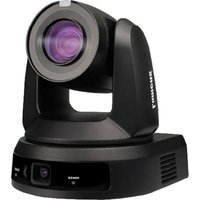

Manual assistant
Powered by Anthropic
Waiting for your message
Product information
Brand : Lumens
Model : VC-R31
Category : Surveillance Camera