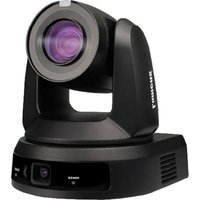
VC-B50U - Surveillance Camera Lumens - Free user manual and instructions
Find the device manual for free VC-B50U Lumens in PDF.


Pick your language and provide your email: we'll send you a specifically translated version.
| Product Type | Surveillance Camera |
| Model | VC-B50U |
| Brand | Lumens |
| Resolution | 1080p Full HD |
| Optical Zoom | 12x optical zoom |
| Pan Range | 360° endless pan |
| Tilt Range | -30° to +90° tilt |
| Connectivity | HDMI, 3G-SDI, USB, Ethernet (PoE) |
| Video Output | HDMI, 3G-SDI, USB 3.0 |
| Power Supply | DC 12V or PoE (Power over Ethernet) |
| Dimensions (W x H x D) | 174 mm x 143 mm x 161 mm |
| Weight | Approx. 1.5 kg |
| Main Functions | PTZ control, auto-tracking, preset positions, motion detection |
| Mounting Type | Ceiling mount, wall mount, tabletop |
| Supported Protocols | VISCA, Pelco-D, ONVIF |
| Maintenance | Clean lens with soft dry cloth; avoid harsh chemicals |
| Safety | Use only authorized power adapter; keep away from moisture |
| Spare Parts | Remote control, power adapter, mounting kit |
| Repairability | Contact Lumens service center for repairs |
Frequently Asked Questions - VC-B50U Lumens
How do I connect the VC-B50U to a computer?
Connect via USB 3.0 for plug-and-play video. You can also use HDMI or 3G-SDI for dedicated outputs.
Can I control the camera remotely?
Yes, the camera supports PTZ control through VISCA, Pelco-D, or ONVIF protocols over RS-232 or IP (Ethernet).
What is the power requirement for the VC-B50U?
It can be powered via DC 12V (adapter included) or PoE (IEEE 802.3af) for easier installation.
How do I clean the camera lens?
Use a soft, dry microfiber cloth. Avoid any liquids or abrasive materials to prevent damage.
Does the camera support auto-tracking?
Yes, the VC-B50U has built-in auto-tracking capabilities that can follow moving subjects.
Can I mount the camera on a wall?
Yes, it comes with mounting options for ceiling, wall, or tabletop. Use the included brackets for secure installation.
What is the maximum resolution of the VC-B50U?
The camera outputs 1080p Full HD (1920x1080) at up to 60 fps.
How do I reset the camera to factory settings?
Press and hold the reset button on the bottom of the camera for 5 seconds until the LED flashes.
Is the camera weatherproof?
No, the VC-B50U is designed for indoor use only. For outdoor use, install it under a weather shield.
Where can I find spare parts like the remote control?
Contact Lumens support or visit the official website to order spare parts such as the remote, power adapter, or mounting kit.
User questions about VC-B50U Lumens
0 question about this device. Answer the ones you know or ask your own.
Ask a new question about this device
No questions yet. Be the first to ask one.
Download the instructions for your Surveillance Camera in PDF format for free! Find your manual VC-B50U - Lumens and take your electronic device back in hand. On this page are published all the documents necessary for the use of your device. VC-B50U by Lumens.
USER MANUAL VC-B50U Lumens


Manual assistant
Powered by Anthropic
Waiting for your message
Product information
Brand : Lumens
Model : VC-B50U
Category : Surveillance Camera