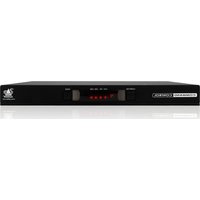
ADDERView CCS-PRO4 - Switch Adder - Free user manual and instructions
Find the device manual for free ADDERView CCS-PRO4 Adder in PDF.


Pick your language and provide your email: we'll send you a specifically translated version.
| Brand | Adder |
| Model | ADDERView CCS-PRO4 |
| Product Type | KVM Switch |
| Number of Ports | 4 |
| Max Video Resolution | 1920 x 1200 @ 60 Hz |
| Video Interface | VGA, DVI, DisplayPort (via adapters) |
| USB Support | USB 2.0 for keyboard/mouse, USB 1.1 for peripherals |
| Audio Support | Stereo audio via 3.5 mm jacks |
| Control Methods | Front panel buttons, hotkeys, OSD, RS-232 |
| Power Supply | External 12V DC adapter |
| Power Consumption | 10 W typical |
| Dimensions (W x D x H) | 260 x 120 x 44 mm (1U rackmountable) |
| Weight | 1.5 kg |
| Operating Temperature | 0°C to 50°C |
| Storage Temperature | -20°C to 60°C |
| Humidity | 20% to 80% non-condensing |
| Compliance | FCC, CE, RoHS |
| Included Accessories | Mounting brackets, power adapter, user manual |
| Warranty | 2 years limited |
| Maintenance | Wipe with dry cloth; no liquids |
| Repairability | Refer to manual for internal adjustments; no user-serviceable parts |
| Mounting | Rackmount or desktop |
Frequently Asked Questions - ADDERView CCS-PRO4 Adder
How many computers can the ADDERView CCS-PRO4 support?
The ADDERView CCS-PRO4 is a 4-port KVM switch, supporting up to four computers.
What video interfaces are supported?
It supports VGA, DVI, and DisplayPort inputs via appropriate cables or adapters, with a maximum resolution of 1920x1200.
Can I use USB peripherals like a printer?
Yes, there is a dedicated USB 1.1 port for shared peripherals, while keyboard/mouse use USB 2.0.
How do I switch between computers?
You can switch using front panel buttons, keyboard hotkeys, on-screen display (OSD), or via RS-232 commands.
Does it support audio?
Yes, it has stereo audio jacks (3.5 mm) for microphone and speaker sharing.
What power supply is needed?
It uses an external 12V DC adapter (included) with a typical consumption of 10W.
Is the switch rackmountable?
Yes, it comes with mounting brackets and fits a 1U rack space. It can also be used on a desktop.
How do I reset the switch?
Press and hold the front panel reset button for 5 seconds, or power cycle the unit.
What operating systems are compatible?
It is compatible with Windows, macOS, Linux, and other major operating systems without additional drivers.
How to clean the device?
Use a soft, dry cloth. Do not apply liquids or solvents to avoid damage.
User questions about ADDERView CCS-PRO4 Adder
0 question about this device. Answer the ones you know or ask your own.
Ask a new question about this device
No questions yet. Be the first to ask one.
Download the instructions for your Switch in PDF format for free! Find your manual ADDERView CCS-PRO4 - Adder and take your electronic device back in hand. On this page are published all the documents necessary for the use of your device. ADDERView CCS-PRO4 by Adder.
USER MANUAL ADDERView CCS-PRO4 Adder


Manual assistant
Powered by Anthropic
Waiting for your message
Product information
Brand : Adder
Model : ADDERView CCS-PRO4
Category : Switch