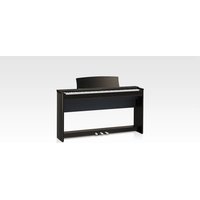
CL36 - Piano KAWAI - Free user manual and instructions
Find the device manual for free CL36 KAWAI in PDF.


Pick your language and provide your email: we'll send you a specifically translated version.
| Product Type | Digital Piano |
| Brand | Kawai |
| Model | CL36 |
| Keyboard | 88 weighted keys with hammer action |
| Polyphony | 64 notes |
| Sound Engine | Harmonic Imaging™ |
| Number of Sounds | 15 voices |
| Pedals | 3 (damper, soft, sostenuto) |
| Metronome | Built-in with adjustable tempo |
| Reverb | 4 types |
| Chorus | 4 types |
| Transpose | Yes |
| Tuning | Adjustable |
| Connectivity | MIDI IN/OUT, USB to HOST, headphone jacks (2) |
| Speakers | 2 x 20W |
| Power Supply | AC adapter (included) or 6 D batteries |
| Dimensions (W x D x H) | 1350 x 370 x 790 mm |
| Weight | 38 kg |
| Accessories Included | Power adapter, music stand, user manual |
| Cleaning | Wipe with a soft dry cloth; avoid solvents |
Frequently Asked Questions - CL36 KAWAI
How do I connect the Kawai CL36 to a computer?
Use the USB to HOST port on the back panel and connect via a standard USB cable. Ensure you have the appropriate drivers installed if required.
Can I use headphones with the CL36?
Yes, the CL36 has two headphone jacks (6.35mm) located on the front panel. Plugging in headphones automatically mutes the built-in speakers.
How do I change the voice/preset sound?
Press one of the voice buttons (e.g., Piano, Organ, Strings) or use the +/- buttons to cycle through 15 available sounds.
Is the keyboard touch-sensitive?
Yes, the weighted hammer action keys are touch-sensitive and respond to playing dynamics. You can also adjust the touch sensitivity via the settings.
How do I use the metronome?
Press the Metronome button to start. Adjust tempo using the +/- buttons or the dial. Press again to stop.
What type of power supply does the CL36 require?
The piano comes with an AC adapter (12V DC). Alternatively, it can run on 6 D-size batteries for portable use.
Can I record my playing?
Yes, the CL36 has a built-in recorder. Press the Record button to start; press Play to listen. The memory holds one song.
How do I clean the keys?
Use a soft, dry cloth to wipe the keys. For stubborn dirt, slightly dampen the cloth with water; do not use alcohol or harsh chemicals.
Why is there no sound coming from the speakers?
Check if headphones are plugged in (they mute speakers), ensure the volume is turned up, and verify the AC adapter is connected properly.
How do I reset the CL36 to factory settings?
Turn off the piano. Hold down the Grand Piano button while turning on the power. Keep holding until the display shows 'Factory Reset'.
User questions about CL36 KAWAI
0 question about this device. Answer the ones you know or ask your own.
Ask a new question about this device
No questions yet. Be the first to ask one.
Download the instructions for your Piano in PDF format for free! Find your manual CL36 - KAWAI and take your electronic device back in hand. On this page are published all the documents necessary for the use of your device. CL36 by KAWAI.
USER MANUAL CL36 KAWAI
Manual assistant
Powered by Anthropic
Waiting for your message
Product information
Brand : KAWAI
Model : CL36
Category : Piano