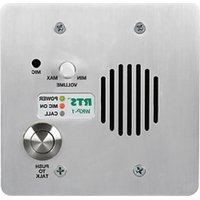
WKP-1 - Interphone industriel RTS - Free user manual and instructions
Find the device manual for free WKP-1 RTS in PDF.


Pick your language and provide your email: we'll send you a specifically translated version.
| Product Type | Wireless Presenter |
| Brand | RTS |
| Model | WKP-1 |
| Dimensions | 120 x 30 x 15 mm |
| Weight | 50 g (including batteries) |
| Power Supply | 2 x AAA batteries |
| Wireless Range | Up to 10 meters |
| Connectivity | 2.4 GHz USB receiver |
| Laser Pointer | Class 2 red laser, <1 mW |
| Presentation Controls | Page Up, Page Down, Black Screen, Play/Pause |
| Operating System Compatibility | Windows, macOS, Linux |
| Maintenance | Clean with a soft dry cloth; avoid liquids |
| Safety Precautions | Do not disassemble; avoid looking directly into laser beam |
| Spare Parts Availability | Batteries and USB receiver replaceable |
| Repair Information | Contact RTS support for service; no user-serviceable parts |
Frequently Asked Questions - WKP-1 RTS
How long do the batteries last?
Battery life depends on usage but typically lasts up to 3 months with moderate use. Use fresh AAA alkaline batteries for best performance.
What is the wireless range?
The wireless range is up to 10 meters in open space. Obstacles like walls may reduce range.
Is the laser pointer safe?
Yes, it is a Class 2 laser with less than 1 mW output. Avoid pointing at eyes.
Does it work with Mac?
Yes, it is compatible with macOS as well as Windows and Linux. No additional drivers required.
How do I pair the presenter?
Simply plug the USB receiver into your computer. The presenter is pre-paired and ready to use.
Can I replace the USB receiver if lost?
Yes, a replacement receiver can be purchased from RTS customer service. The device uses 2.4 GHz technology.
What do the buttons do?
The buttons include Page Up, Page Down, Black Screen (to blank the screen), and Play/Pause for media.
How do I clean the presenter?
Use a soft, dry cloth to wipe the surface. Do not use any liquids or abrasive cleaners.
Does it support hyperlinks or mouse functions?
No, this model is designed for slide navigation and laser pointing only. It does not have a mouse cursor function.
What is the warranty?
RTS offers a 1-year limited warranty against manufacturing defects. Contact RTS support for warranty claims.
User questions about WKP-1 RTS
0 question about this device. Answer the ones you know or ask your own.
Ask a new question about this device
No questions yet. Be the first to ask one.
Download the instructions for your Interphone industriel in PDF format for free! Find your manual WKP-1 - RTS and take your electronic device back in hand. On this page are published all the documents necessary for the use of your device. WKP-1 by RTS.
USER MANUAL WKP-1 RTS
Manual assistant
Powered by Anthropic
Waiting for your message
Product information
Brand : RTS
Model : WKP-1
Category : Interphone industriel