VLink Control Panel - Intercom RTS - Free user manual and instructions
Find the device manual for free VLink Control Panel RTS in PDF.


Pick your language and provide your email: we'll send you a specifically translated version.
| Product Type | Intercom Control Panel |
| Brand | RTS |
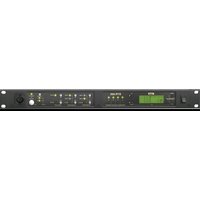
| Model | VLink Control Panel |
| Dimensions (approx.) | 100 x 100 x 20 mm |
| Weight (approx.) | 200 g |
| Power Supply | 12V DC |
| Power Consumption | 5 W (max) |
| Display | Not included (audio only) |
| Audio | Full-duplex speakerphone |
| Functions | Intercom, door release, call forwarding, do not disturb |
| Connectivity | Wired (2-wire bus) |
| Mounting | Wall-mounted (flush or surface) |
| Operating Temperature | 0°C to 40°C |
| Storage Temperature | -10°C to 60°C |
| Material | ABS plastic |
| Color | White or black (depending on variant) |
| Protection Rating | IP20 (indoor use) |
| Maintenance | Clean with a soft, dry cloth |
| Safety | Low voltage (SELV) |
| Spare Parts | Contact RTS customer service |
| Repairability | Professional repair recommended |
| General Information | For indoor use only. Do not expose to moisture. |
Frequently Asked Questions - VLink Control Panel RTS
How do I install the VLink Control Panel?
Mount the panel on a wall using the provided screws. Connect the 2-wire bus to the main station. Power with 12V DC. Follow the wiring diagram in the manual.
Can I connect multiple panels?
Yes, you can connect up to 4 panels on the same bus. Each panel acts as an extension.
How do I adjust the volume?
Use the volume buttons on the side of the panel. They adjust both ringer and conversation volume.
What does the 'door' button do?
Press the 'door' button to activate the electric strike and unlock the door. It works only if a door lock is connected.
How do I set up call forwarding?
Press and hold the 'forward' button for 3 seconds, then dial the extension number. Confirm with the 'call' button. To deactivate, repeat.
Why is there no dial tone?
Check the power supply and bus connection. Ensure the main station is powered. If still no tone, reset the panel by unplugging power for 10 seconds.
Can I use this panel outdoors?
No, the panel is rated IP20 for indoor use only. Exposure to rain or moisture may damage it.
How do I clean the panel?
Wipe with a soft, dry cloth. Do not use water, solvents, or abrasive cleaners.
Where can I find spare parts?
Contact RTS customer service or a certified distributor. Provide your panel model for compatibility.
How do I reset the panel to factory settings?
Press and hold the 'reset' button (inside the casing) for 5 seconds using a paperclip. All custom settings will be lost.
User questions about VLink Control Panel RTS
0 question about this device. Answer the ones you know or ask your own.
Ask a new question about this device
No questions yet. Be the first to ask one.
Download the instructions for your Intercom in PDF format for free! Find your manual VLink Control Panel - RTS and take your electronic device back in hand. On this page are published all the documents necessary for the use of your device. VLink Control Panel by RTS.
USER MANUAL VLink Control Panel RTS
Manual assistant
Powered by Anthropic
Waiting for your message
Product information
Brand : RTS
Model : VLink Control Panel
Category : Intercom