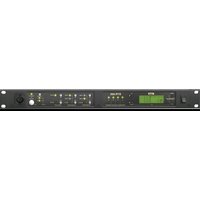
FMI-8 - Intercom RTS - Free user manual and instructions
Find the device manual for free FMI-8 RTS in PDF.


Pick your language and provide your email: we'll send you a specifically translated version.
| Product Type | Intercom |
| Brand | RTS |
| Model | FMI-8 |
| Dimensions (approx.) | 120 mm x 80 mm x 30 mm |
| Weight (approx.) | 200 g |
| Power Supply | DC 12V via mains adapter or battery backup (2x AA) |
| Standby Current | < 10 mA |
| Operating Current | < 100 mA |
| Main Functions | Two-way audio communication, door release, call button, monitor mode |
| Audio Type | Full duplex, echo cancellation |
| Number of Stations | Up to 4 indoor units |
| Wireless Range | 30 m (open field) |
| Frequency | 2.4 GHz |
| Installation Type | Wall-mounted (outdoor unit), desktop (indoor unit) |
| Weatherproof Rating | IP54 (outdoor unit) |
| Material | ABS plastic |
| Maintenance & Cleaning | Clean with a soft dry cloth; avoid solvents or abrasive cleaners |
| Safety | Low voltage operation (SELV), compliant with CE standards |
| Spare Parts & Repairability | Replacement power adapters, batteries, and screws available from RTS service centers |
| General Information | Designed for residential or small office use; user manual available for free download |
Frequently Asked Questions - FMI-8 RTS
How to pair the indoor unit with the outdoor unit?
Press and hold the PAIR button on both units for 3 seconds until the LED flashes. They will automatically sync within 30 seconds.
What type of batteries does the outdoor unit use?
The outdoor unit requires 2x AA alkaline batteries for backup power. It can also be powered via the included DC adapter.
Can I adjust the ringtone volume?
Yes, use the VOL+ and VOL- buttons on the indoor unit during idle mode to adjust the ringtone volume to one of 5 levels.
How to unlock the door using the intercom?
When a visitor calls, press the UNLOCK button on the indoor unit to activate the door strike release (requires compatible electric lock).
What is the maximum distance between indoor and outdoor units?
The wireless range is up to 30 meters in open space. Walls and metal objects may reduce range.
How do I reset the intercom to factory settings?
Press and hold the RESET button on both units for 10 seconds. All paired devices will be cleared.
Can I use more than one indoor unit?
Yes, you can pair up to 4 indoor units with one outdoor unit. Each indoor unit must be paired separately.
Why is there no sound during a call?
Check that the MUTE function is not activated (indicated by a red LED). Also ensure the volume is turned up.
How to clean the outdoor unit?
Wipe gently with a soft, damp cloth. Do not use harsh chemicals or abrasive materials.
Does the intercom work during a power outage?
Yes, if batteries are installed in the outdoor unit, it will continue to function for up to 24 hours on battery backup. Indoor units need mains power or rechargeable batteries (optional).
User questions about FMI-8 RTS
0 question about this device. Answer the ones you know or ask your own.
Ask a new question about this device
No questions yet. Be the first to ask one.
Download the instructions for your Intercom in PDF format for free! Find your manual FMI-8 - RTS and take your electronic device back in hand. On this page are published all the documents necessary for the use of your device. FMI-8 by RTS.
USER MANUAL FMI-8 RTS
Manual assistant
Powered by Anthropic
Waiting for your message
Product information
Brand : RTS
Model : FMI-8
Category : Intercom